Hello everyone,
I have encountered a problem after I reinstalled syncthing version v2.1.0, Windows (64-bit Intel/AMD, without windows installer; Syncthing | Downloads ) on a laptop that is only connected to and android mobile phone acting as a relay (connecting devices one at a time and not simultaneously) to 2 other devices (1 windows office computer + 1 android tablet). Before the re-installation the system worked fine, however afterwards my laptop shared (“send & recieve”) files could send but not receive data (“Out of Sync” new files and “Failed items - access denied” with modified/removed files, except for one shared file that is working properly). All other devices work and sync perfectly. Currently Both the office computer and laptop have the same portable syncthing windows V.2.1.1, that was updated from a syncthing-windows-amd64-v1.23.4 portable installer. I have I have tried to solve the issue by following a few measures from the forums/web without success:
1) Resetting shared folders in syncthing: removing and re-adding folder option within syncthing
2) Resetting shared folders in file system: recreating folders from scratch and re-add folders (with the original and manually created “.stfolder”; syncthing was not capable of creating a new “st.folder” prompting “folder marker missing” error) (https://www.resilio.com/blog/syncthing-out-of-sync). I was considering “POST/Rest/System/reset” but I’m not sure If it is the right action to take (https://docs.syncthing.net/rest/system-reset-post.html) .
3) Doing a full reset – uninstalling/deleting portable version + deleting Appdata syncthing files + reinstalling with and without windows installer (https://www.resilio.com/blog/syncthing-out-of-syn c)
4) Changing SyncOwnership/ignore permissions/Extended Attributes between LAPTOP, office computer and mobile (android syncthing v 1.28.1 has “ignore permissions” by default, and all files have block indexing activated) .
5) Modified/deleted files show “access denied” errors in failed items notification. Assuming it was a permissions issue. I tested re-installing with and without admin rights (current setting is without admin rights, as it was before re-installation). (https://forum.syncthing.net/t/access-denied/21 526)
6) Assuming it was an issue with android syncing, I tried syncing it up only with the office computer. Same “Out of Sync/access denied” problem prev ails.
7) Forcing data override – setting up updated Mobile/Office Computer end to “send” and laptop to “receive” settings but override option doesn’t appear to change anything. (https://www.resilio.com/blog/syncthing-out-of -sync)
8) Debug reset-database and deleting index data (https://walterebert.com/blog/fixing-syncthing-out-of-sync/ ; https://docs.syncthing.net/users/syncthing.html#cmdoption-reset-da t aba se)
Below are snapshots of the GUI. I have already transferred manually the bulk of the files to my laptop, any new files are “out of Sync” and modified/removed files from other devices are “failed items” with “access denied” errors. By activating “ignoring permissions” in LAPTOP it seems to resolve modified files, but not the removal of files (https://forum.syncthing.net/t/cannot-sync-chmod-fails-operation-not-permitted/25383/3). I have also checked the file properties and they have “read only” attributes and has user full control (https://forum.syncthing.net/t/access-denied-when-deleting-folde r/10162).
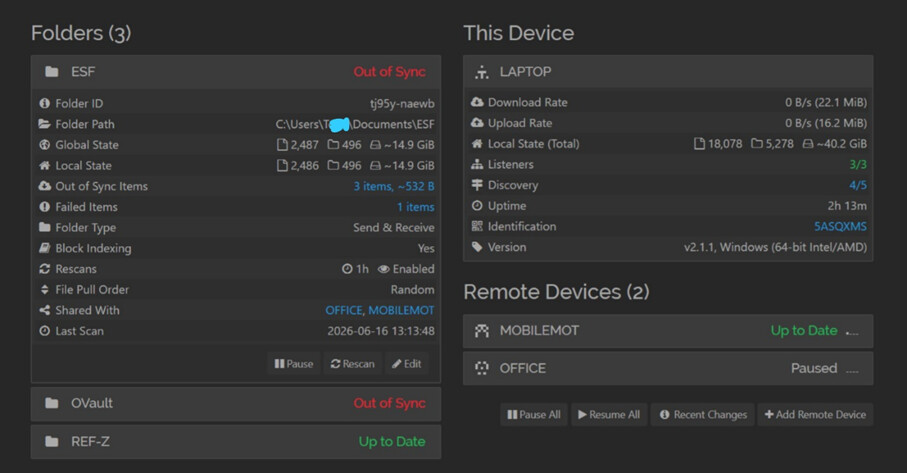
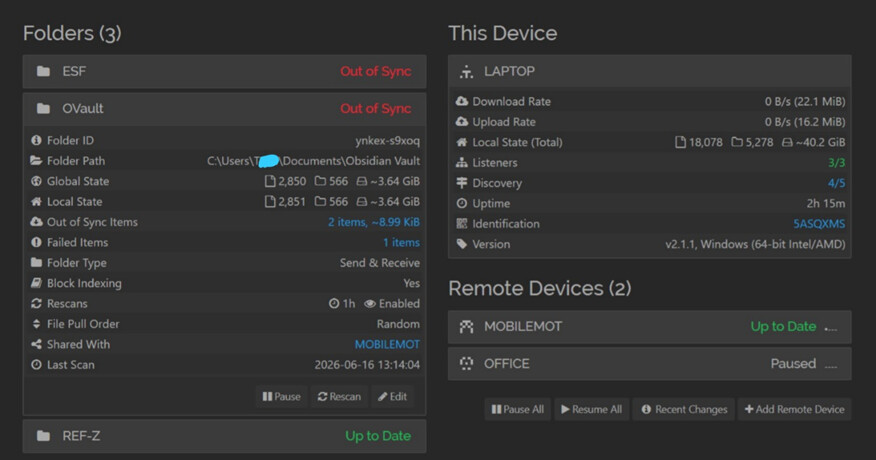
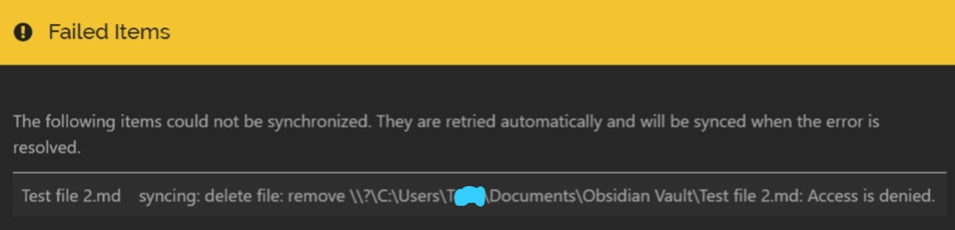
MOBILE GUI
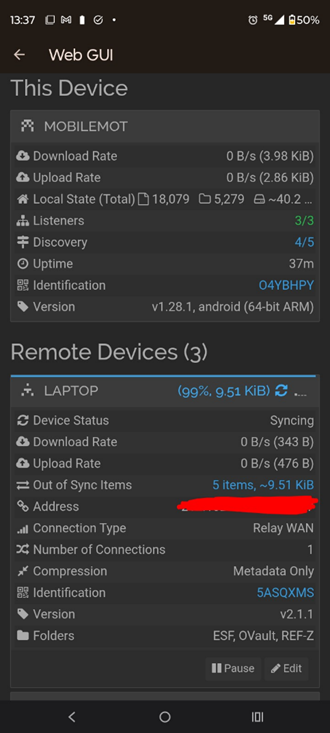
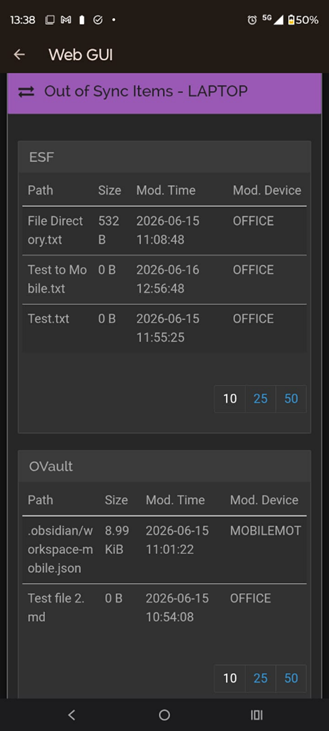
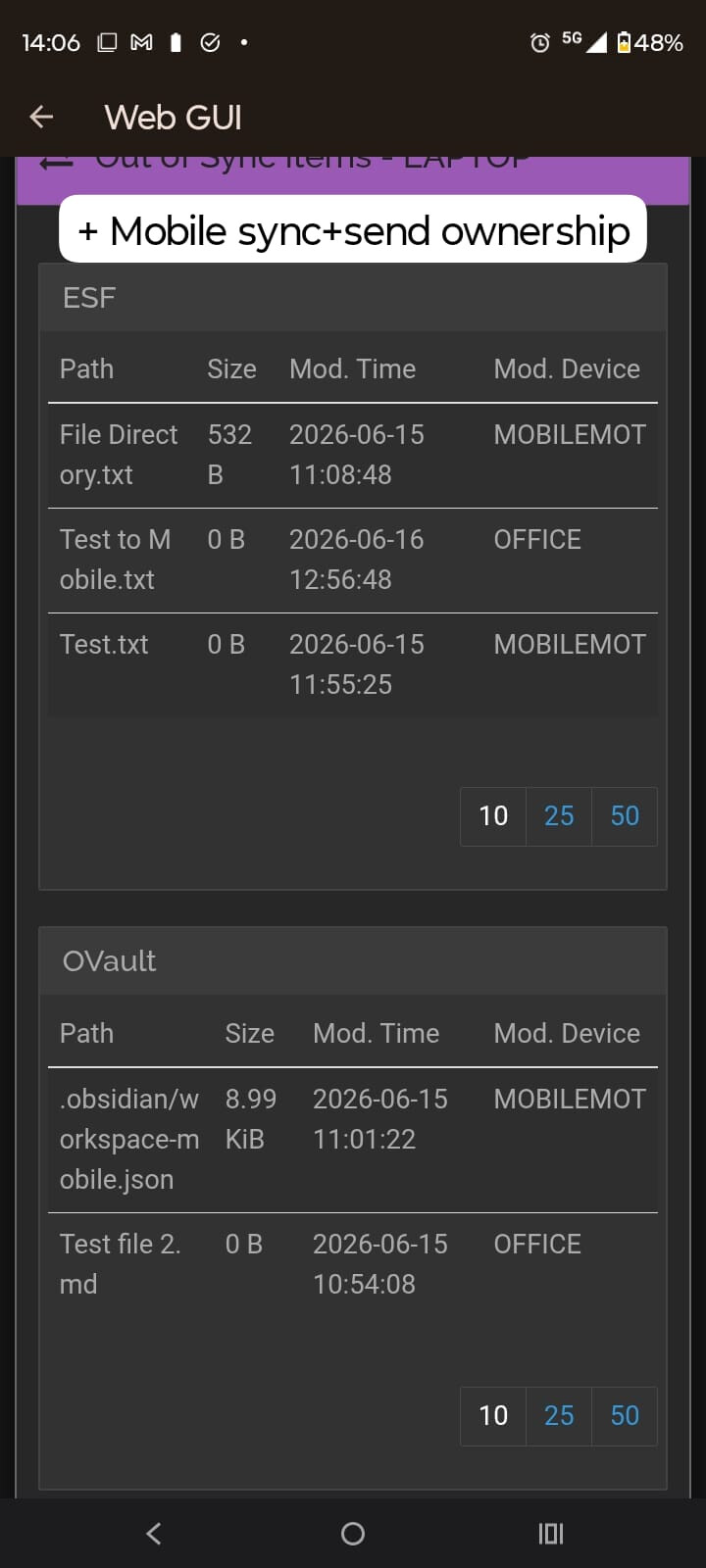
The only shared file that seems to be working fine and passed all test transfers (Office <> mobile <> Laptop) is the REF-Z file. I haven’t seen any differences between the settings of the other shared files other than the fi le path.
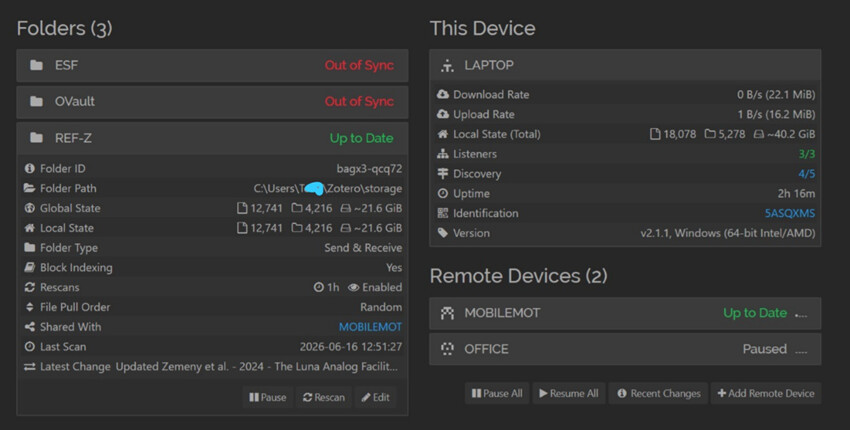
I don’t know what else i might be missing and I still can’t pin down the problem (although I might have messed up on something, as I have a very limited understanding of these systems). Any help on this issue would be much app reciated.
All The best,
J.
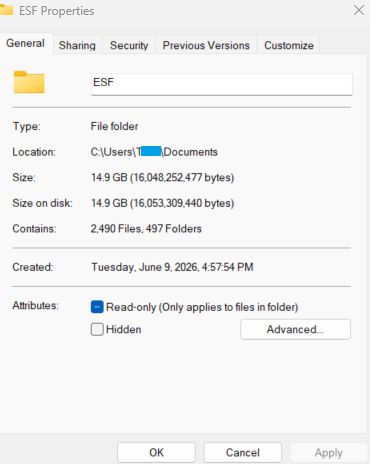
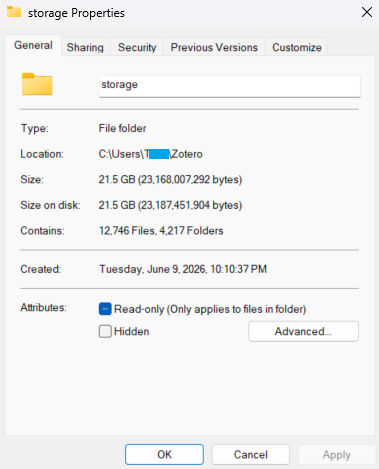
 . After I tried deactivating the “[-] read only” attributes from C:\Users\T\Documents Folder in the last message, nothing really happend (still appeared with the [-] mark), and the files continued to show error messages in syncthing. However, now its working again. I guess that the laptop needed a reboot for the changes to take effect (?).
 .
.