Hello everyone, I’m not really computer savvy, but I can stumble my way through figuring out and doing what I need to do to fix things, with reasonable instructions.
I recently switched from Mac to Windows.
I’m syncing photos and files between Android and Windows, one problem I have is that when deleting photos on Android it doesn’t delete the photo on Windows. (I actually haven’t tried to see if that also happens with files).
When I delete photos from Windows it deletes them on the Android, and there isn’t any trace of them, as in they don’t go to the trash bin, which I assume is normal.
I don’t think I have any strange settings on, just the normal read and write on both devices.
Can someone please help me understand what I’m doing wrong?
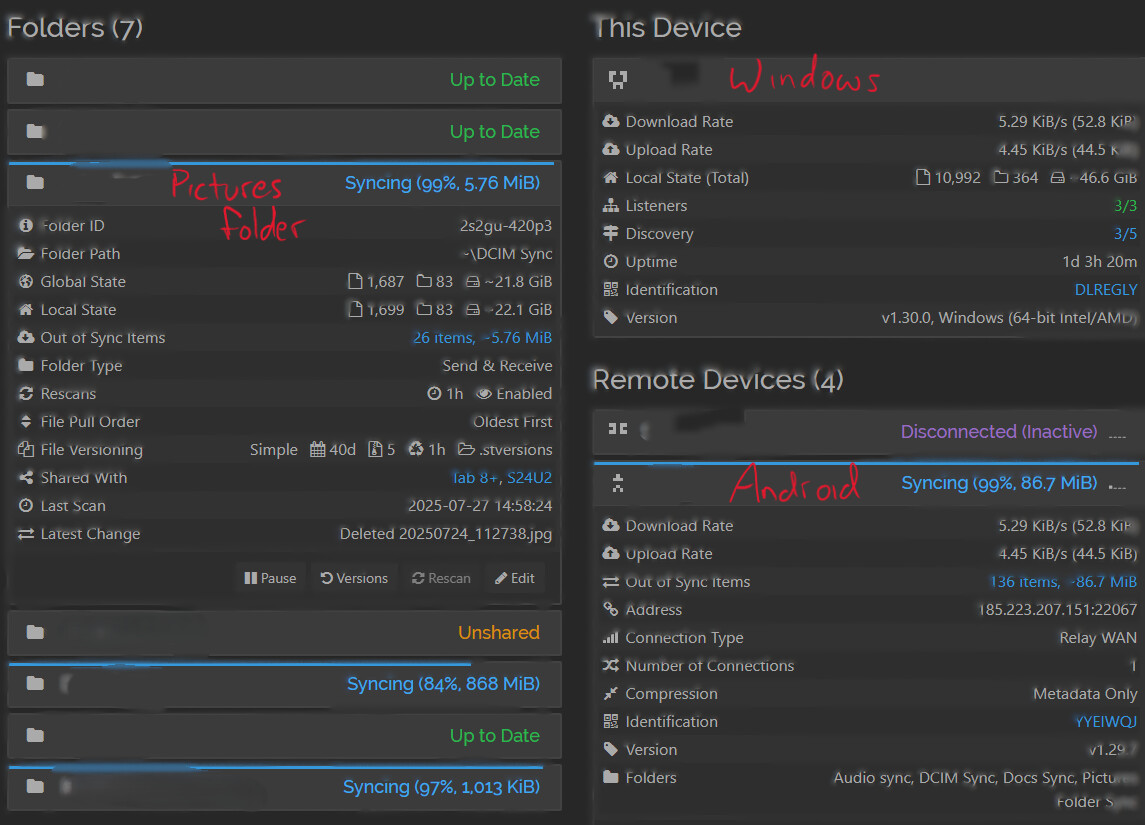
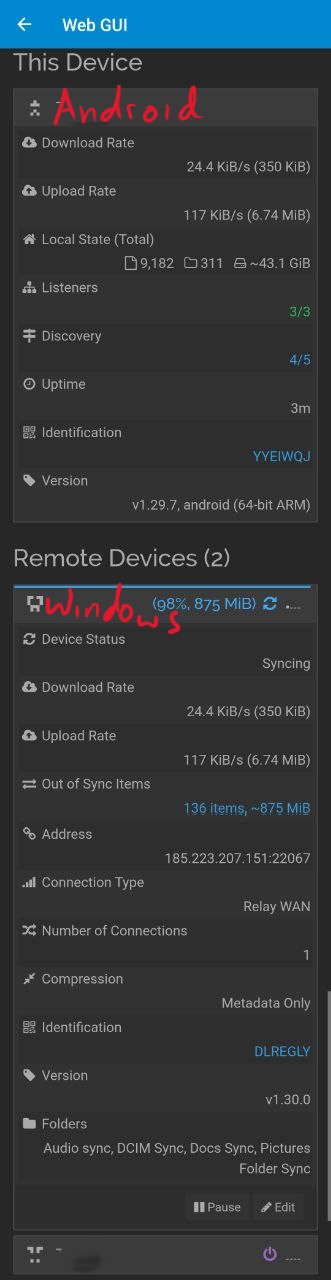
Please check if the folder type is set to “Send & Receive” on both sides. If it is and the deletion is still not happening, then please take screenshots of the Syncthing Web GUI on both sides and upload them here. On Android, you can access the Web GUI from the left slide-out menu.
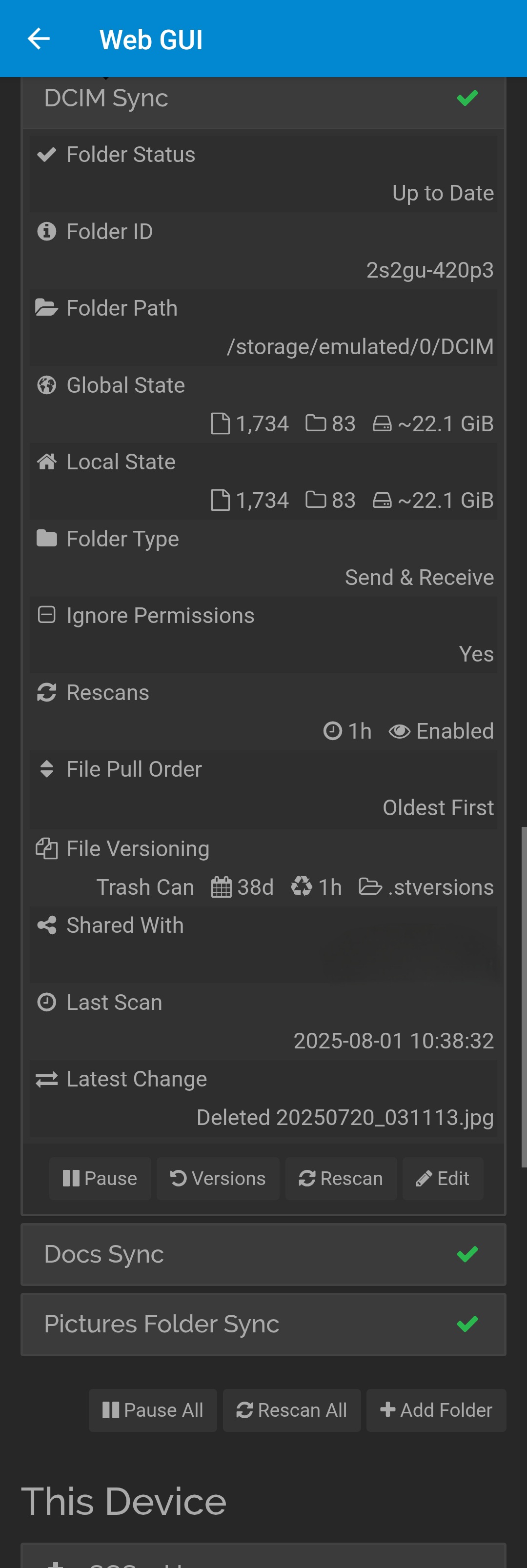
Can you show a screenshot of the folder information on Android?
Also, in the screenshots, there are other transfers going on. I assume that you’ve waited for everything else to finish, right? The devices are connected via a relay, which usually means a slow connection.
The long skinny picture is the screenshot from the Android phone.
Yes, I have waited but it does not delete the photos on the phone when I delete them on the computer.
This issue has been happening for some months now, and I am finally working to address it.
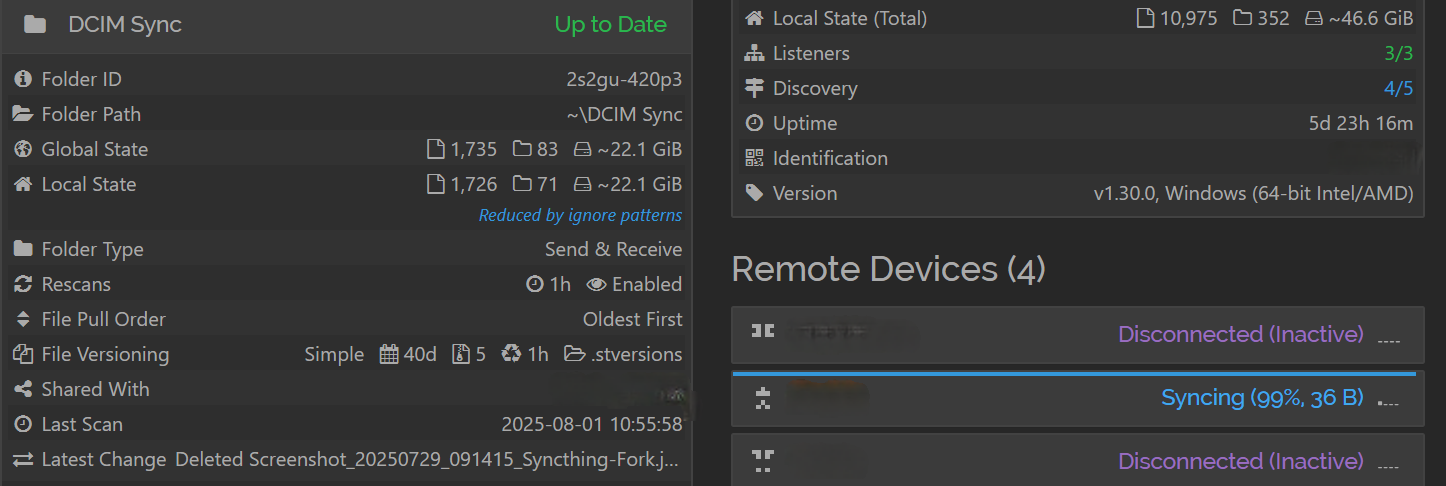
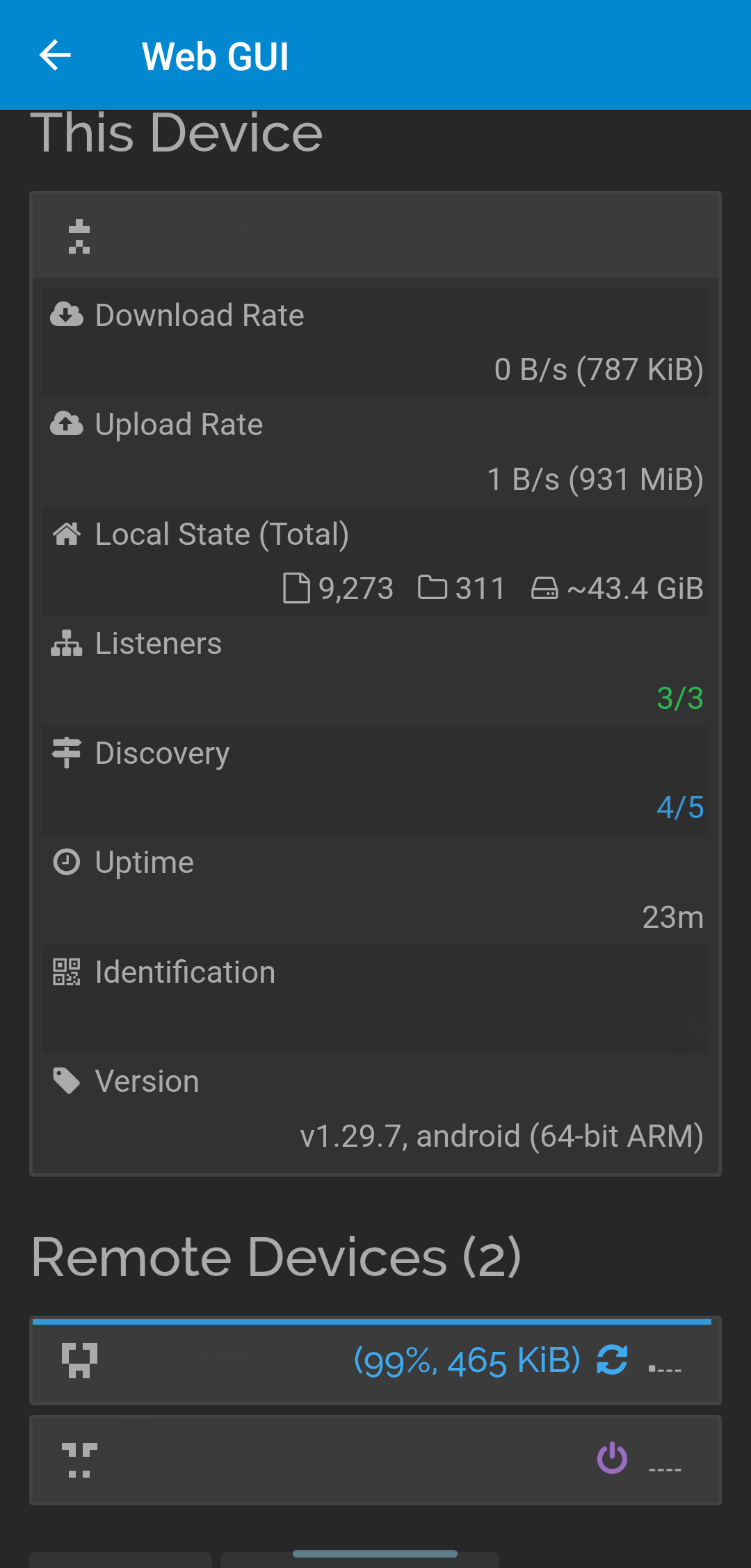
Yes, but only shows “This Device” and “Remove Devices”, and I was asking for the same information as available in the desktop screenshot, with the folder configuration, its global and local state, etc. visible .
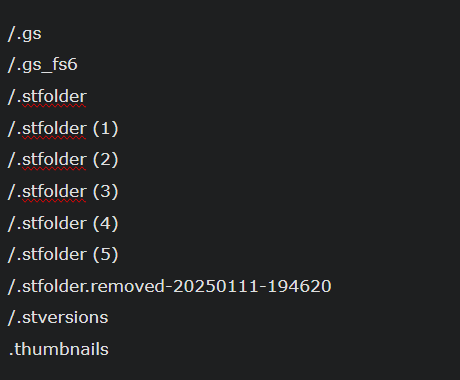
Ok here everything is up to date. the desktop was saying that that one item was out of sync, and it wouldn’t update, so I added some ignore conditions which seemed to make it happy as the out of sync item is no longer displayed.
But still the photos are not deleting on my computer if I delete them from my phone.
here are the GUI screenshots. I’m also sending a screenshot of my ignoring conditions.
Probably because when you THINK you have deleted a photo by phone, it was instead renamed to a filename starting with a dot. Those are hidden by default.
That is very interesting, I was wondering if it may be something like that, that when I delete a photo it’s just moved to the trash bin and so it’s still synced because it’s not actually deleted from the phone.
Is there an ignore condition or something else can I use so the photos starting with a dot will be removed from my computer?
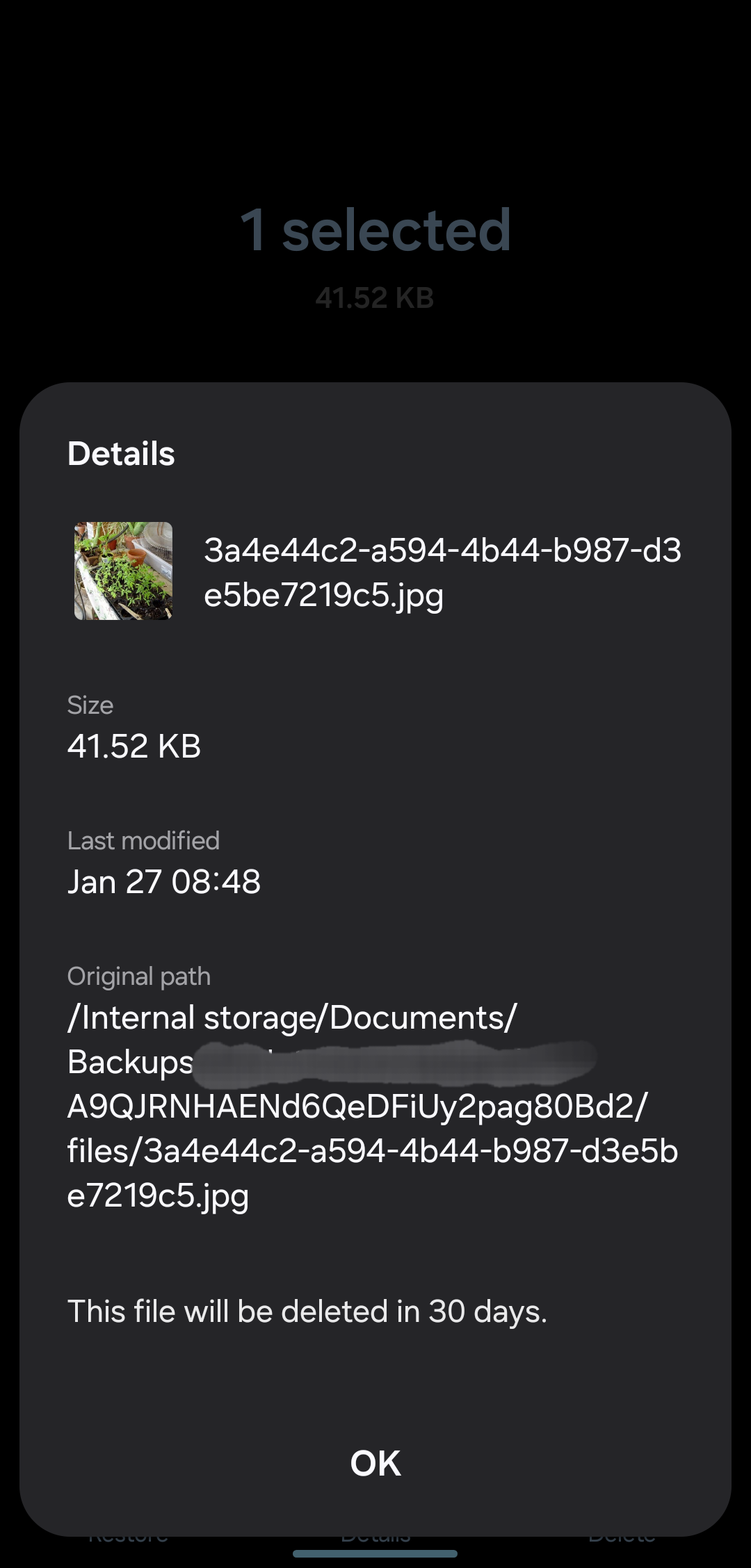
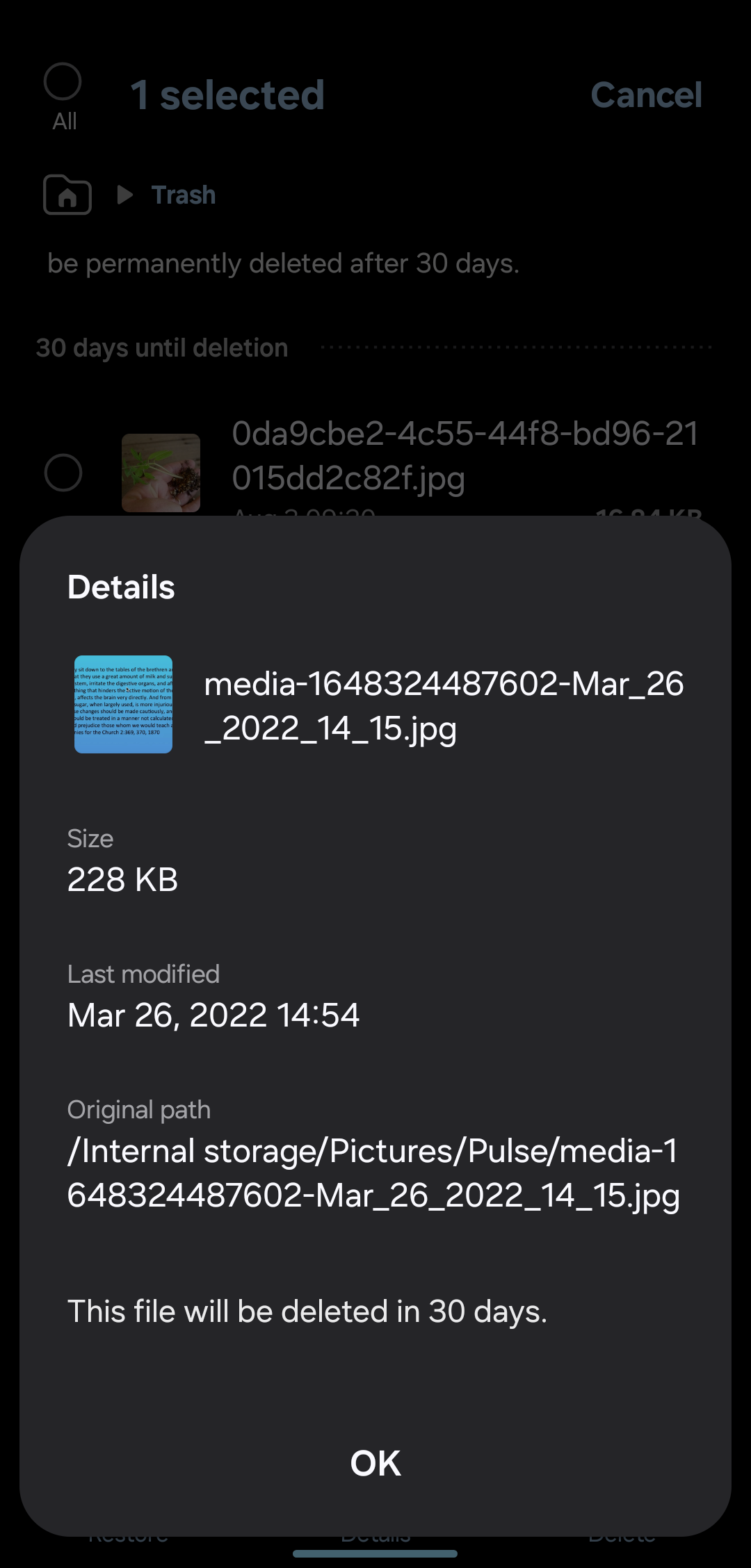
Here is an example of a photo in the phone trash bin. I don’t see any “dot” in front of it. I actually don’t see any specific identification or change in the name to use as an ignore condition, or so that the phone knows that it’s in the trash bin…
Global and local states are almost the same on both devices so Syncthing is working fine.
Did you try to delete some photos permanently from the bin? Otherwise they should be gone in 30 days on both systems. I guess deleted items are tracked not by path but somewhere else. Which phone and gallery app do you use?
Yes I did try to delete the photos permanently from the trash and they still do not get removed from the PC, they are still always on the PC.
And this is what gets me, I can understand that they would not be removed from the PC if they were simply moved to their cycling bin but being deleted from that they should then definitely be removed from the PC…
Trying is one thing, succeeding is another. You really need to be sure that the file is gone from the phone.
I have a Samsung Galaxy S24FE, also with Android 15.
What do you mean? There is no such app, as far as I know. Do you mean Samsung Gallery app? That is what I use.
When I shoot a picture, a jpg file is created in /storage/emulated/0/DCIM/Camera.
After a few seconds, Syncthing detects that something changed. It finds the newly created file and increases the local file count by 1 and the the same with the global file count.
Syncthing on my “server” finds out about the new file and downloads it, and increase the counters as well.
Using the Samsung Gallery app, I delete the photo.
After a few seconds the deletion is detected by Syncthing and it decreases both the local and global file count by 1.
After a few seconds Syncthing on my “server” does the same and deletes the file.
In the Samsung Gallery “Recycle Bin” (found in the hamburger menu at the bottom), I can see the deleted photo. But I have no idea where it is in the filesystem, because I cannot see it using the Google Files app even when configured to show hidden files.
My conclusions: Syncthing works.
My recommendation:
Follow the same steps as I did above. ONE step at a time.
Screenshot, investigate and think after each step.
LOL yes, i did succeed in permanently deleting them on my phone, but they didn’t delete from the pc.
Yes, I’m sorry for the mistake and confusion, Gallery app is what I meant.
I just looked more into it and this is what I found, but I don’t understand it.
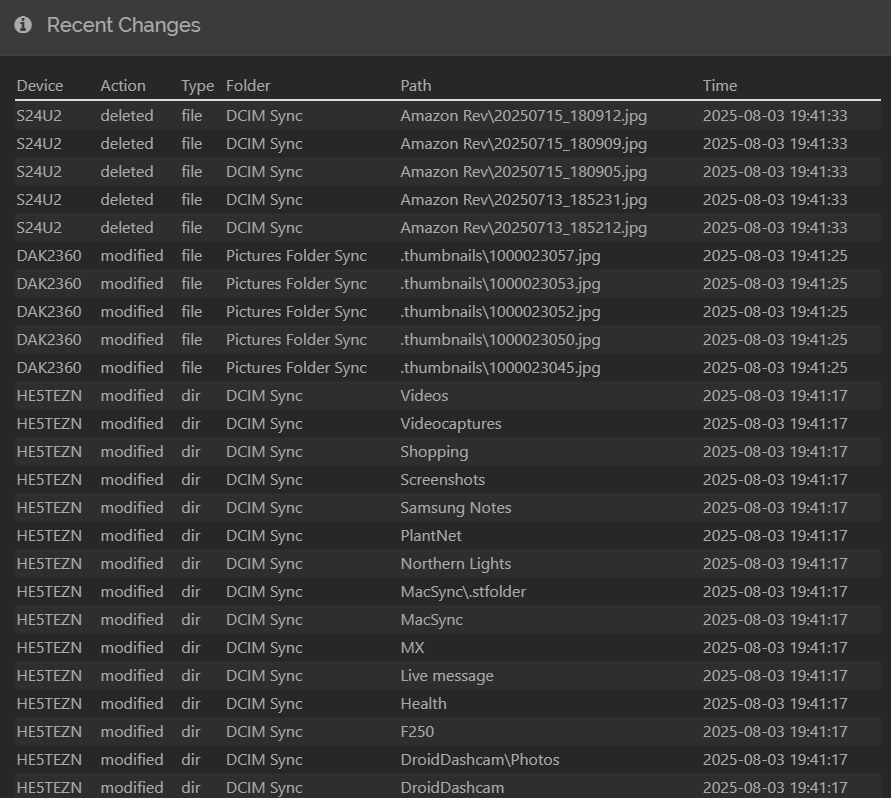
Syncthing is reporting correctly that I’m deleting a photo, as you can see in this screenshot:
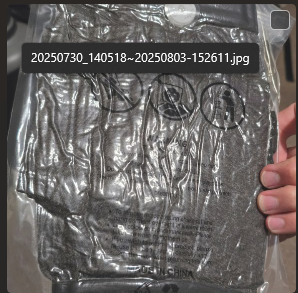
The picture name was changed on my computer. It is the same picture but now with a different name, on my computer.
I then checked other pics that I deleted from my phone and on my computer they all have a changed name, something added to the original name separated by that “~”.
How/why is this happening?? And how can I stop my computer or Syncthing or whatever it is from changing the file name instead of deleting it?
 .
.
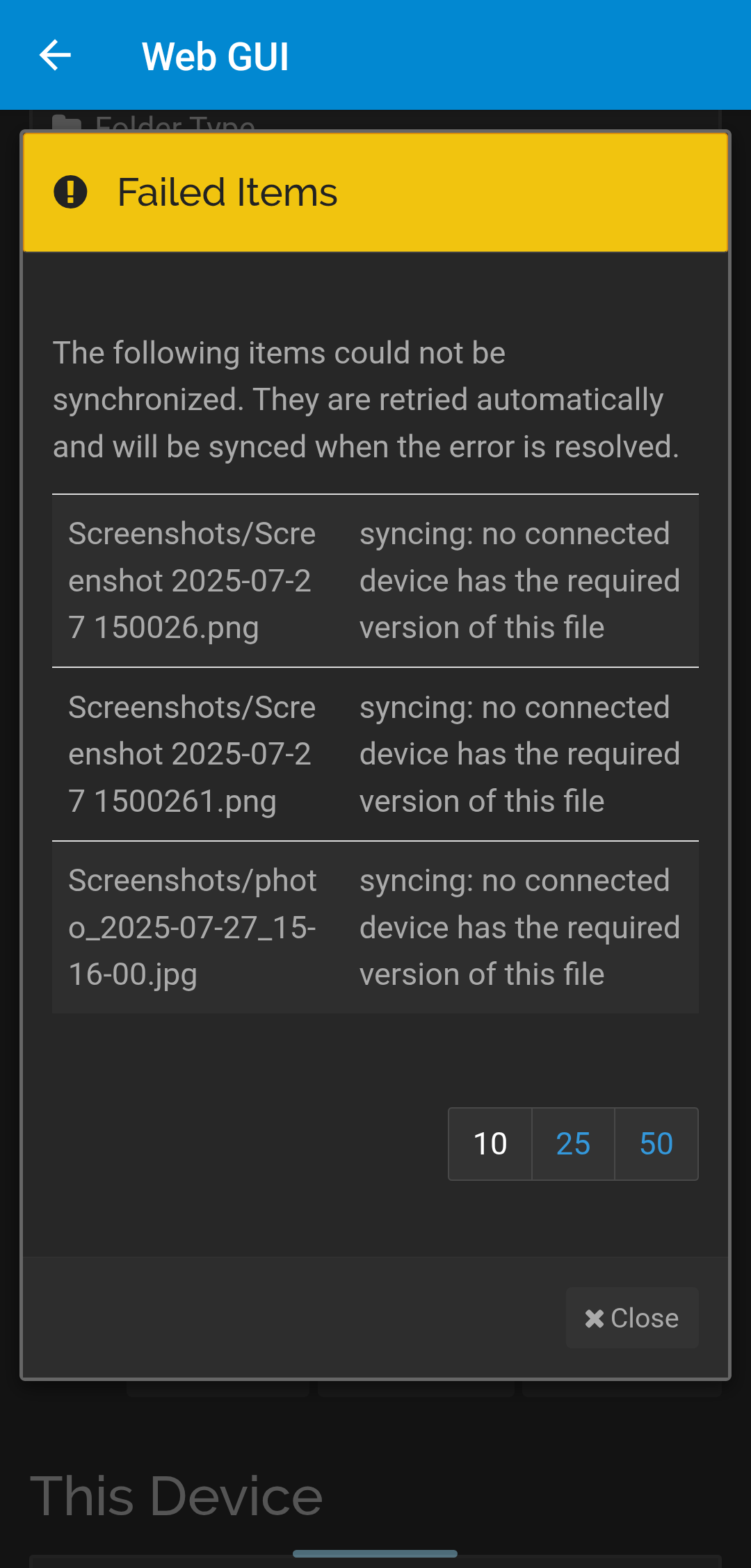
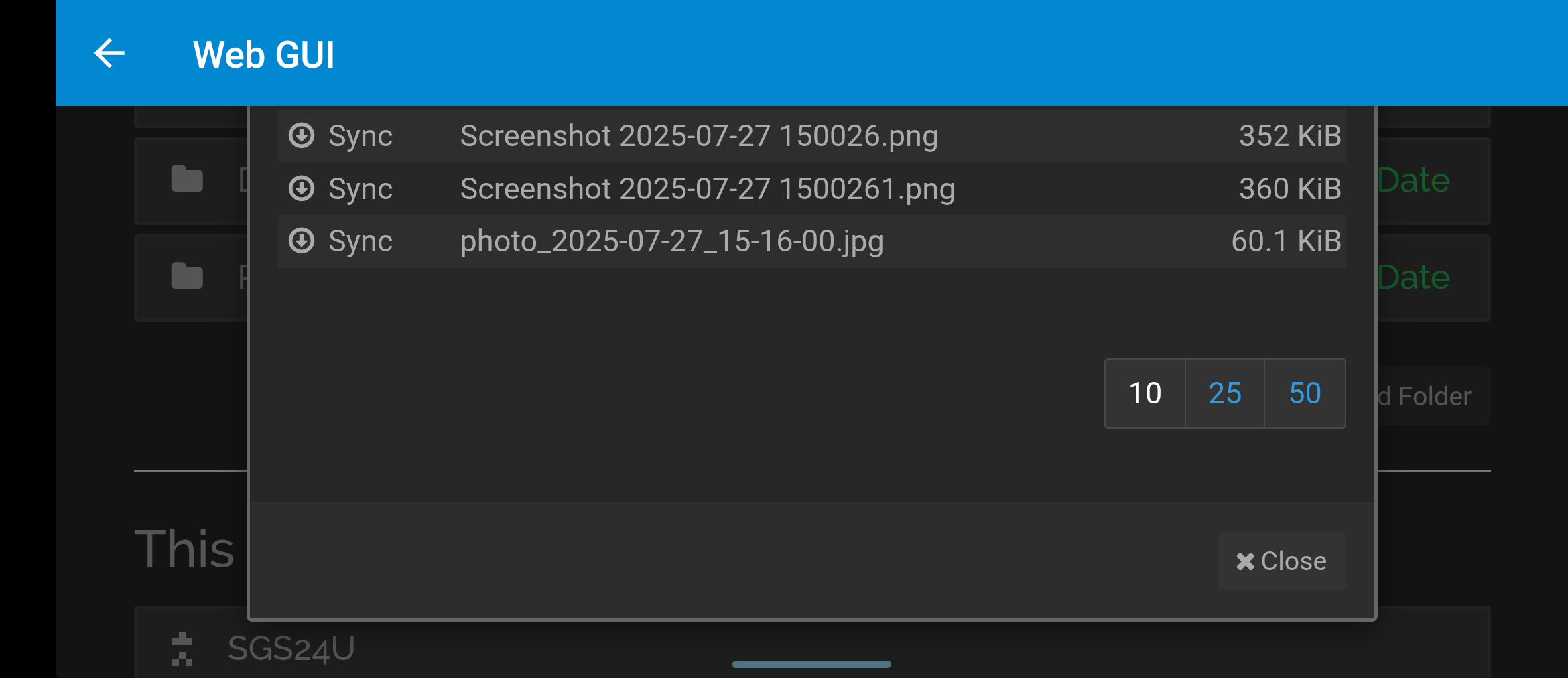
 You really need to be sure that the file is gone from the phone.