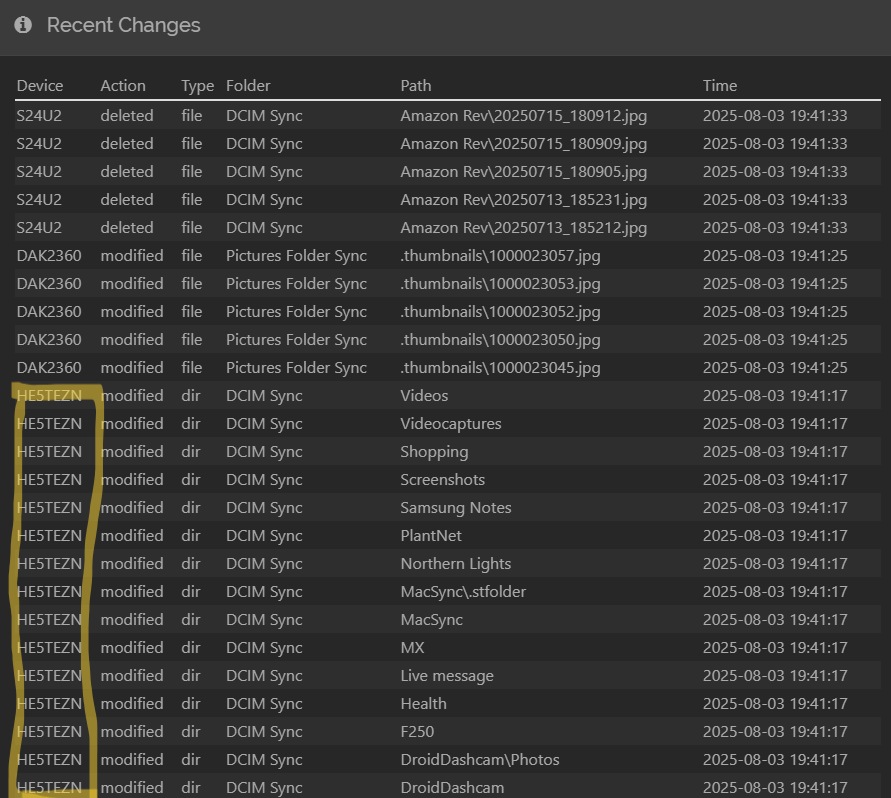
Also in the “recent changes” log it says device “HE5TEZEN”. I don’t have any device with that name, so what is that?
By the way I really appreciate your help! I believe we are getting closer to the bottom of this… Thank you!
It is the head of the Identification string (Device ID) which is different from the Device Name - expand all Remote Devices to see which one it is.
You could also try a different path to verify the synchronization:
- open the Camera folder on Windows and navigate to the last jpg (do not rely on search)
- take a photo and wait until it is transferred
- use a simple file manager (like Fossify) to delete it
- watch what happens on your Windows device
(also check Actions > Advanced > Folders > “Camera” > Ignore Delete)
Ok So more info I figured out, when I delete the photo from my phone syncthing moves the PC file from a folder in C:\Users\d_and\DCIM Sync to C:\Users\d_and\DCIM Sync.stversions\Camera, and in doing so it changes the name of the picture. Photos (windows photo’s program (or app, whichever it is)) continues reading the picture from that new location as if nothing changed, except for the name. Maybe at the end of holding period Syncthing will remove it from the .st folders and it will then also be removed from the photos program. You can see it in this screenshot, The photo was originally in C:\Users\d_and\DCIM Sync\Camera.
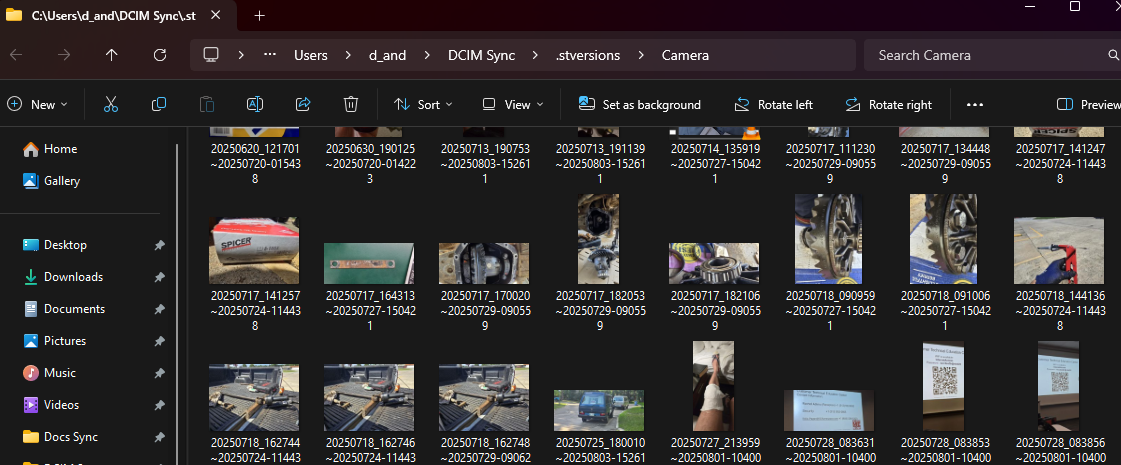
So how can this be fixed? Or how to make Photos stop seeing pictures in the .stversions folders?
I verified ignore delete is not selected.
Change File Versioning for the folder, but I would not disable it.
I do not use it, so no clue.
Oh… Versioning is enabled on that Syncthing folder on your computer. When Syncthing on your computer learns that some other device have deleted a file, Syncthing on your computer does not delete the file, but instead move it to the .stversions directory. The purpose is to make it easier to recover from deletions, regardless of they were accidental or on purpose. You can see it as a form of backup. Keep it on if you want, or disable it. Your choose. I do not use Versioning, but use “proper/dedicated” backup (restic) instead.
O, I see, thank you for that explanation.
So how do The different file versionings work (simple, trash can, staggered…) Is there any that I can use that will not keep the photo in my photo app when I delete it?
Can you please give a brief explanation as to how you have this set up?
I don’t understand what you mean by change file versioning for the folder, can you please explain it.
Maybe by sending the deleted files to the Recycle Bin? You could use the method described at https://docs.syncthing.net/users/versioning#move-to-the-recycle-bin-using-powershell. This way, you will still be able to recover them if needed while also not appearing in the Photos app.
No File Versioning for that folder on your Windows device: Syncthing will remove files permanently which were deleted on other devices. Now they are moved to .stversions instead and removed later - similar to what the gallery app on your phone does.
This is not related to Syncthing in any way, so sorry but I won’t.
So the problem is now solved!
I did, at minimum, a temp fix. I selected a versioning folder that the photos app doesn’t automatically search for photos in.
I like the recycling bin idea and will probably do this in the near future.
Thank you very much everyone for your support!