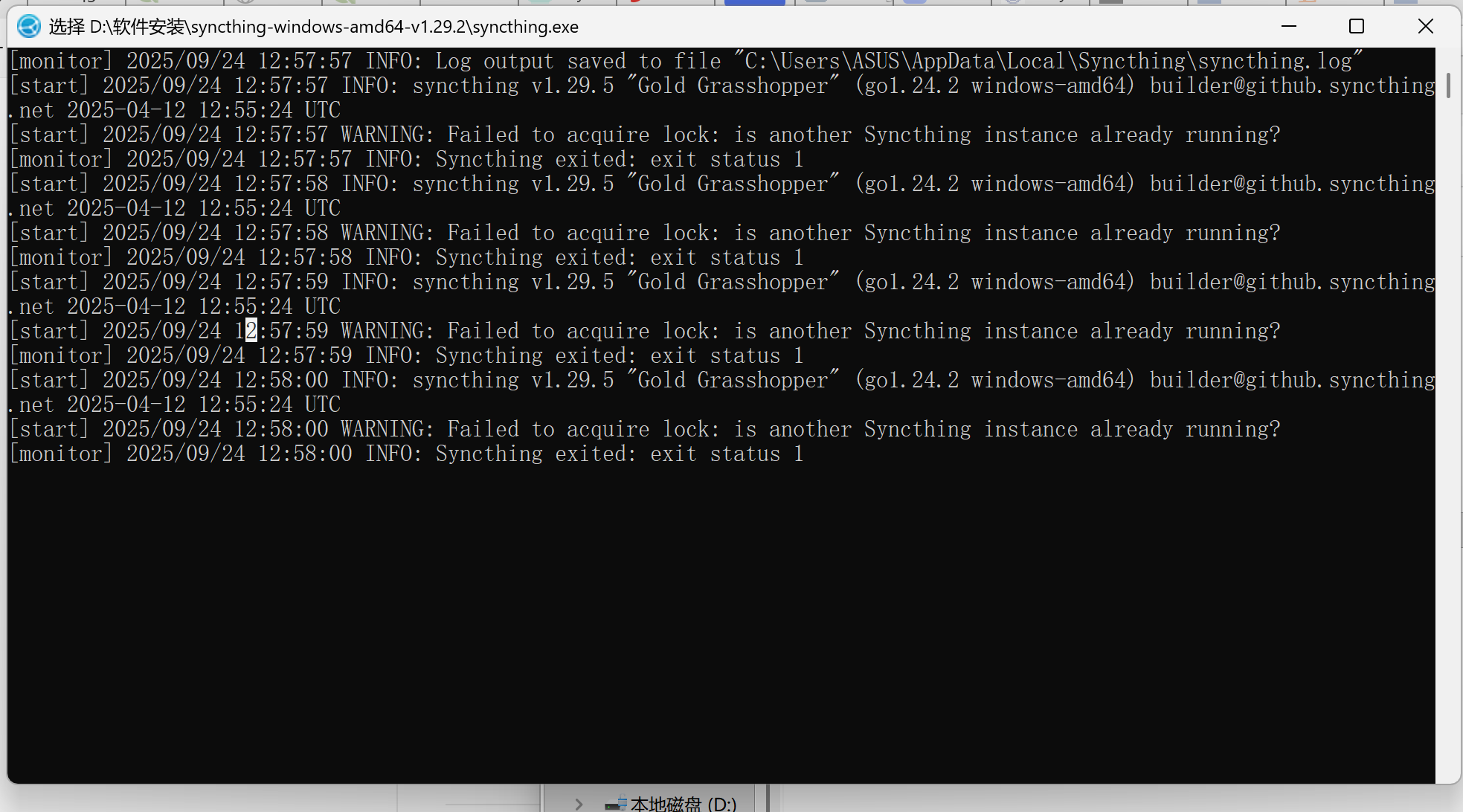
I am an alien to the working principles of computers and totally unfamiliar to coding. I got in touch with SyncThing several months ago, but haven’t used it for about four months due to my busy daily work. Last week, I tried to log in my account again. I clicked on the exe, but it just automatically exited. I can’t understand the reason. Here is a screen-shot of my problem. Anyone can give me a solution? (I hope I can understand.)
Besides, I once tried to download a new Windows version, but didn’t know how to uninstall SyncThing. Do I need to uninstall the original SyncThing on my computer before installing a new one?
Do you remember how you installed Syncthing originally? The log shows that you’ve got another instance of Syncthing already running.
If you’re not very tech-savvy, I would suggest to uninstall Syncthing completely, and then install it again but through SyncTrayzor (see https://github.com/GermanCoding/SyncTrayzor/releases/latest). This will make it start and run automatically in background with a visible icon in the system tray which you can use to easily access the GUI.
I just want to reiterate that you do need to get rid of your current Syncthing installation, and specifically its autostart entries first, as you will not be able to use SyncTrayzor as well if the previously installed Syncthing is still running.