I recently purchased a Kobo Libra Colour N428. I’ve been trying for several days to make it work with KOReader, but all attempts have failed. Is it possible? How?
Thank you and best regards, Mascoto
I recently purchased a Kobo Libra Colour N428. I’ve been trying for several days to make it work with KOReader, but all attempts have failed. Is it possible? How?
Thank you and best regards, Mascoto
Is it possible? How? Thank you and best regards, Mascoto
KOReader seems to be an application, not an OS. What operating system are you running on the device?
Hi. Windows 10. Thanks.
What difficulty have you experienced installing and configuring Syncthing on Win10?
Hello. Thank you for replying. I installed Syncthing on Windows 10 without any issues, but I couldn’t get Syncthing to communicate with KOReader 2025.10 on my Kobo Libra Colour N428.
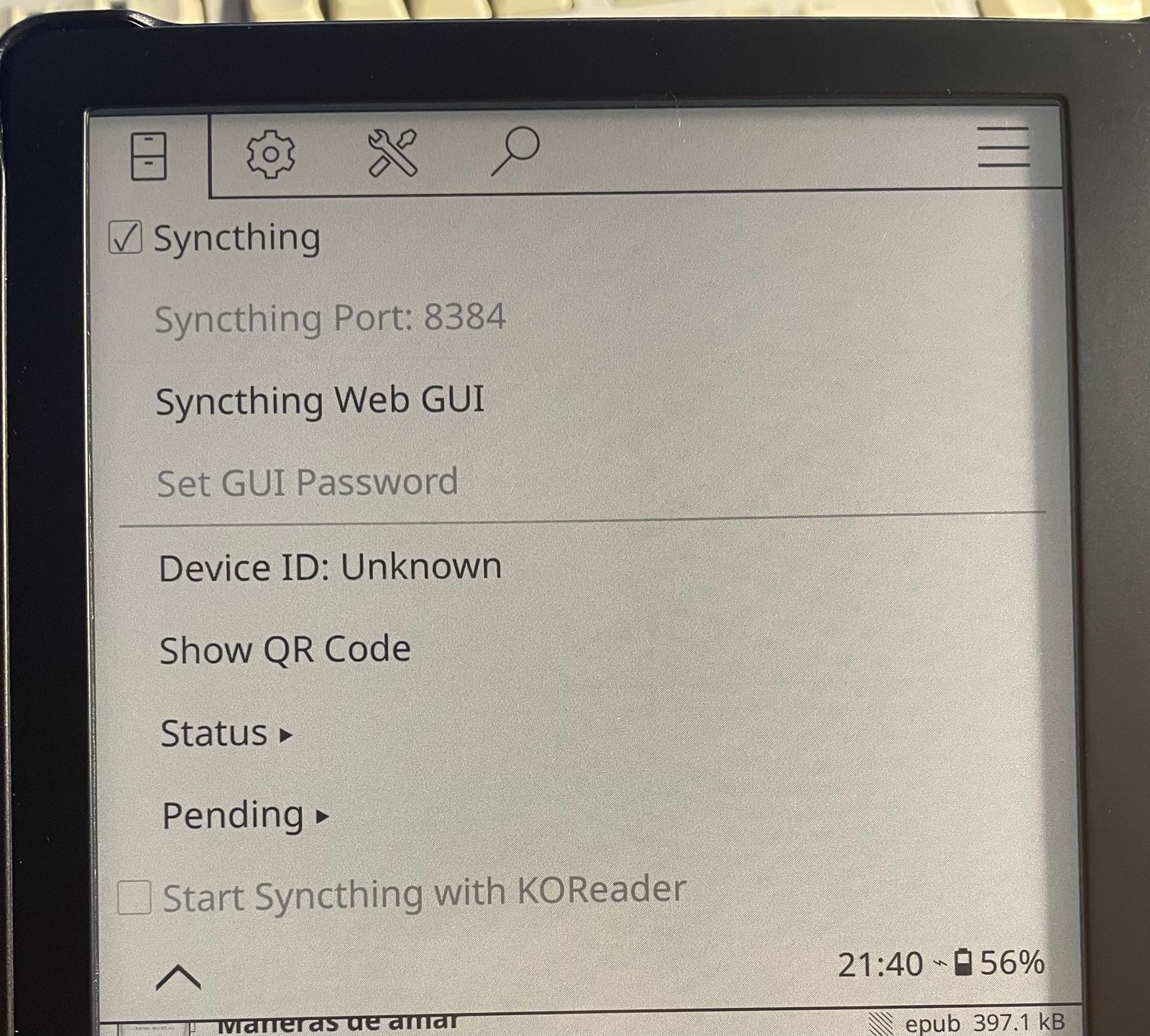
In KOReader it shows: Device ID: Unknown. Status: Folder and Remote Devices in grey. Pending: Pending Devices and Pending Folders in grey.
My impression is that the KOReader and Windows devices cannot see each other.
Thank you for any suggestions.
If KOReader is not an OS, you cannot install Syncthing upon it.
What you need to do is install Syncthing on the Windows OS and sync the files that you want to sync. I don’t know anything about KOReader so I don’t know what files or directories you might want to sync.
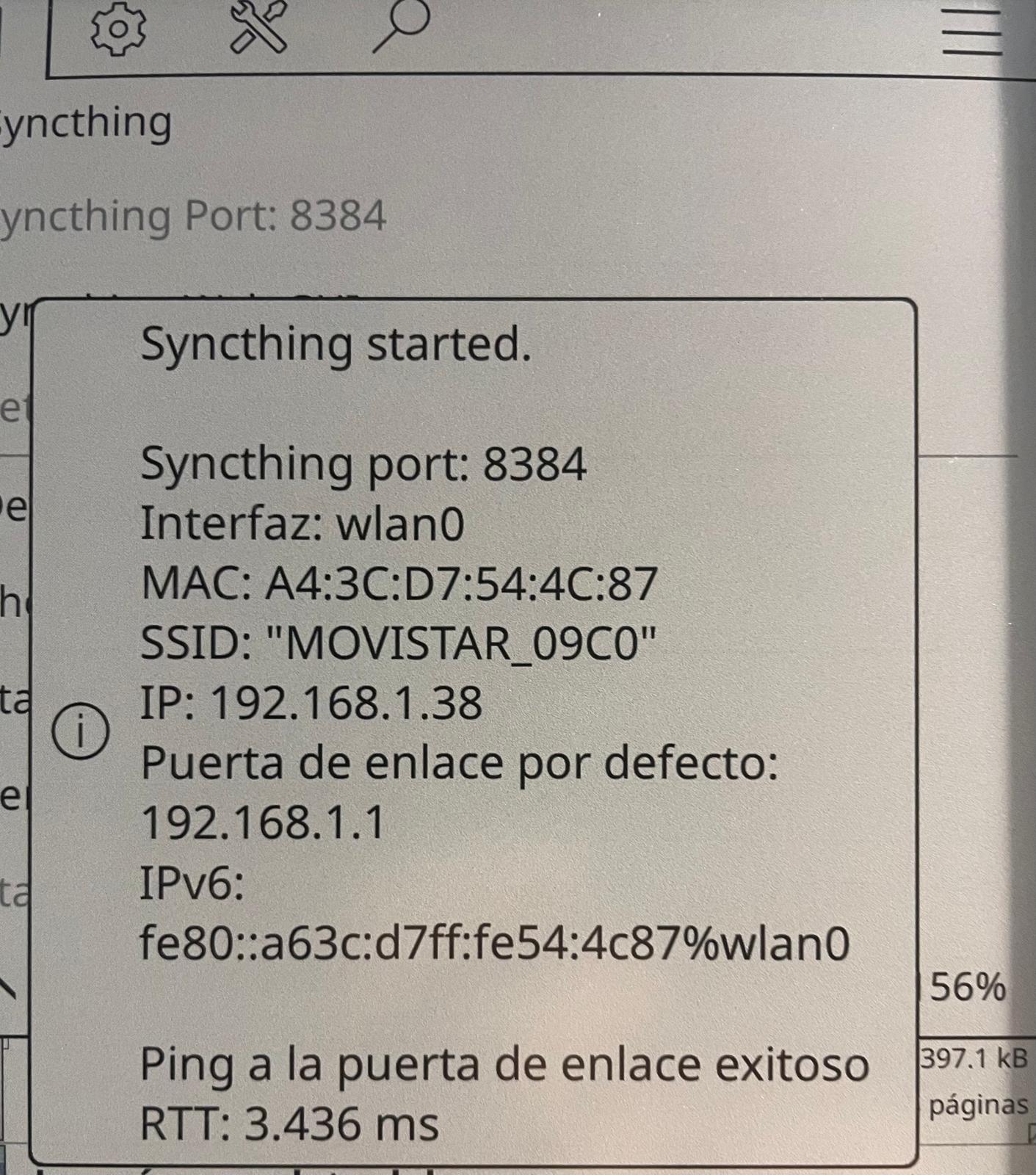
Can you show screenshots of what you’re actually seeing on the screen?
This is an Android e-reader device. The windows 10 discussion seems like a side track.
You’re not telling us much here. Have you installed Syncthing on another Device? Have you set up Folders and connected them with other Devices? Take a look at Getting Started — Syncthing documentation if you haven’t already.
This topic was automatically closed 30 days after the last reply. New replies are no longer allowed.