I am trying to sync game saves between my steam deck (linux) and my windows PC. I was able to get this function to work for a game installed through prefixes, but I have never been able to get dolphin emulator to work. When debugging, I was able to see that Syncthing knew when I had played a game and that a file had been modified, but it will not sync between devices. I have:
Made sure permissions were given through Flatseal
Checked windows to make sure the user has permission to modify
Restarted both devices
Readded folders
Made sure both ends are set to “send and receive”
Set up ignore patterns
I have no idea what to do at this point. I know it doesn’t work because I deleted a file and the save titled the same way still exists on my steam deck, even though they are different versions. I don’t know if the problem is because of syncthing, or if it has to do with my steam deck. Does anyone have any idea what the problem is?
Although there isn’t anything inherently wrong with using Flatseal, I’ve always thought tools like it are in a bit of a catch-22 – Flatpak sandboxes apps, so since Flatseal is distributed as a Flatpak, it runs in a sandbox, isolated from other Flatpak apps, but Flatseal is being used to change the Flatpak permissions for other apps…
The Flatpak CLI is pretty easy to use, so I recommend using it instead of Flatseal, at least for debugging purposes. On your Steam Deck, open a terminal and issue the following command to list all installed Flatpaks:
flatpak list
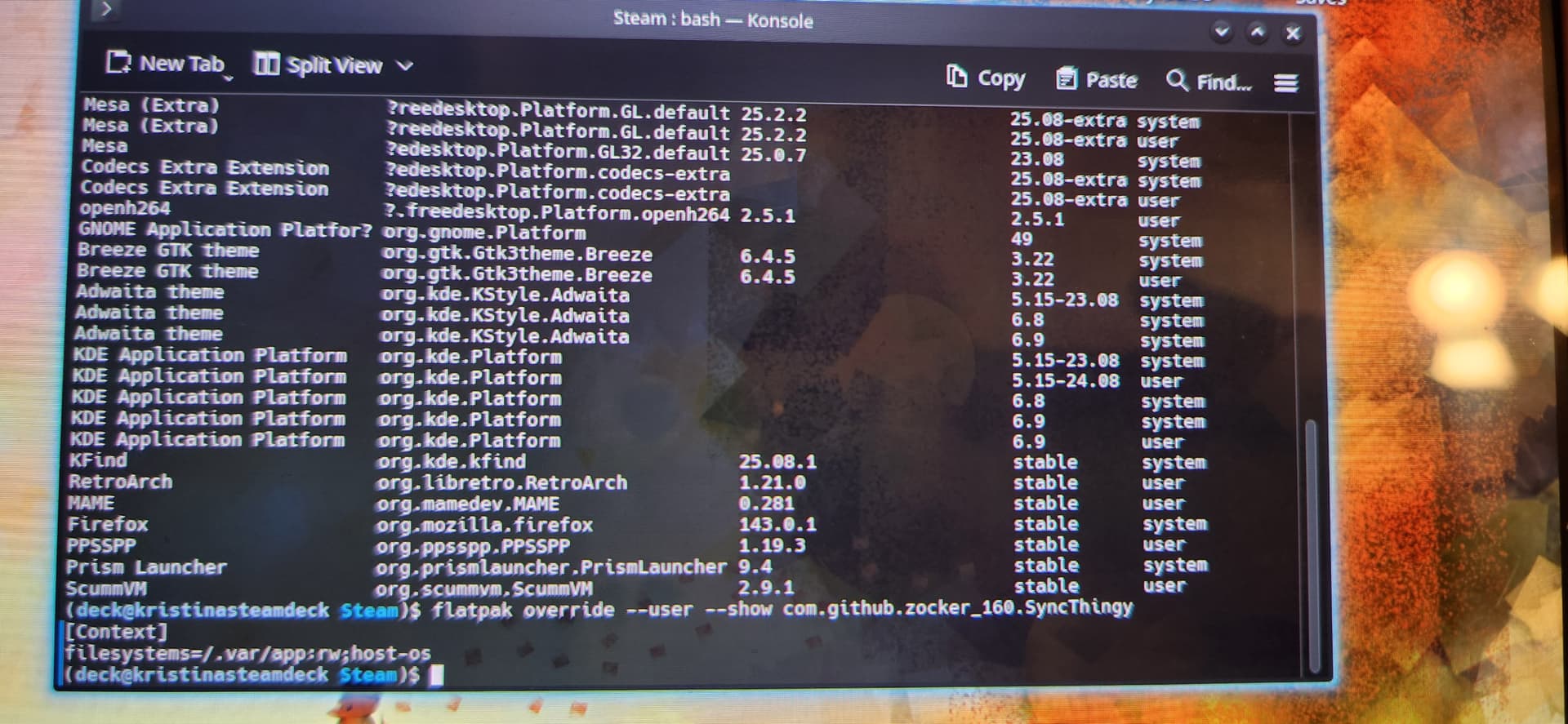
Then, share the output from the following command which shows the current overrides for a specified Flatpak app:
You didn’t mention which Syncthing bundle you’re using, so I’m assuming it’s most likely the Syncthing-GTK wrapper. But whichever one it is, substitute the correct name from the “Application ID” column in the Flatpak list output.
(Search this forum for “flatpak” for more info regarding managing permissions.)
I don’t have a Steam Deck to compare your screenshot to, but SteamOS is based on Arch Linux, and I also use Flatpak, so the output from flatpak override doesn’t look right…
[Context]
filesystems=/.var/app:rw;host-os
Problems with the permissions above:
Your username looks like it’s deck, which normally means your home directory is /home/deck, but the filesystem parameter above specifies that SyncThingy is allowed to read/write to /.var/app.
Although it’s possible that SteamOS isn’t sticking to the standard user home locations, it’s very unlikely (as a contribution to the Linux community, Valve is helping Arch Linux out with build infrastructure).
At the end of the parameter, there’s a filesystem subset attribute declared. host-os tells Flatpak that the app is restricted to using only system locations including /bin, /lib, /lib32, /lib64, /sbin plus limited parts of /etc, so /.var/app is off limits to SyncThingy.
Note, the above permissions are pretty broad, allowing SyncThingy access to all Flatpaks under /home/deck/.var/app. Ideally, it should be more narrowly focused, especially if there are security-related apps (e.g. password manager, TOTP authenticator).
flatpak override can be used multiple times to append additional paths, each with its own restrictions, so you can gradually grant SyncThingy access to additional apps over time.
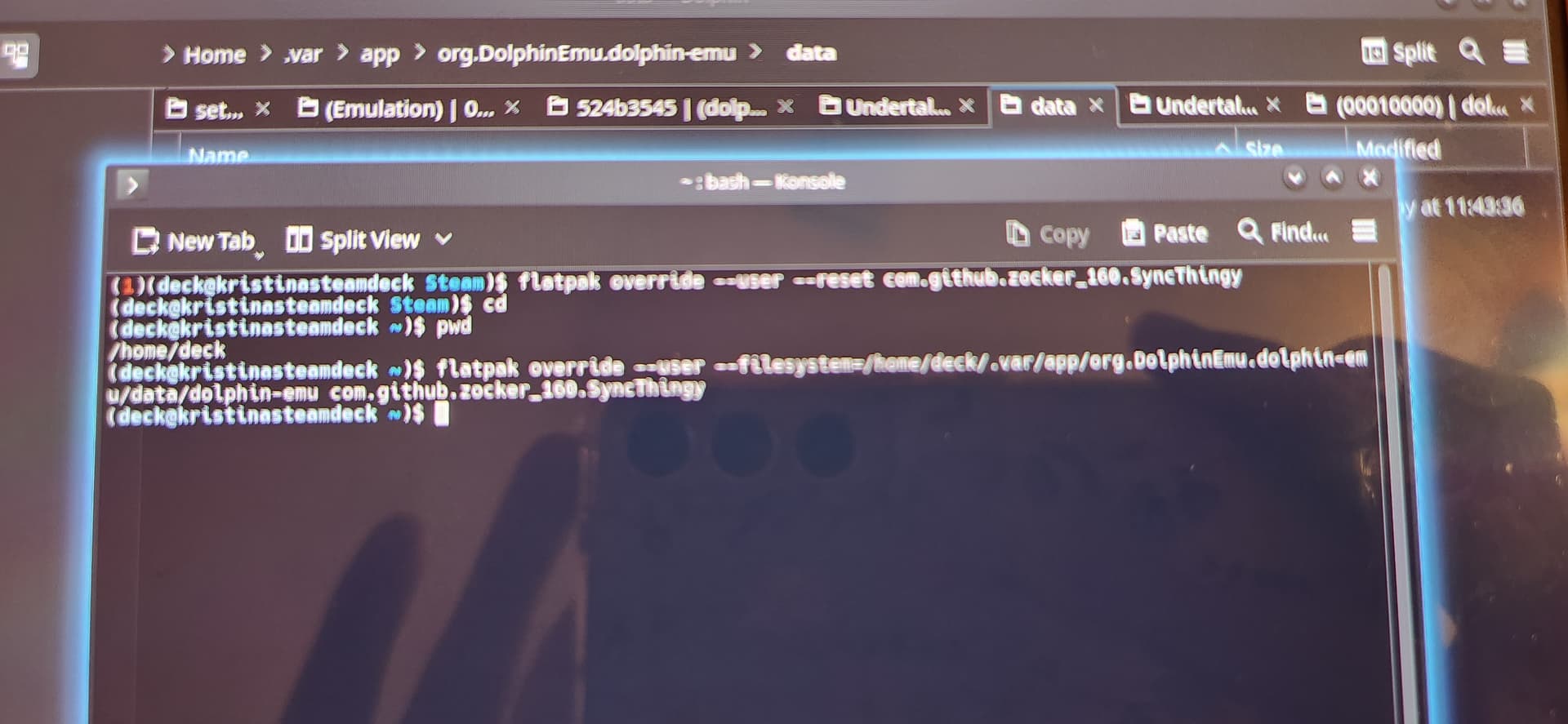
I’ve done this, and tried to be more specific to what flatpaks Syncthingy has access to.
I’ve also checked to see if that solved the issue, and even when refreshing the game save locations I have still don’t match.
Given the permission configuration issue, double-check that the directory Syncthing on the Steam Deck is supposed to be syncing matches up with /home/deck/.var/app (or some part of it).
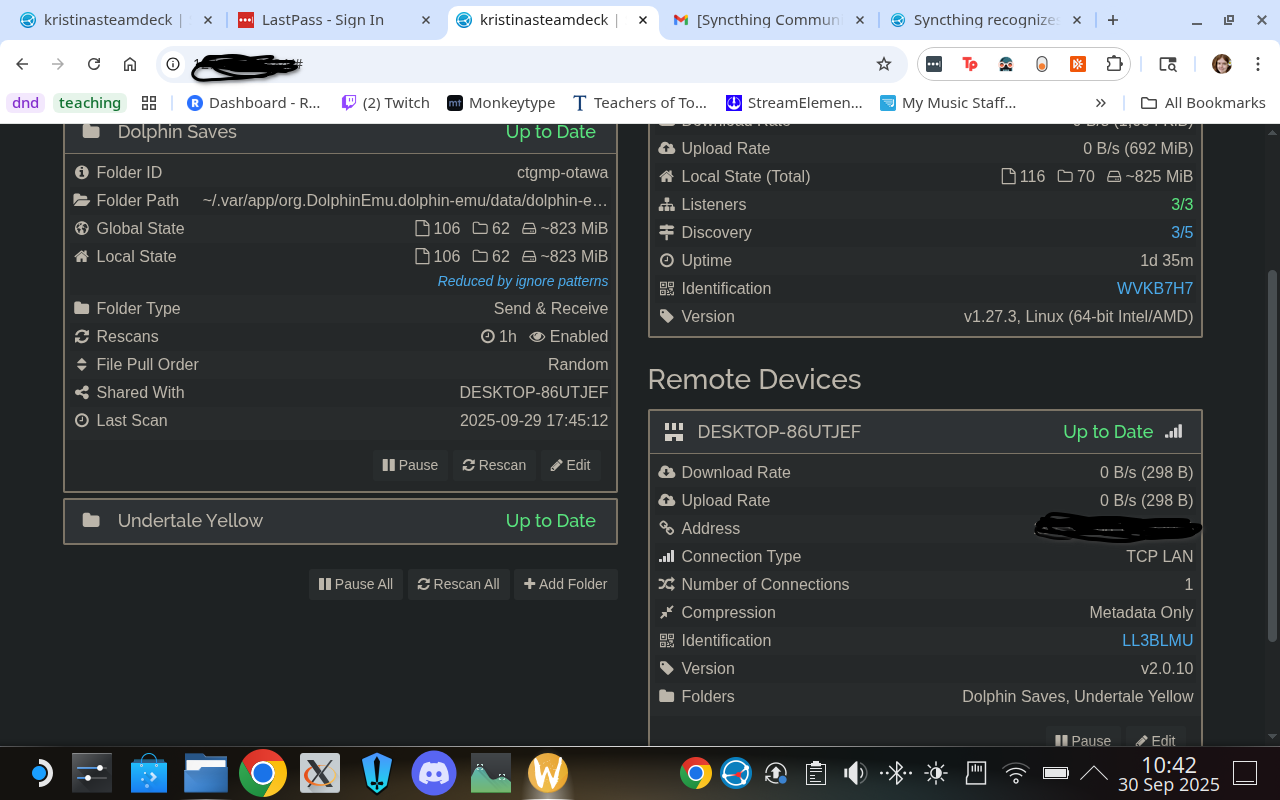
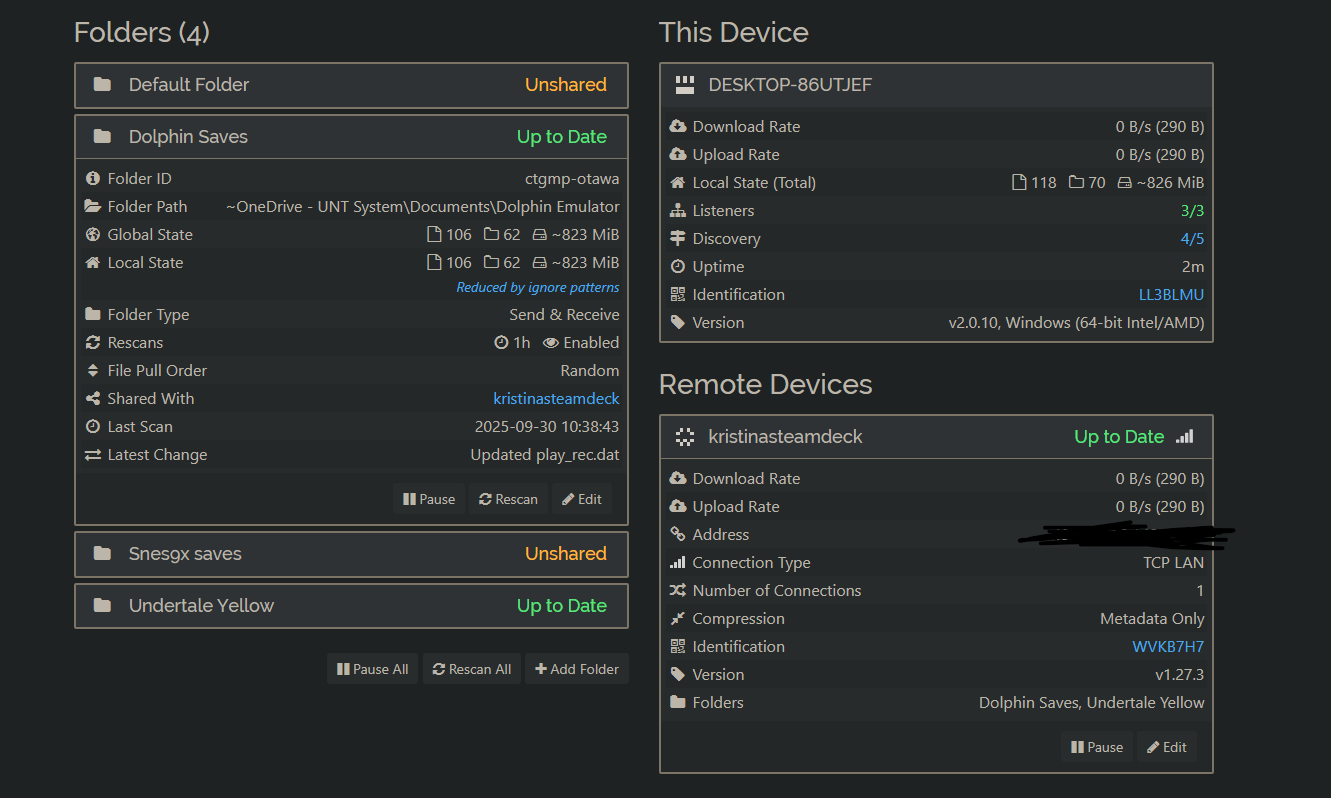
Screenshots of Syncthing’s UI from both the Steam Deck and PC would be very helpful, not of SyncThingy and/or other wrappers, but Syncthing’s native web UI that’s accessible on each device at http://localhost:8384/. The folder and device panels need to be open so that the details are visible.
The time span between the to screenshots is almost 15 hours, so it’s not exactly an apples-to-apples comparison, but otherwise it looks fine.
Yes, one issue is that cloud storage services with on-demand sync – files might be in the cloud with a placeholder on the PC, or both in the cloud and on the PC – generally do not play well with other sync programs. It’s not limited to OneDrive, so Dropbox, Box Sync, pCloud, Google Drive, etc. etc. are all affected.
When the Steam Deck copies a file to the PC and OneDrive replaces it with a placeholder, Syncthing on the PC will see it as a change and send it back to the Steam Deck.
However, it’s not yet clear that OneDrive is the problem because it would’ve resulted in mangled files on your Steam Deck.
The screenshots say you’ve got ignore patterns on both devices. Maybe the scope of the patterns is too broad, causing Syncthing to ignore all changes.
Something I keep noticing is when I open up desktop mode on my steam deck, it will say “background permission request failed, Syncthingy might not work as expected.” I thought maybe it was working despite that but I could be wrong.
Also, I am switching to a portable installation of Dolphin on my pc, just to see if it’s possible that OneDrive was interfering.
The ignore patterns I used match up with this website, so I don’t know if they are the problem.
I thought I had the program working, but it is no longer syncing. It was able to move my save over when there wasn’t one on both devices, but now it only syncs certain files in dolphin and doesn’t notice changes with my save files specifically. It’s very strange. I found out my steam deck system time wasn’t right, so I also changed that. I’m going to try ignoring permissions since I’m syncing from windows to Linux and see if that changes anything.
Definitely want to enable “ignore permissions” in Syncthing whenever mixing different OSes and also when mixing filesystems that have limited access controls – e.g. FAT,exFAT.