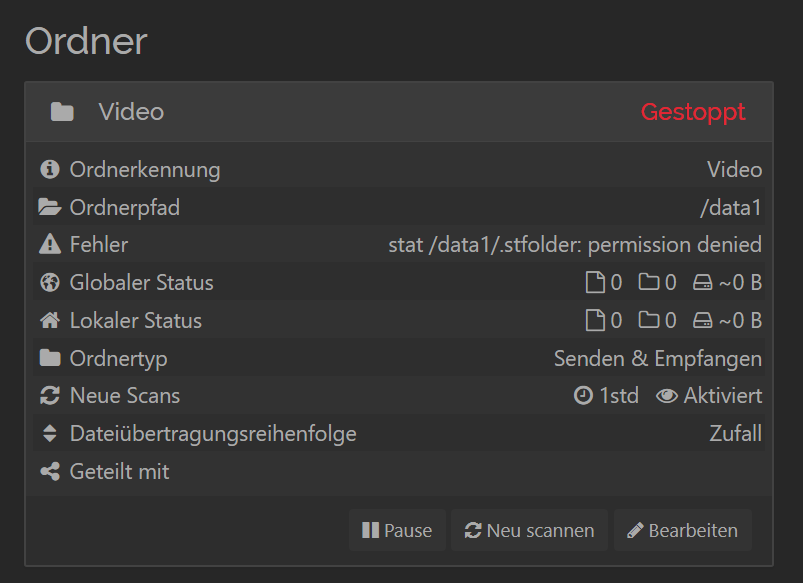
I installed syncthing on Synology via docker, after starting I added a folder and it seems that syncthing has no permission to write to that folder. So I checked my friends at google and they told me that I have to grant permissions to the syncthing user for every folder on synology. so that´s the point. syncthing did not add that user to my synology
Now I dont know what else to do I tried linuxserver´s syncthing and syncthing´s syncthing package. Any Ideas how to add that user to my synology users?
Since you installed via Docker, the reference to the sc-syncthing user is misguided. That only applies when installing the SynoCommunity package for Syncthing.
Sorry I can’t help you much with the Docker stuff, but I suggest you start digging into mapping volumes for the container and get yourself familiar with Docker permission management inside and outside the container.
Hi. The answer from @acolomb should point you in the right direction.
Here’s a more detailed recommendation. Choose either the linuxserver or the official container fron syncthing and stick with with. I recommend the “official”, which is documented here:
That container (as does the one from linuxserver) allows you to specify the user and group that the syncthing process will run under.
It’s these lines in the compose:
`environment:
  - PUID=1000
  - PGID=1000`
Those lines show you how to run as user 1000 and group 1000. That’s probably not what you actually want. So go to the Synology UI (User & Group) and create a user for Syncthing. I call my syncthing-docker. Also create a group with the same name and put the syncthing-docker user into it.
Now you need to ssh into your Synology and use the command line to figure out the numeric ID of the syncthing-user and syncthing-group. If you don’t know how to do this, search or use an AI.
Use the user id and the group ID in your compose.
Go the folders that you want to sync and give syncthing-docker write permission.