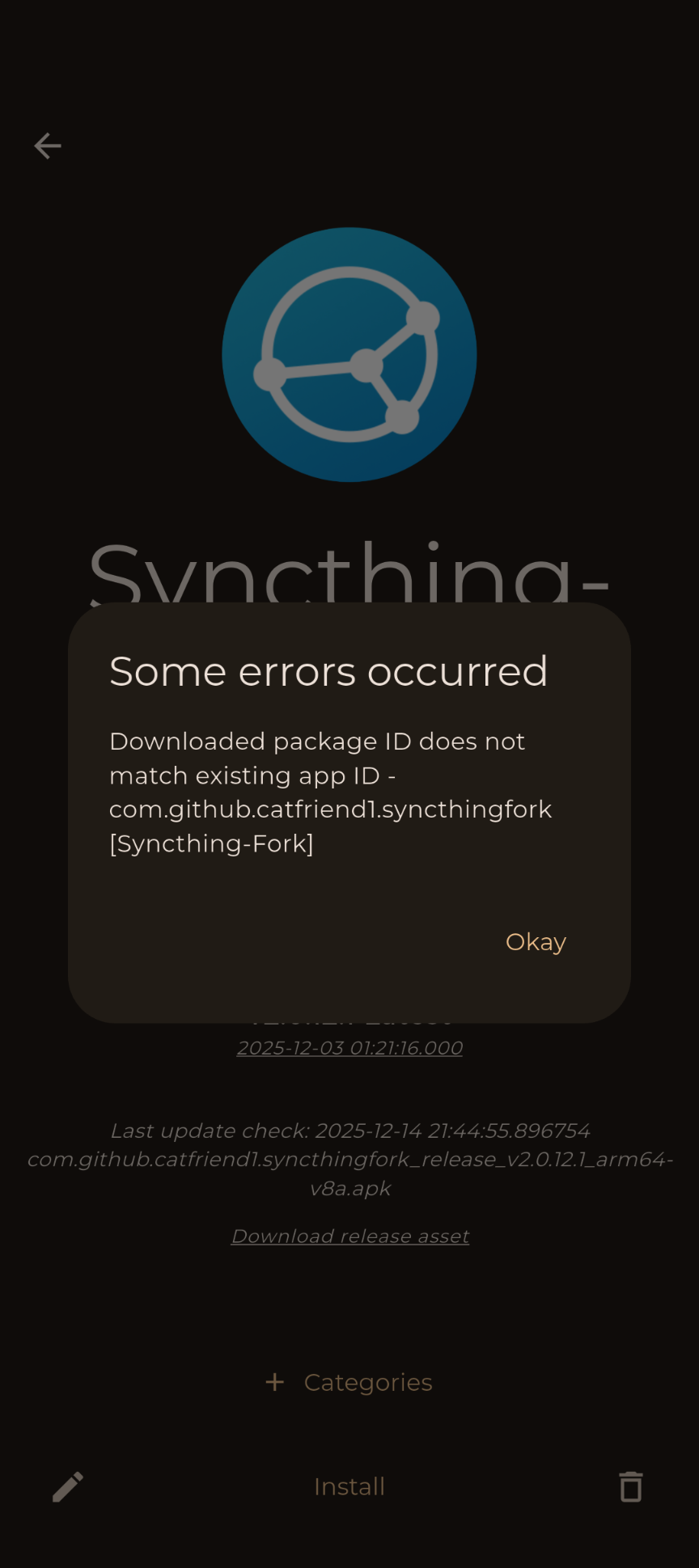
Currently have G Play version installed and wanted to switch to github version using obtanium.
I backed up my config, cleared storage and removed the G Play version. Then I tried to install the github version and I received “Downloaded package ID does not match existing app ID” error.
Re-install the GPlay version. The github version is going through some changes right now and it’s best to just wait till the dust settles. TLDR: that repo doesn’t exist anymore and the package name is probably going to change
After looking into this on my device it’s because of the version that’s being selected. You installed the universal apk but it’s likely that Obtainium is selecting the apk which is specific to your CPU architecture which has a different signature. For some reason uninstalling syncthing isn’t enough to wipe this app signature from your device and it will refuse to install one of the CPU specific versions because of that mismatch.
You can get around this by editing the syncthing entry in Obtainium and unchecking “Attempt to filter APKs by CPU architecture if possible”. This will allow you to select the generic apk when tapping Install which should install fine.
My mistake. It actually installed the latest 1.30 version throught Obtanium and that worked but I thought I was installing the 2.x one. If I download the 2.x apk from github it installs. It looks like it’s an Obtanium issue related to the package id changing. Haven’t found a way to fix it. Will update here if I do.