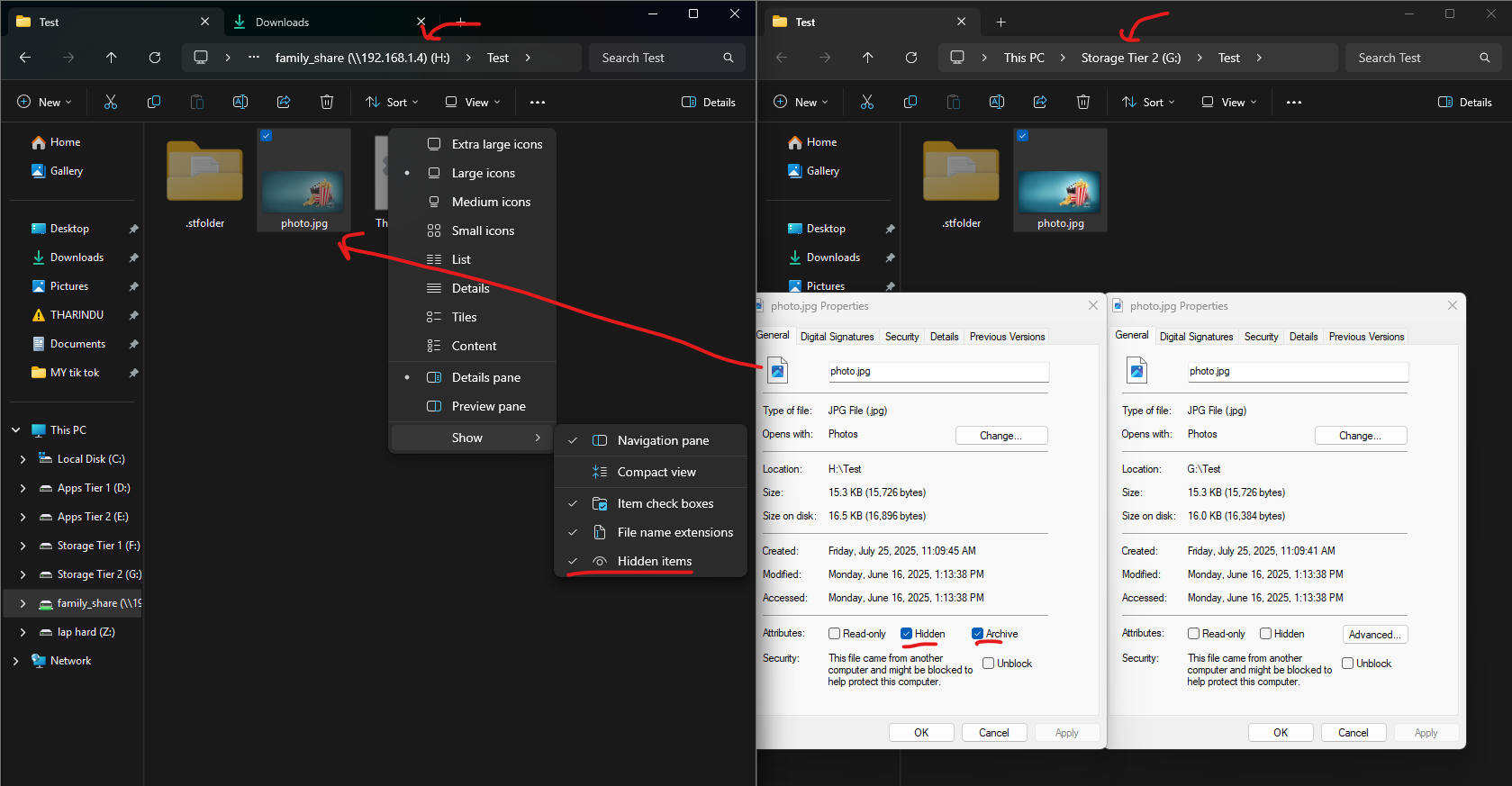
I’m using Syncthing in a protainer Docker container on an Ubuntu VM (in Proxmox) to sync files from my Windows 11 desktop to a TrueNAS SMB share mounted via CIFS.
smb mount-
//192.168.1.4/family_share /mnt/family_share cifs username=prox_mb,password=TworkKlovers,uid=3002,gid=545,iocharset=utf8,vers=3.0 0 0
syncthing yaml-
> ---
> services:
>   syncthing:
>     image: lscr.io/linuxserver/syncthing:latest
>     container_name: syncthing
>     hostname: syncthing #optional
>     environment:
>       - PUID=3002
>       - PGID=545
>       - TZ=Asia/Colombo
>     volumes:
>       - /home/prox_mb/docker-compose/syncthing:/config
>       - /mnt/family_share:/data
>     ports:
>       - 8384:8384
>       - 22000:22000/tcp
>       - 22000:22000/udp
>       - 21027:21027/udp
>     restart: unless-stopped
Issue: When Syncthing syncs files from Windows, they appear as hidden files when viewed over SMB on other devices. These files are not hidden on the original Windows source.
When files are copied to the network share it correctly copies back to my Windows original folder, no problem
Sync Extended Attributes and Send Extended Attributes are allready disabled in Syncthing ( )
)
How to make sure new files synced by Syncthing are never hidden on the TrueNAS SMB share?