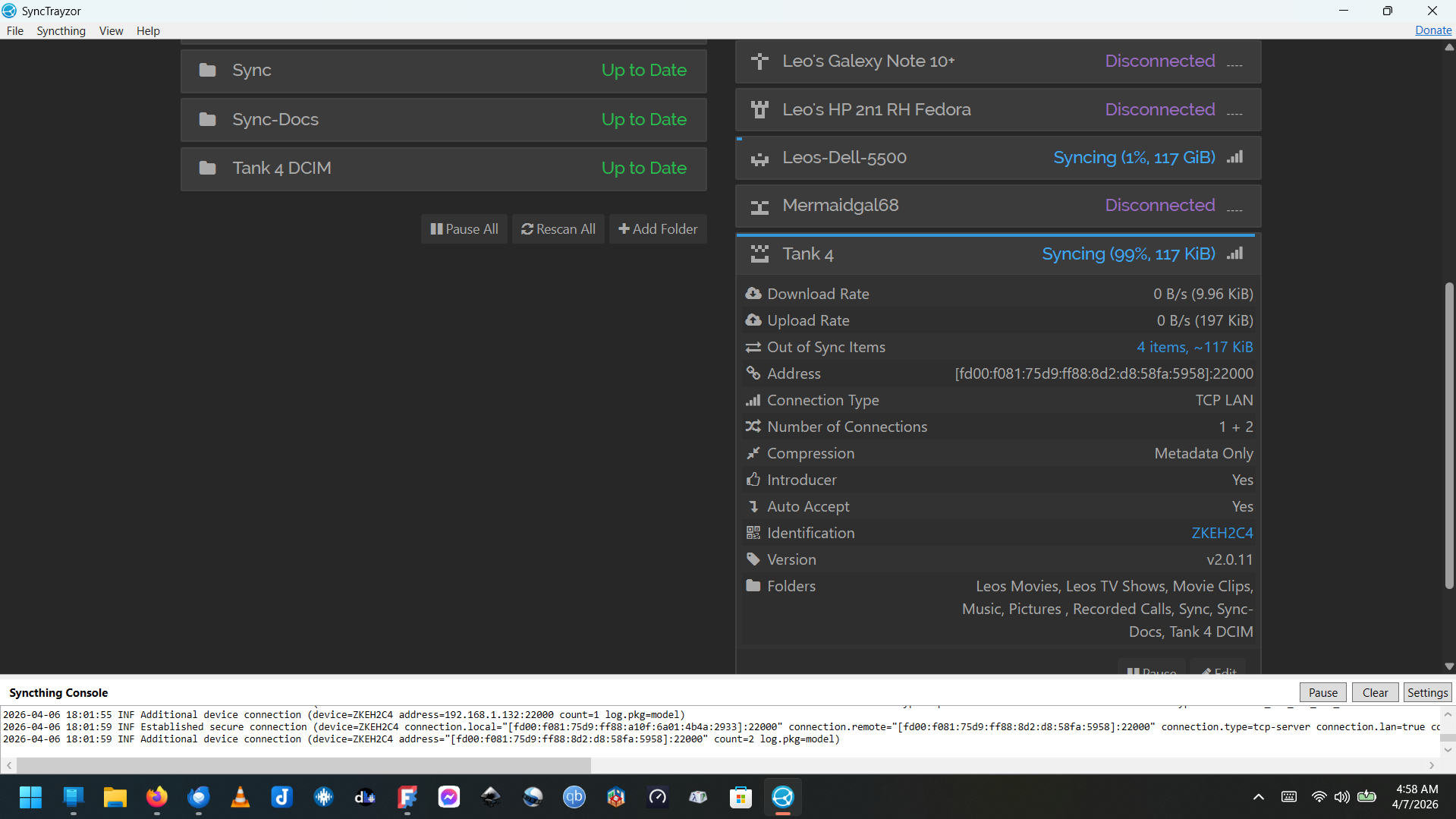
My Syncthing system consists of 6 devices. 1. Tank 4 Android Phone, 2. My Gateway Laptop (Win11H), 3. My Dell Laptop (win11Pro), 4. My HP Linux Laptop (Redhat Fedora 42) 5. Another HP Laptop (Win11H), and an old phone 6. Galaxy 10 Android Phone. There are a total of 9 folders shared with the various devices. All my Windows devices use synctrazor, and the Tank 4 Android Phone says ‘Syncthing-Fork.’
My Android Phones seem to be running different versions of syncthing.
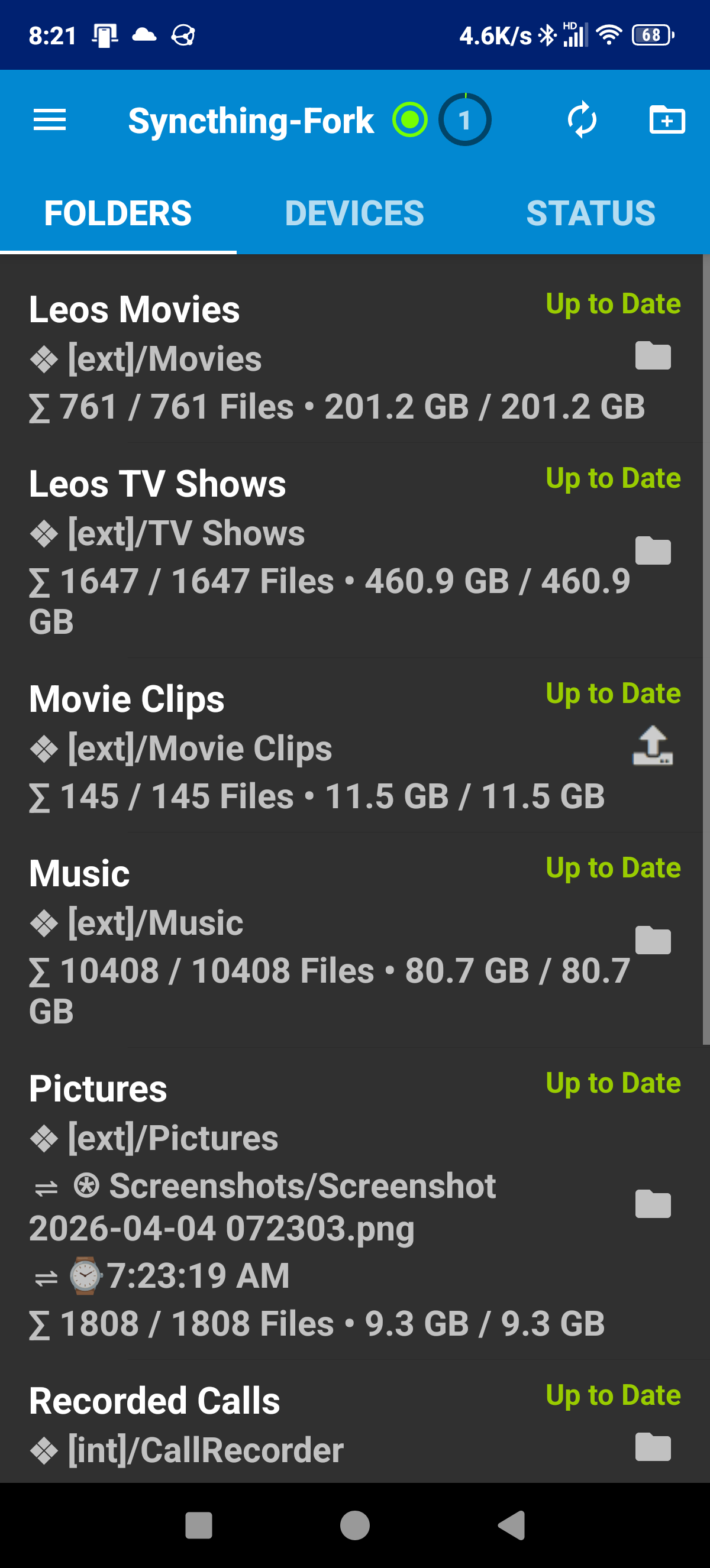
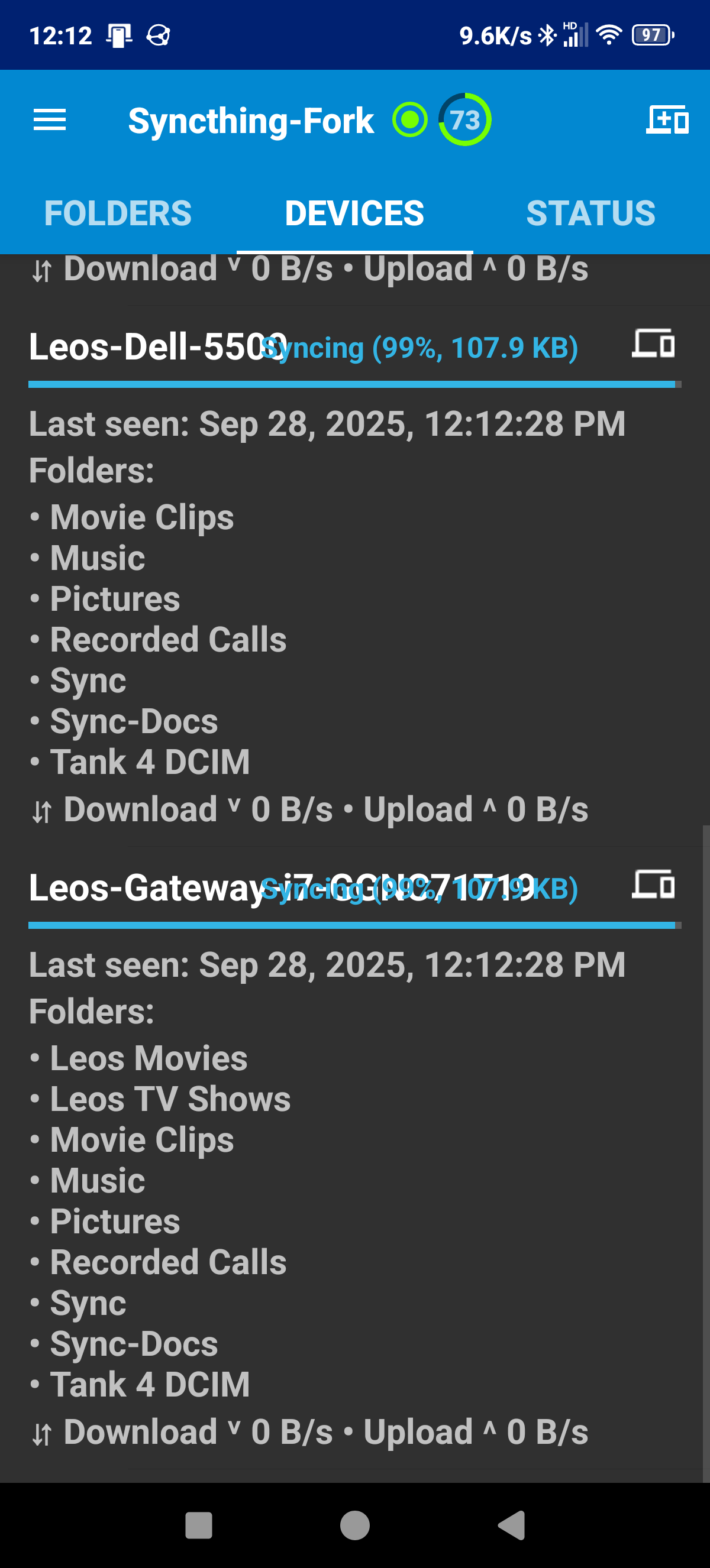
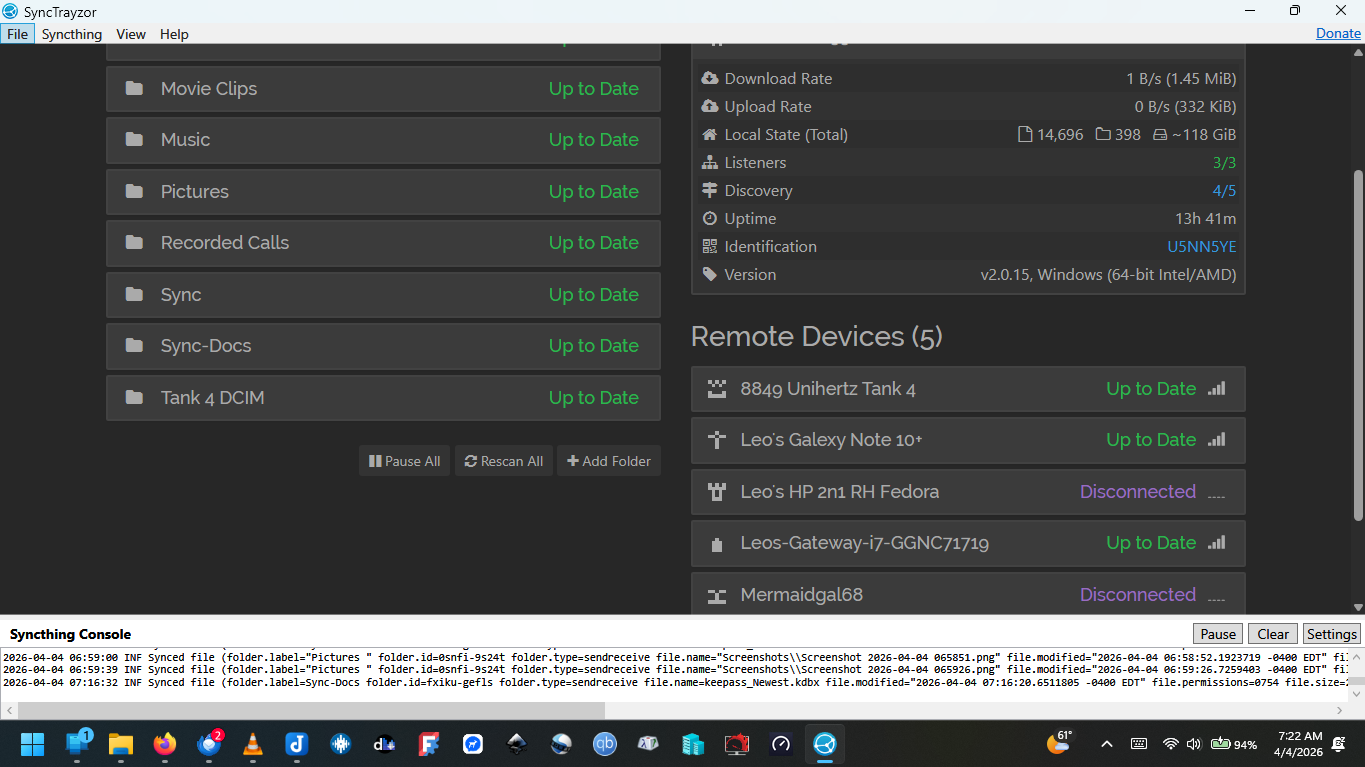
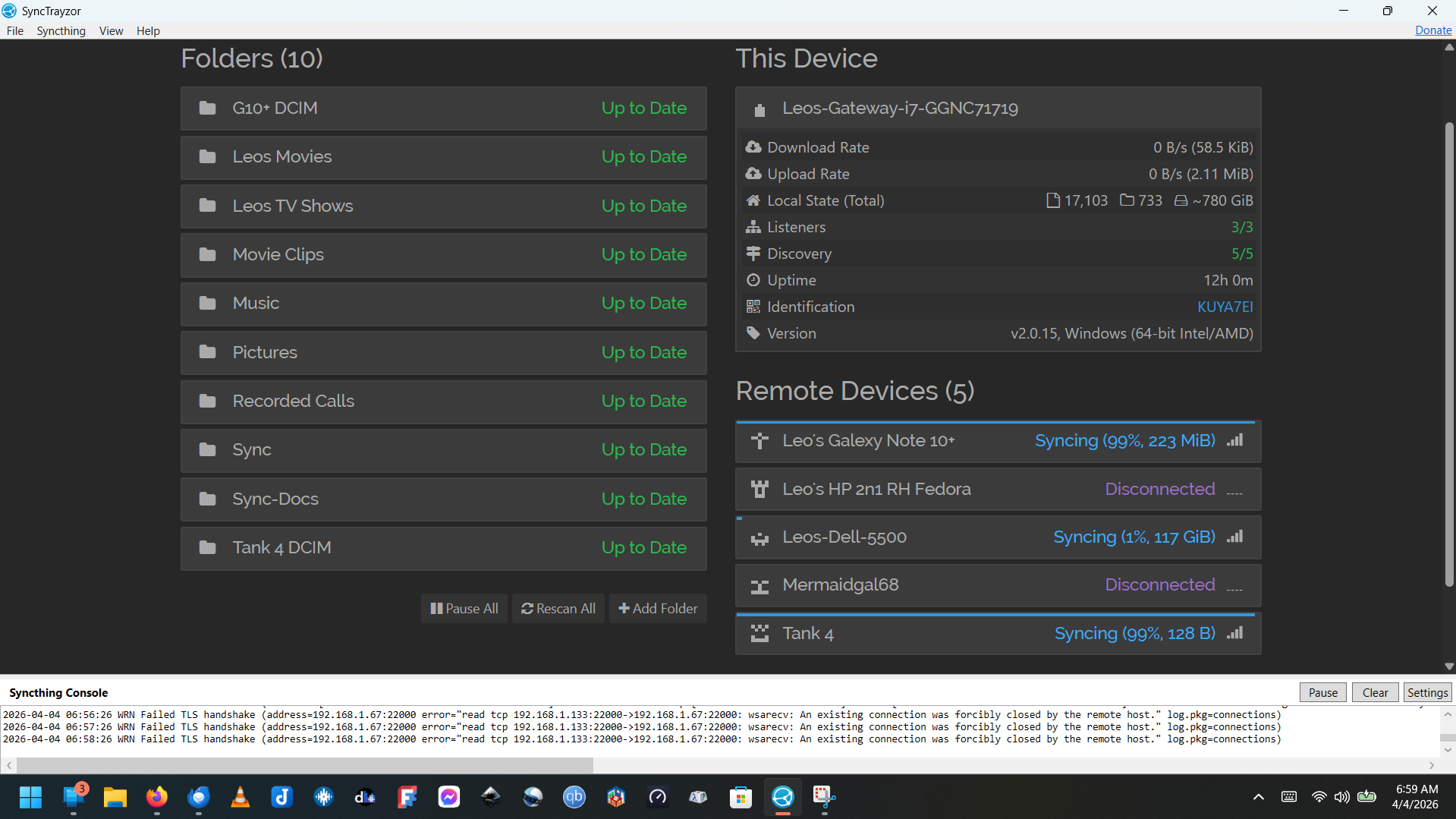
Right Now, My Dell Shows ‘Up to Date’ fully synced. However in the Gateway Laptop, it shows the Galaxy Note stuck at 99% with 2 files, the Tank 4 Phone stuck at 99$ with 1 file, and the Dell at 1% with 117GB to sync, however, if I go to the Dell it shows up to date and has all the files.
Then on the Tank 4 the all 9 folders show up to date and under devices it shows the Gateway Laptop at 1% with 700+GB, however, the files are still located on the Gateway and the Tank 4
To my mind there are 2 issues. Some devices get stuck at 99% and I need a way to force the last folder or file to update. And Other times, a device has all the files yet is stuck at 0 or 1%. For some reason the syncthing is not showing the same display across all devices. I should include screen shots. I don’t have time to read all the documentation. I know I am not fully comprehending how the syncthing app works however, it is a great app I recommend because it runs across platforms
My Syncthing system consists of 6 devices. 1. Tank 4 Android Phone, 2. My Gateway Laptop (Win11H), 3. My Dell Laptop (win11Pro), 4. My HP Linux Laptop (Redhat Fedora 42) 5. Another HP Laptop (Win11H), and an old phone 6. Galaxy 10 Android Phone. There are a total of 9 folders shared with the various devices. All my Windows devices use synctrazor, and the Tank 4 Android Phone says ‘Syncthing-Fork.’
My Android Phones seem to be running different versions of syncthing.
Right Now, My Dell Shows ‘Up to Date’ fully synced. However in the Gateway Laptop, it shows the Galaxy Note stuck at 99% with 2 files, the Tank 4 Phone stuck at 99$ with 1 file, and the Dell at 1% with 117GB to sync, however, if I go to the Dell it shows up to date and has all the files.
Then on the Tank 4 the all 9 folders show up to date and under devices it shows the Gateway Laptop at 1% with 700+GB, however, the files are still located on the Gateway and the Tank 4
To my mind there are 2 issues. Some devices get stuck at 99% and I need a way to force the last folder or file to update. And Other times, a device has all the files yet is stuck at 0 or 1%. For some reason the syncthing is not showing the same display across all devices. I should include screen shots. I don’t have time to read all the documentation. I know I am not fully comprehending how the syncthing app works however, it is a great app I recommend because it runs across platforms
How do I get them to update so it shows fully synced? Then on the Phone is shows the main gateway laptop is not synced even though it has all the folders and they are full.
I am on irc #syncthing irc.libera.chat
Please provide as much information as possible, e.g. the specific filenames that cannot be synced, etc. On the phone, you can access detailed information via the web GUI (which can be opened from the left slide-out menu).