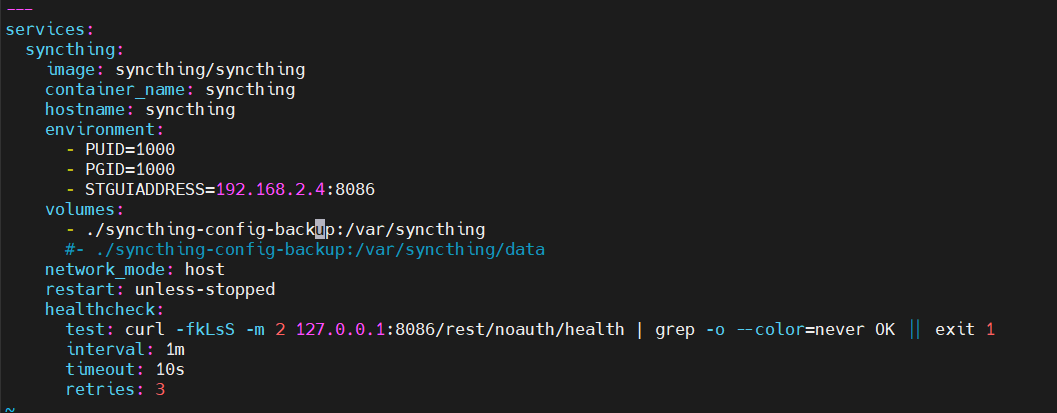
I am trying to restore from a previous instance. I have the following files backed up from the old instance: cert.pem config config.xml csrftokens.txt https-cert.pem https-key.pem index-v0.14.0.db key.pem. I am now running syncthing in a docker container. Here’s my compose file:
My backed up folder is in ~/docker/syncthing/syncthing-config-backup.
My compose file is in ~/docker/syncthing/.
Docker ps shows my instance unhealthy. Do I need to do something with port 8384? Did I configure this right? Accessing the webui, it doesn’t look like anything carried over. I am using a different IP, so not sure if that needs to be reflected somewhere….
No idea what the problem is, are you missing your config? The paths that you’re mounting look weird (why are you mounting syncthing-config-backup twice in different locations?), but due to the broken formatting it’s not really readable.
You’re binding to a specific LAN address, but your test command targets 127.0.0.1. Either change your listening address also to 127.0.0.1 or switch to 0.0.0.0.
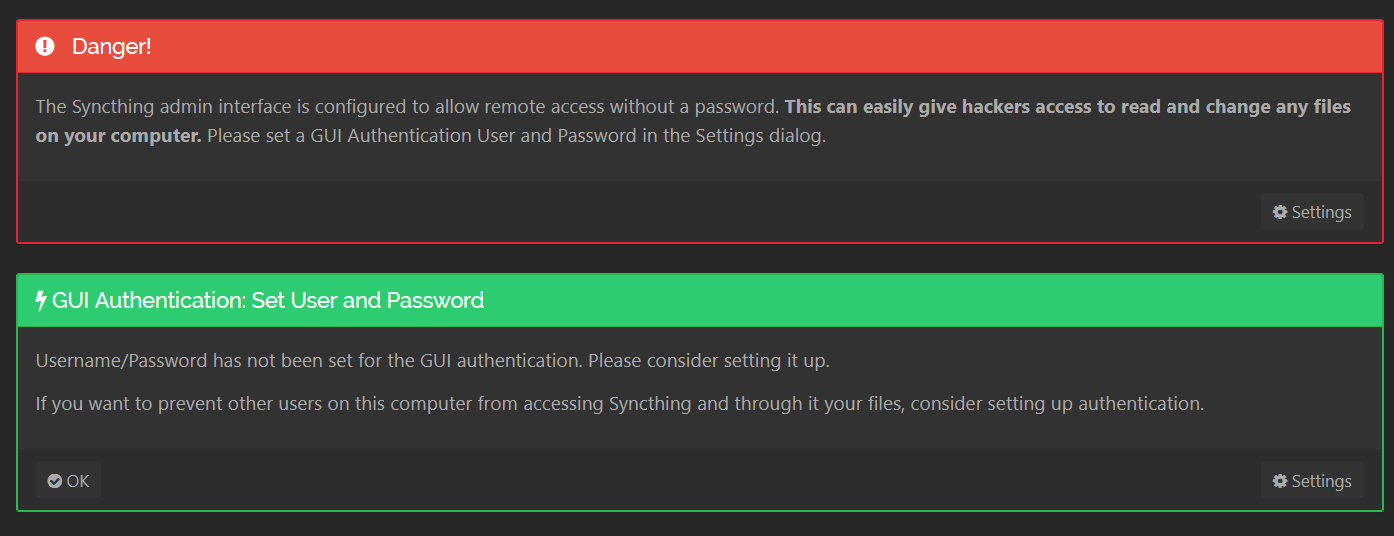
Ok, thanks, I’ve updated that. I brought it down and up again. Still seeing this message, though. I know there was a password set in my previous instance.
From inside the container, try editing /var/syncthing/config.xml.
Based on the available info, it’s not yet clear that Syncthing inside the container is using the files from your previous instance (which doesn’t sound as though it was running in a container).
(When posting content from the console and/or text files, please use the preformatted text feature in the editor to preserve formatting so it’s much easier to read for those trying to help. Screenshots of text are okay, but then it’s often not searchable by others looking for help on the same issues.)
I’m not sure what you’re asking me to do. I am able to view the file. Do you want me to post it here? I see devices listed in the file that were attached to my previous instance.
You’d mentioned earlier that you were using files saved from another Syncthing installation and also that you expected to see the web UI being password-protected, but isn’t now. Combined with it sounding like the older setup wasn’t using Docker, it’s not clear that the saved configuration files are actually being used.
So, the first step is to verify that you can view/edit Syncthing’s files under /var/syncthinginside the container instance, because if you cannot, then it would explain all of the symptoms you’re seeing.
Your YAML file has the following bind mount declaration:
There’s currently just not enough information and/or clarity on your setup to be of much help yet.
Based on the available info, it’s still not clear that your old configuration is actually being used. index-v0.14.0.db indicates your old instance is Syncthing v1.x, but we don’t even know which Syncthing version you’re trying to use.
Questions:
Host operating system?
What’s the use case for running Syncthing in a (Docker) container?
Which container image is being used? (From the screenshot of your docker-compose, it looks like it’s Syncthing’s official Docker image, but a link to the image would be helpful.)
Why does your docker-compose not specify a data volume for directories and files to be synced?
(Again, please remember to use the preformatted text feature when posting output from a console or the contents of configuration files so that the formatting is preserved and easier to read.)