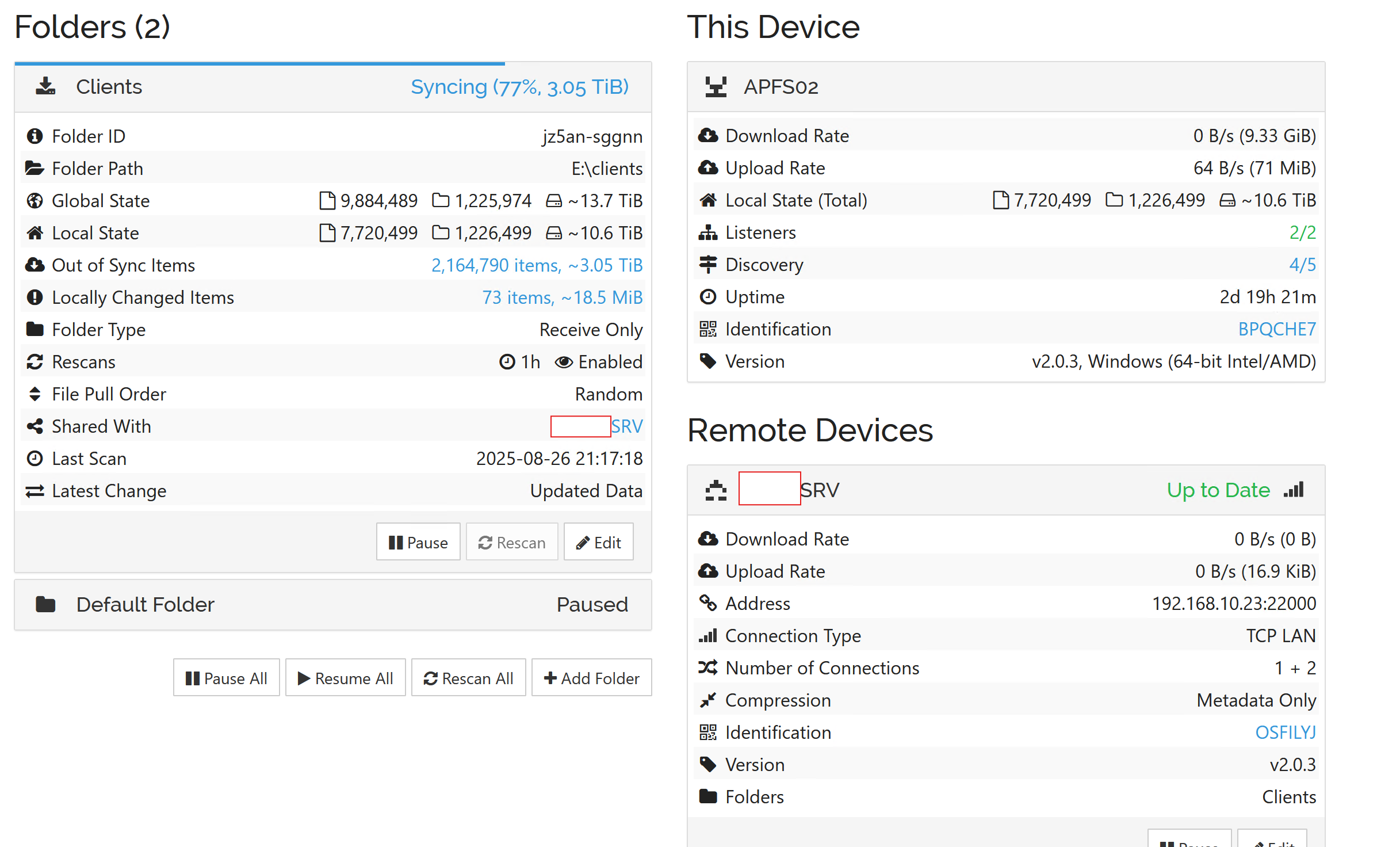
I am running v2.0.3 that was upgraded from a version 1.x of the program on a physical server (source) Tx only and VM (destination) Rx only
the device are connected via a giga switch, on a separate IP network.
the source server has has finished the scan and reports 13.7TB of data, the destination server has hit a wall and not progressed past 10.6TB of data has been listed as scanning at 77% now since the 21st of Aug.
The CPU (11% at last snapshot) and Mem (65%) usage on the destination server are not really being stressed at all.
looking at the recent changes i can see files being updated or deleted but this does not seem to be reflected in the count for out of sync items - would this suggest that it is processing recently modified files on source server before finishing processing the out of sync items ?
Are there any suggestion on what can be done to prioritize the getting the outstanding 3.05 TB of data form the source server to the destination server.
the destination server was restarted on the 26th.
am happy to provide more info, just not sure what else to provide
You’re quite far outside the common usage curve and may be running into the limit of what our schema/sqlite implementation can support. You might need to split that folder up into smaller ones.
Are you refering here to the amount of files/folders or total size per share?
Have you considered some filtering within the Syncthing shares (same filters on both Tx as Rx). This way you could (might be able to) split into multiple shares, without changing any of the source & destination layout/structure.
This is what I would do – Use an include/exclude list to break the subfolders into a range of alpha/numeric groups, for example. If the subfolders all begin with alphabetic characters, break it into 4 groups:
Share A would exclude all then include sub-folders from A-G for example.
Share B would exclude all then include sub-folders H-N,
etc.
Use the same filters on both sides.
I think that’s the right order. Obviously look at the distribution and find appropriate break points.