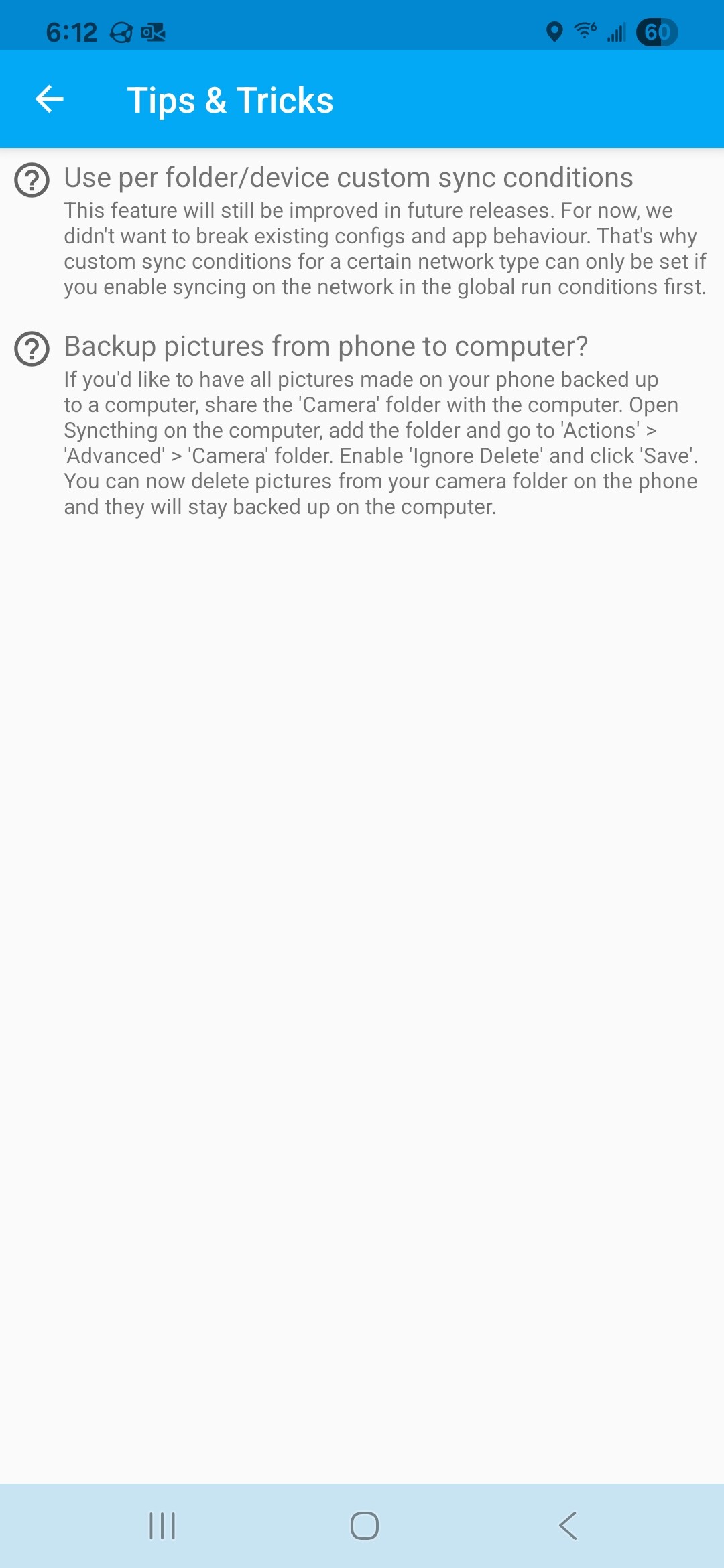
I would like to use the Syncthing app on my phone to just send the files but when I delete them on my phone it should not delete them on the PC.
Essentially my goal is to use my PC as a cloud storage to freeup space on my phone.
I would like to use the Syncthing app on my phone to just send the files but when I delete them on my phone it should not delete them on the PC.
Essentially my goal is to use my PC as a cloud storage to freeup space on my phone.
Thank you, I used it and it worked. There are some other limitations but this will do for now. Thank you much.
Before you get too far down this rabbit trail of destruction, search the forum for “ignore delete”.
“Ignore Delete” works, sort of, but its not a solid solution. If the receiving host forgets that its supposed to ignore deletes all your photos vanish. At least enable Trashcan versioning on the receiving side.
I wish I had time to link you a better solution, I will try to come back and do that if someone else doesn’t step up first.
Don’t. The ignore deletes option is still on the chopping block for Syncthing v2.
It is not going away in 2.0.
Bummer 
I think it will be very difficult to deprecate this one. If you just removed the option, Syncthing on upgrade would push all the previously ignored deletions to other devices, resulting in data loss. From my understanding, probably the only “safe” way to get rid of it could be to simply prevent Syncthing from starting completely if ignoreDelete is present in the config.
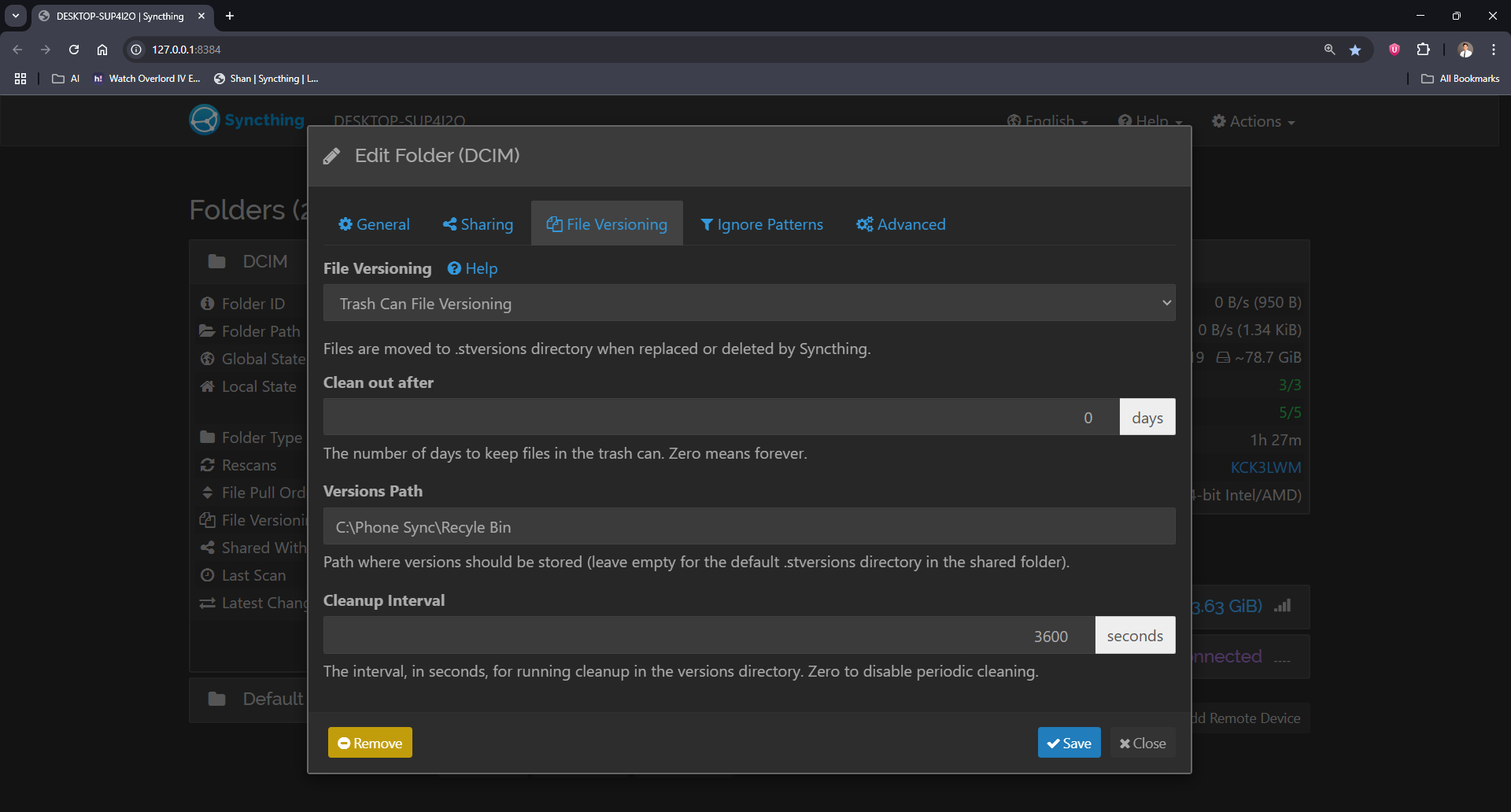
I have setup a trashcan as well just in case it auto deletes. And maybe if it forgot that ignore delete is on it should still be there and I can make a copy of it. I’ll just make sure the number of days it stays in the Trash is longer. Please let me know if you have any other alternative and I appreciate your help. If ignore delete gors away does that mean my all previous ignore deletes will be recognized and my data lost?
As stated above, there is no plan to remove the option currently. I think a safe alternative could be to use external versioning with a custom script that moves the deleted files to a different folder.
Please be aware that if you do decide to disable the ignoreDelete option at some point, all the accumulated deletions will end up being pushed to other devices. The same is true if you for some reason remove the Syncthing’s database on the device that has the option enabled (as ignored deletions are recorded in it).
This is my Current Setup. If it deletes the files accidentally that means the File Versioning will be used right? And on my setup I am assuming the files will be saved on the path specified indefinitely since I set it up to 0.
Everything looks fine  .
.
Just a comment, but Trash Can versioning changes modified time of versioned files. I personally don’t like that, so I use and recommend Simple or Staggered versioning instead.
Best practice for “one-way sync” would be a scheduled batch file that moves (or copies) files from the Syncthing folder to a permanent folder. If it moves them and you have two-way sync enabled (the default) then they will automatically be deleted from the phone.
For example, you might create a batch file on your computer as a Scheduled Task several times each day to move the pictures from the Syncthing folder to “My Pictures”.
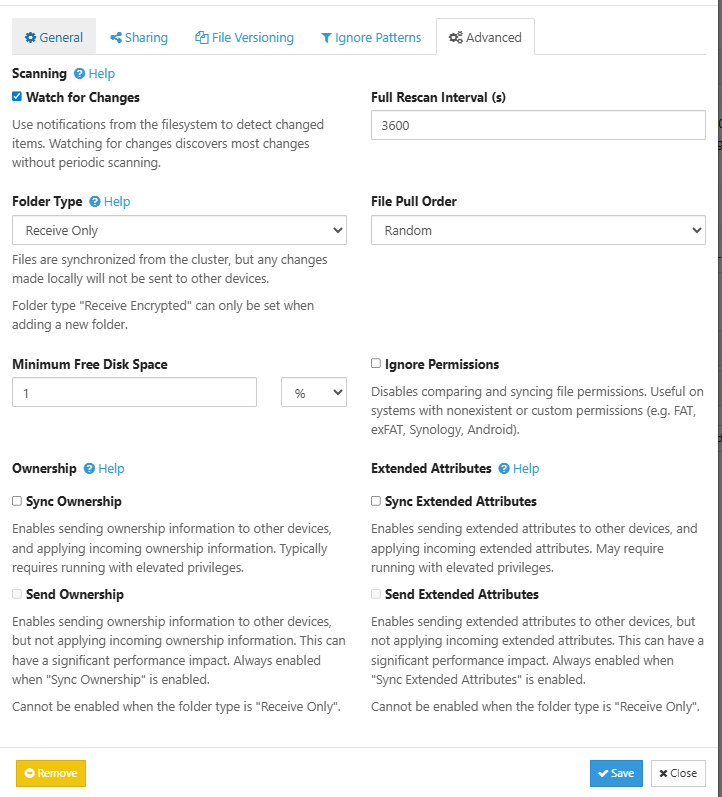
Hi, I’m not able to see ignore delete option in my web UI of folder settings. I’m using v1.30.0, Windows (64-bit Intel/AMD). Can somebody please help me, how can I get this option?
Got it now. Thank you so much!!
This topic was automatically closed 30 days after the last reply. New replies are no longer allowed.