Buonasera, avrei necessità di un aiuto in relazione all’installazione e configurazione di SyncThing 2.0 su windows 11. Per testare SyncThing ho creato due macchine virtuali win11pro utilizzando virtualbox su Debian. Le macchine hanno settata la scheda di rete bridge con due ip statici. Ho installato su entrambe SyncThing utilizzando syncthing-windows-setup.exe e sembrerebbe tutto andato a buon fine. Le due macchine si vedono fra loro nella GUI di SyncThing. Ho creato una cartella chiamandola sincronizzazione (C:/sincronizzazione) sulla macchina 1 e l’ho inserita sulla macchina 2 nella GUI di SyncThing. Su entrambe le GUI le macchine vengono segnalate come connesse e le cartelle come sincronizzate ma sulla macchina 2 non c’è traccia della cartella ne dei file in essa contenuti. Non saprei come uscirne. Grazie mille.
Welcome to the forum! Please use English when posting here.
Welcome here @RobertoSid !
This is a machine-translation of you text:
Roberto Sid Good evening, I would need help with installing and configuring SyncThing 2.0 on windows 11. To test SyncThing I created two win11pro virtual machines using virtualboxes on Debian. The machines set up the bridge network card with two static ips. I installed on both SyncThings using syncthing-windows-setup.exe and it all seems to be successful. The two machines can be seen between them in the SyncThing GUI. I created a folder by calling it synchronization (C:/synchronization) on machine 1 and inserted it on machine 2 into the SyncThing GUI. On both GUIs, the machines are reported as connected and the folders as synchronized, but on machine 2 there is no trace of the folder or the files it contains. I don’t know how to get out of it. Thank you very much.
- The name is Syncthing. Note proper capitalization.
- Can you please post screenshot of the Syncthing GUI from machine 2? Please expand the folder on the left side so we can see the folder path.
Hello Martin, first of all thanks for your reply. Ok, sorry for wrong name: from now I’ll use the true name: Syncthing 2.0. Now, I’ve took some screenshot. I hope this could show one error of mine in configuring the software…. It seems to everything’s ok but the two folders don’t talk to each other. Thank you very much. Best regards.
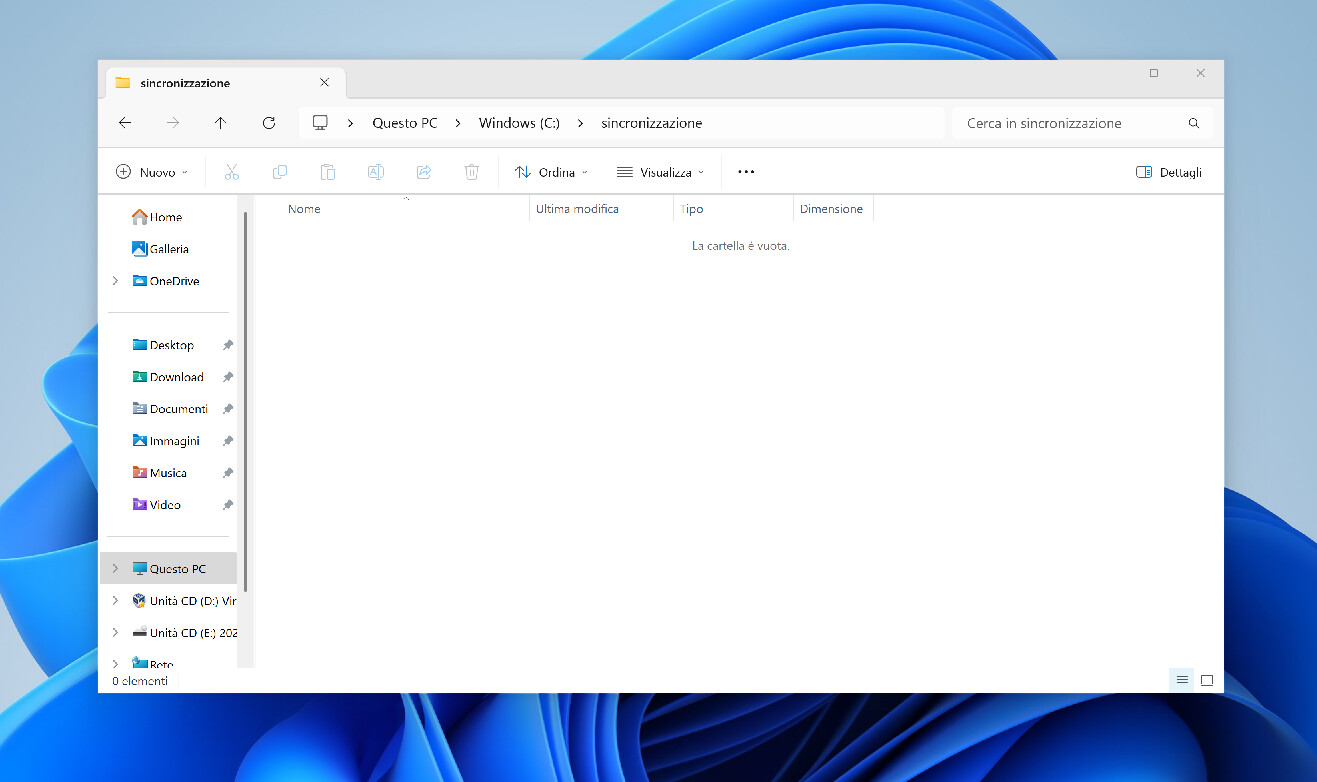
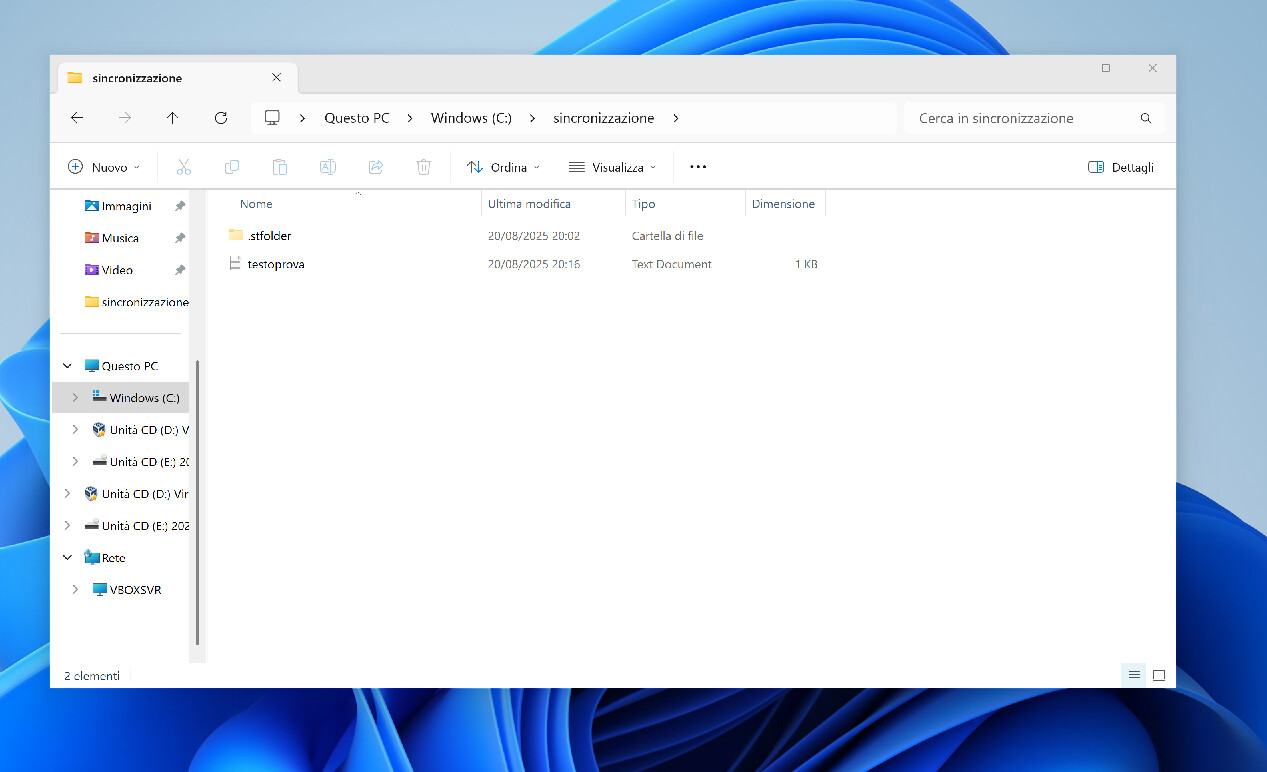
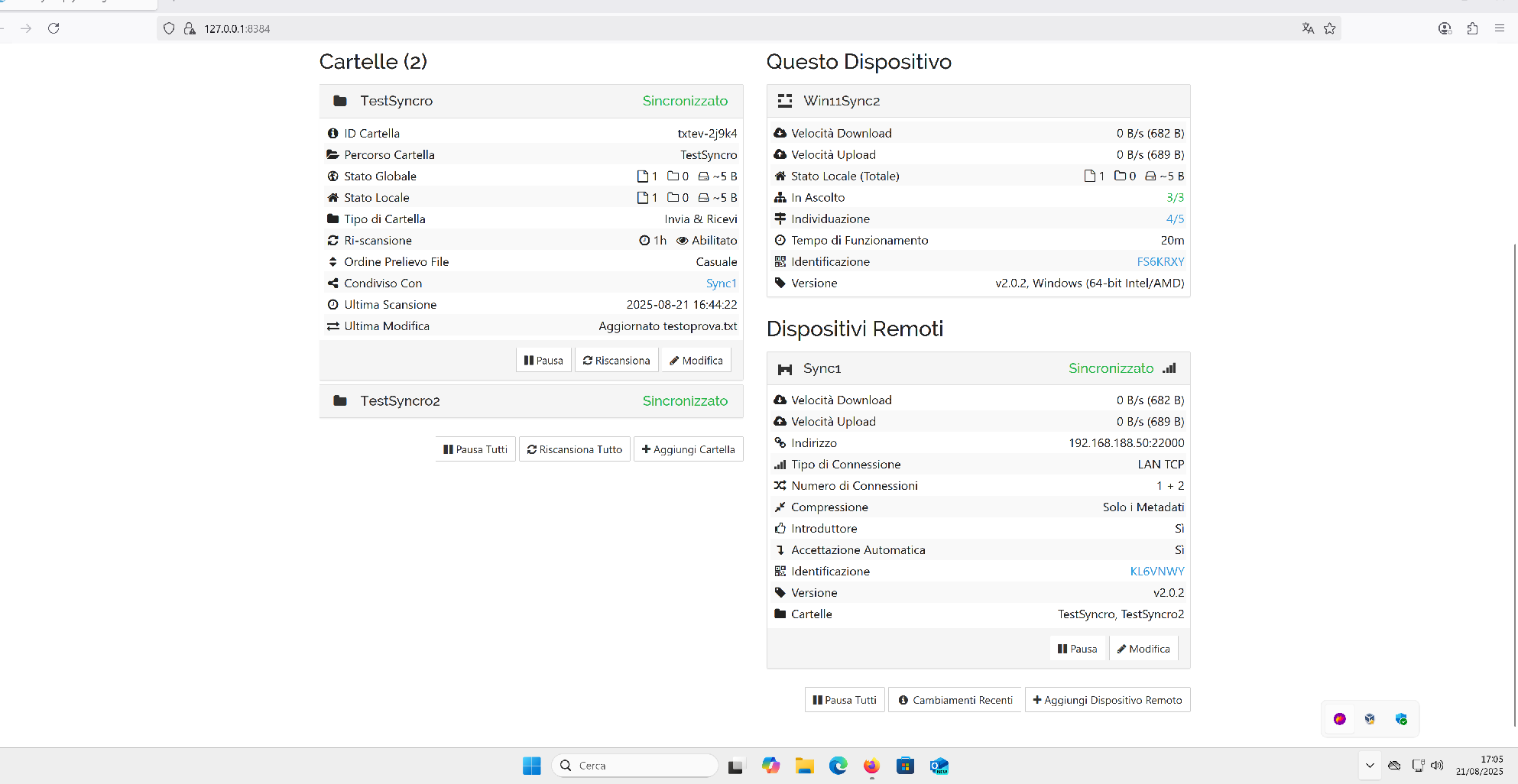
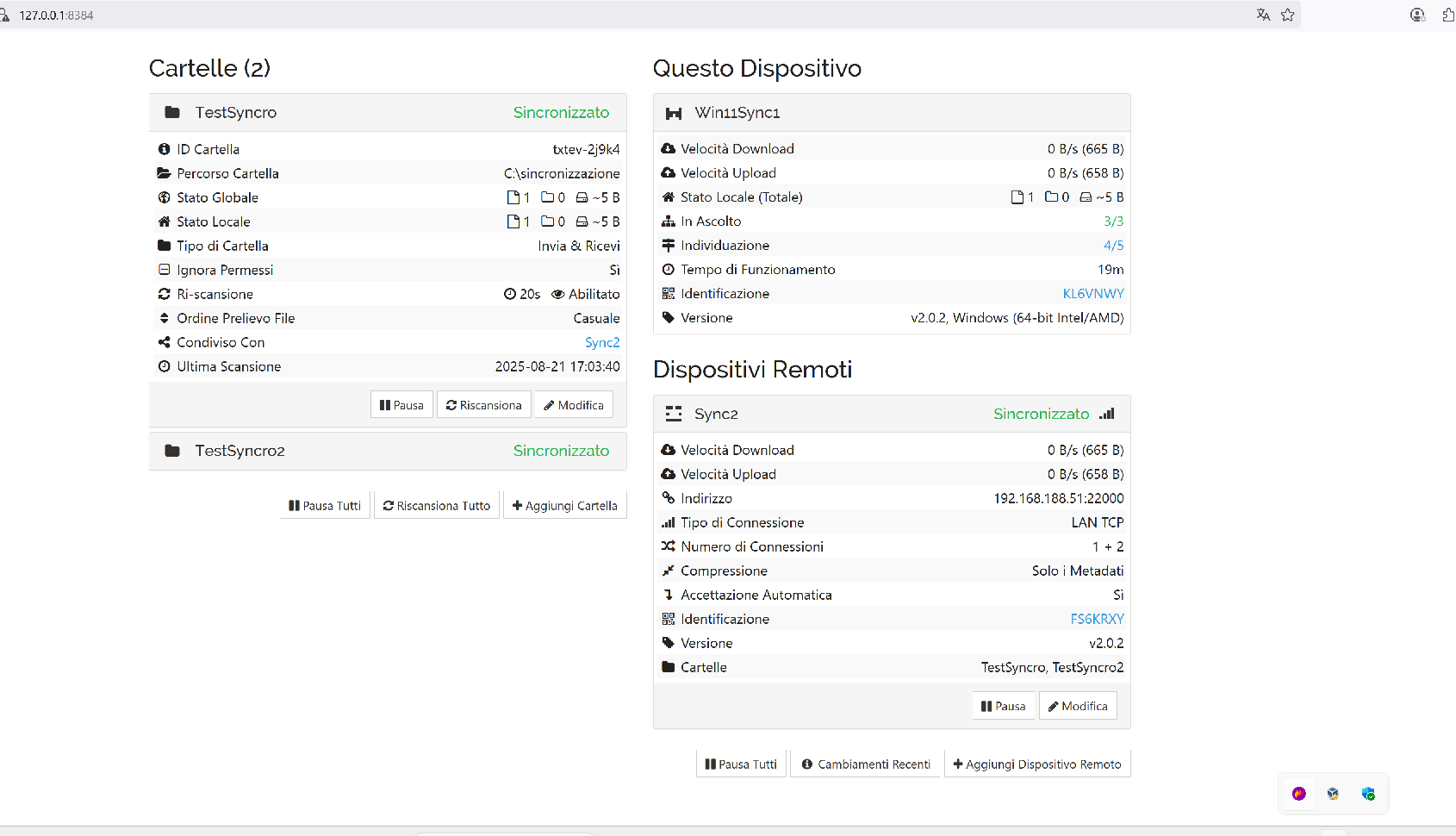
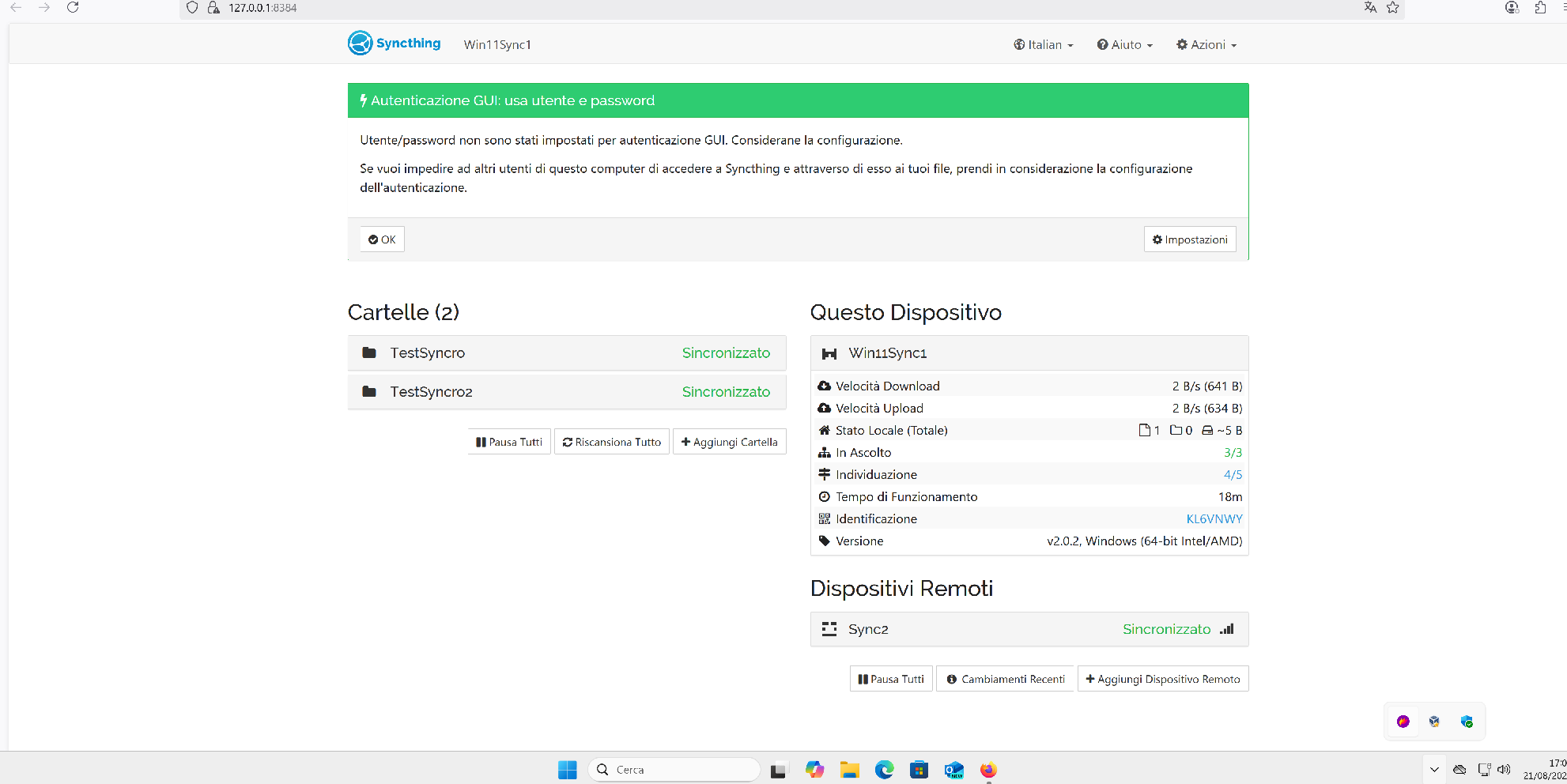
On Win11Sync1 you set the folder path to C:\sincronizzazione. On Win11Sync2, you set it to TestSyncro, so the data is probably in a folder called “TestSyncro” in your home folder on Win11Sync2.
- Win11Sync1 is having a Folder (Italian “Cartelle”) named “TestSyncro” with ID “txtev-2j9k4”. It is using Folder Path (Italian “Percorso Cartella") “C:\sincronizzazione”. This is shared with your other computer.
- For “txtev-2j9k4’“, Win11Sync2 uses Folder Path “TestSyncro”. This is a path which you had the ability to customise when the Folder was accepted on this device, but you apparently did not do that. It is a relative path (does not begin with for example “C:\”) so you need to look for it in your user directory. If you think that is the wrong place for it, the easy solution is to: 1. In Syncthing on Win11Sync2, remove the Folder. 2. Then move and rename the directory “TestSyncro” to “C:\sincronizzazione” or wherever you want it. 3. In Syncthing on Win11Sync2, accept the share request, but this time use correct Folder Path (Italian “Percorso Cartella").
Ok, I’ve deleted the folders and try to share “Documents” folders on both pc’s. But now I received an error message as in the screenshot in attach. May I give user’s permission on the windows folder?

Hi Martin,
ok…. now it works. Sorry, I’ve type wrong name of the folder. So, I’ll try with Desktop folder….
Ok, perfect. Now it works fine even on Desktop folder. The problem was that before I’ve checked “Introduttore” and “Accettazione automatica”. Thank you very much for your support!! Best regards!
Roberto

You’re welcome! Yes, “Auto accept” is a tricky option. 
Glad it works for you now!
Solved. Thank you very much for your precious support. Have a nice day! Best regards.
This topic was automatically closed 30 days after the last reply. New replies are no longer allowed.