I got my DXP2800 listed and my laptop listed. I want to copy the items in the Document Folder on my laptop to the Documents directory on my DXP2800, but it’s not working. What am I doing wrong?


I am still getting this
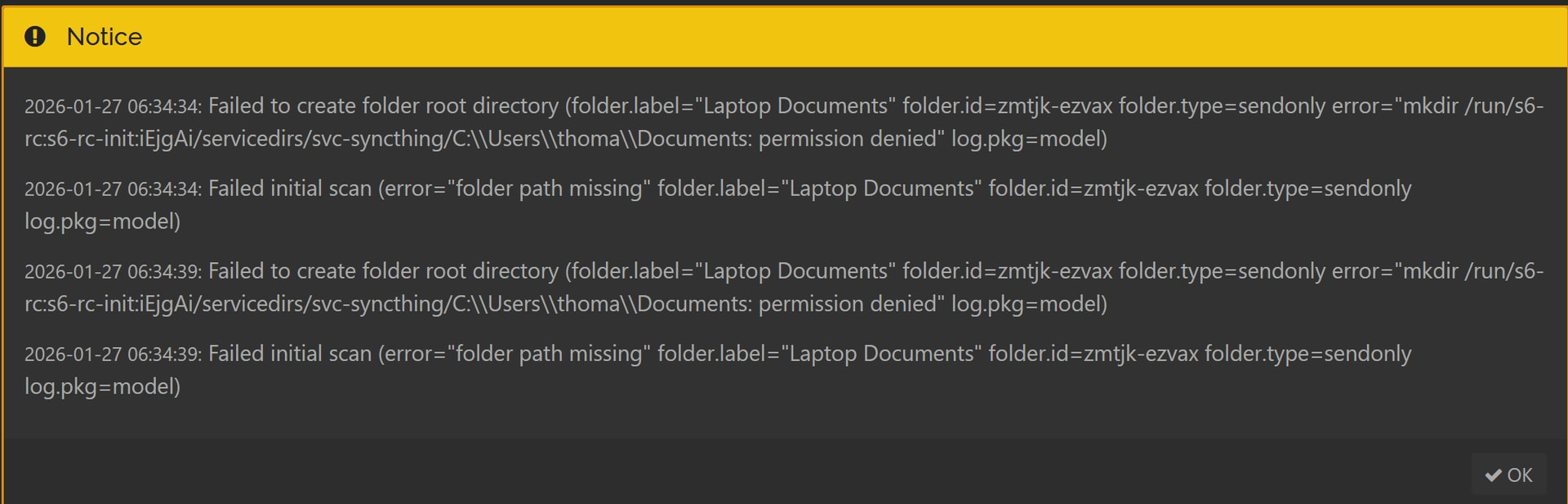
2026-01-27 11:04:47: Failed to create folder root directory (folder.label=DXP2800_Documents folder.id=ffplv-ufuq6 folder.type=sendreceive error=“mkdir /run/s6-rc:s6-rc-init:iEjgAi/servicedirs/svc-syncthing/\\\\DXP2800-F368\\personal_folder\\Documents: permission denied” log.pkg=model)
2026-01-27 11:04:47: Failed initial scan (error=“folder path missing” folder.label=DXP2800_Documents folder.id=ffplv-ufuq6 folder.type=sendreceive log.pkg=model)
I don’t know what a DXP2800 is. But it looks like it uses some completely different path system than you expect.
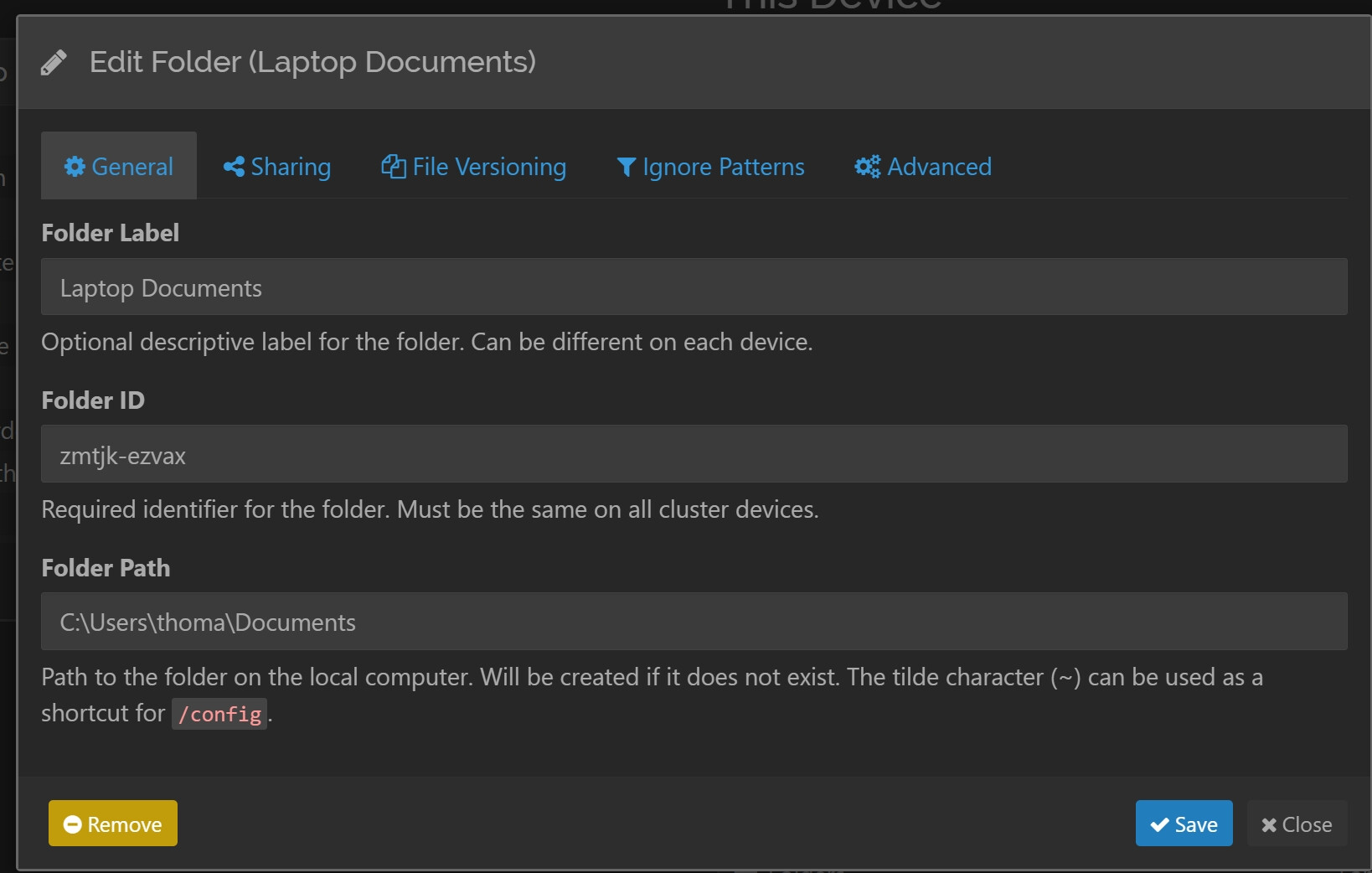
The screenshot shows Syncthing has detected /config as its “home” directory, abbreviated by ~.
The path you entered is C:\Users\thoma\Documents, which looks like it belongs to a Windows machine.
One has a leading slash, the other starts with a drive letter. That’s suprising. Are you sure that the C:\... path is valid on the DXP2800 system? Can you access it using some other program?
I suspect you might be misunderstanding what to enter for the path. The Syncthing GUI on the DXP2800 system is not the place to enter a path copied from your laptop. What connects the folders on both devices together is the common folder ID (zmtjk-ezvax). At least it should be the same on both devices.
1 Like
DXP2800 is a NAS. is that correct OP?
The C Drive is on my laptop. I am trying to sync my laptop’s Documents folder with my Ugreen NAS DXP2800, which is at [\\DXP2800-F368\personal_folder\Documents](file://dxp2800-f368/personal_folder/Documents). My problem is what to put where.
What OS is the DXP2800 running please? It ships with a Debian-based proprietary Linux, at least that’s what I read, and that many people choose to use a different OS.
The screenshots are from the syncthing instance on the NAS, right?
This answer is assuming you want to sync your folder between a Windows laptop to the NAS that runs some kind of linux, and the screenshots you posted are from the syncthing instance on the NAS.
In Folder Path you need to enter the local path on the NAS. That is not “C:\…” which is a path on you laptop. It also is not “\\DXP2800-F368\….”, which is a network path on your laptop that points to the nas. The local path should likely start with “/”, but without knowing the file system layout of the NAS I can’t tell you what it should be.
This topic was automatically closed 30 days after the last reply. New replies are no longer allowed.