When I was using Electron to enable the Sync Thing service, I used spawn to enable the Sync Thing service, but it would open a terminal. My code is as follows this.process = spawn(exePath, args, { detached: true, windowsHide: true, //Hide Window stdio: [‘ignore’, ‘pipe’, ‘pipe’], }); I want to hide this terminal window, but I can’t do it. I had to use VBScript to hide the window, but I think there’s a problem. I don’t have a terminal when using spawn on Mac, it’s only available on Windows. Has anyone encountered this problem? How can I solve it
It’s “Syncthing”.
See Syncthing — Syncthing documentation and use the —-no-console option when starting Syncthing.
Thanks for the tip about no-console. Just tried adding it to my spawn args on Windows, and it worked, no terminal popup now. Appreciate the help!
1 Like
emmmm。。。 I tried using it and prepared a set of parameters as follows const args = [ ‘- -no-browser’, ‘- -no-console’, ‘- -no-default-folder’, ‘-home’, ‘-logfile’, ];
Then enable this. process=spawn (exePath, args, spawnOptions); exePathis my available path, spawnOptions is another configuration. Even if I enable it like this, the terminal window still pops up. Why is this? Did I use it incorrectly? Can you help me
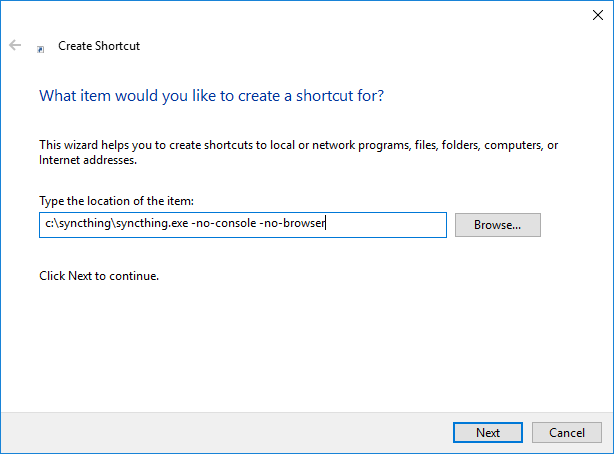
I used electron+syncting for the project, so I started syncing using the spwan of the node. I added these configurations in args,and the code is as follows,
const args = [ ‘–no-browser’, ‘–no-console’, ‘–no-default-folder’, ‘-home’, ‘-logfile’, ]
this. process=spawn (exePath, args, spawnOptions);
but when enabled, it still appears
Sorry, I do not know what you are talking about. Please read the extensive docs!
Please keep in mind that --no-console only works when using the Command Prompt as the default terminal application. It does not work when using the new Windows Terminal (which is the default in Windows 11).