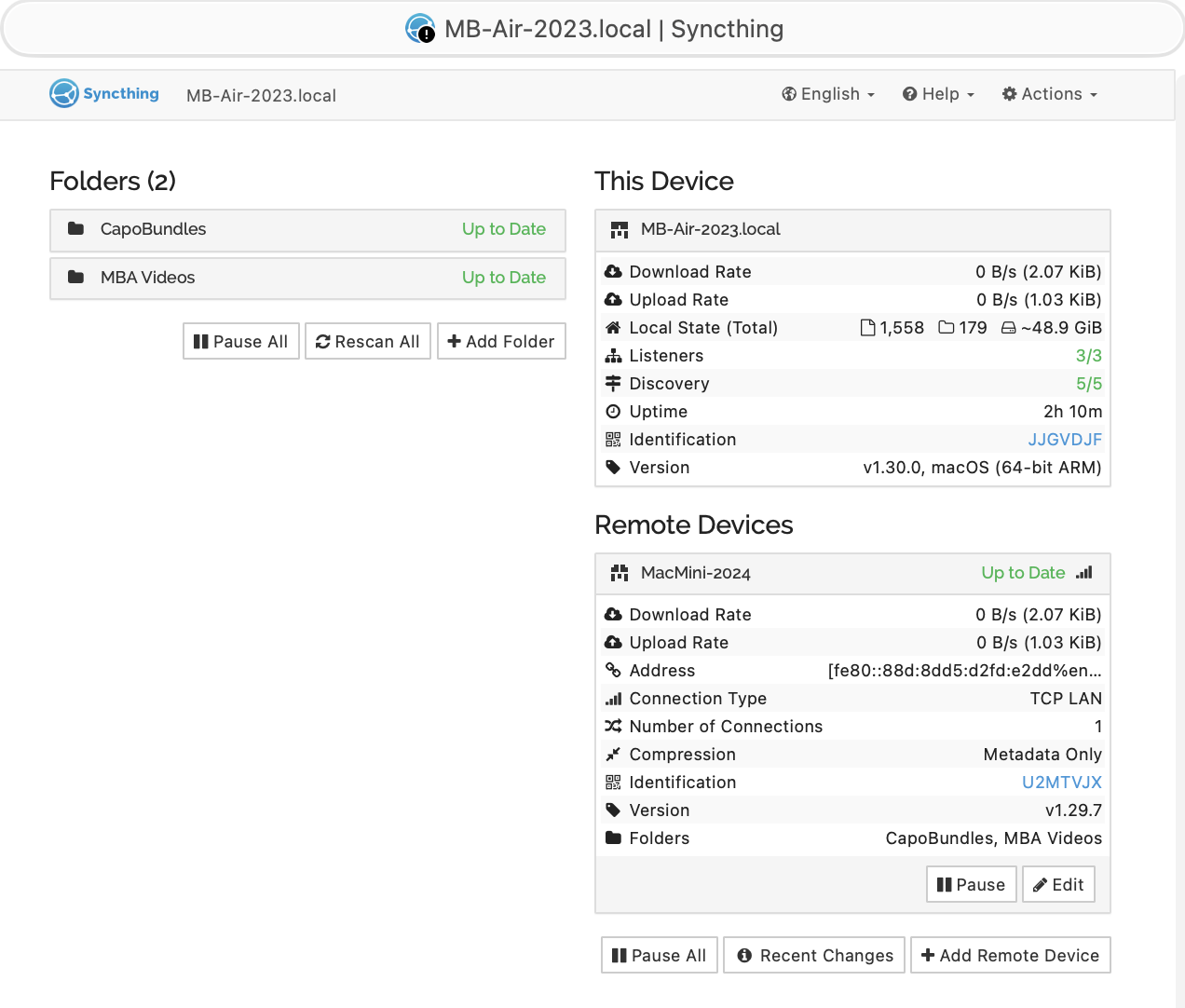
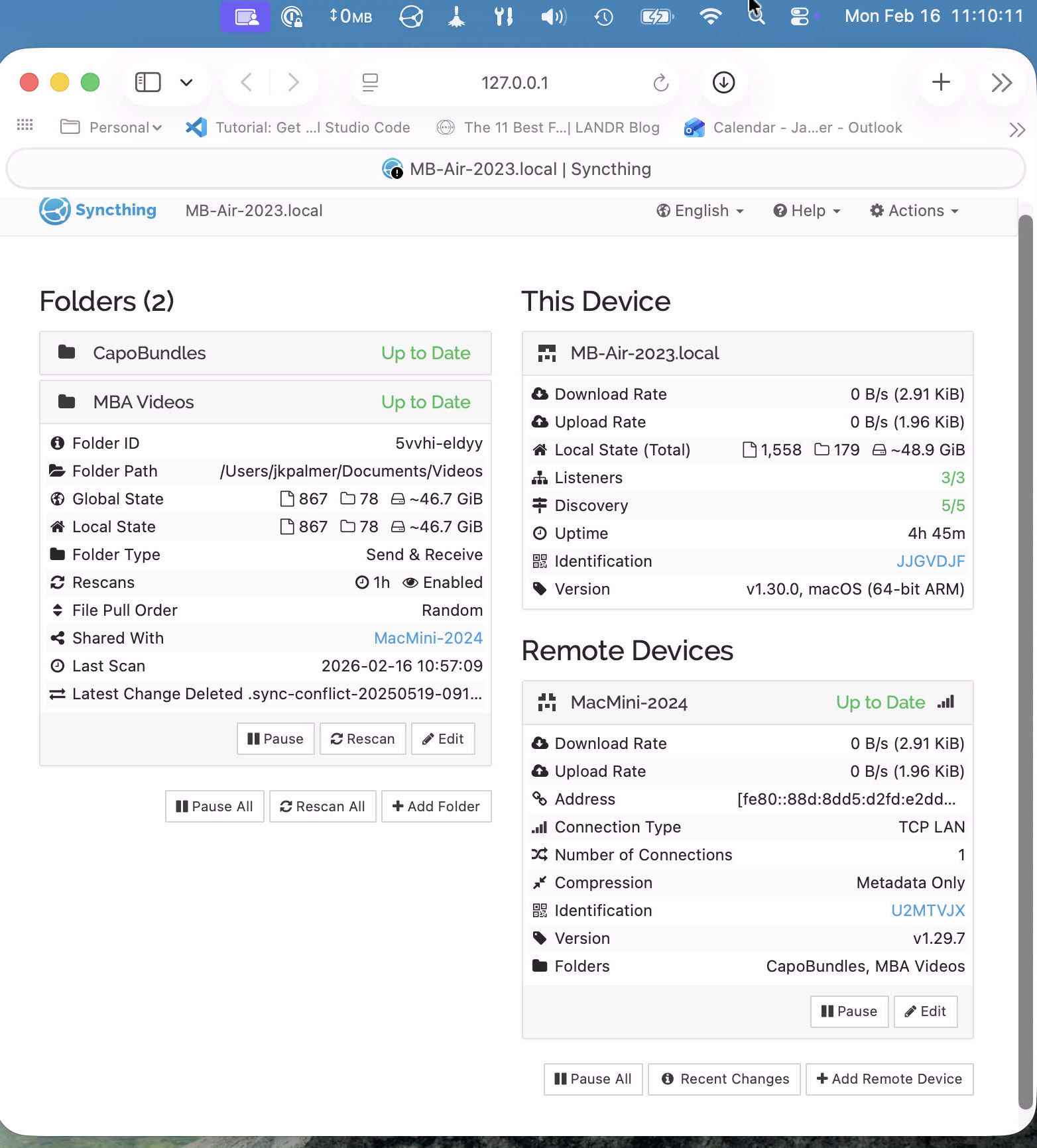
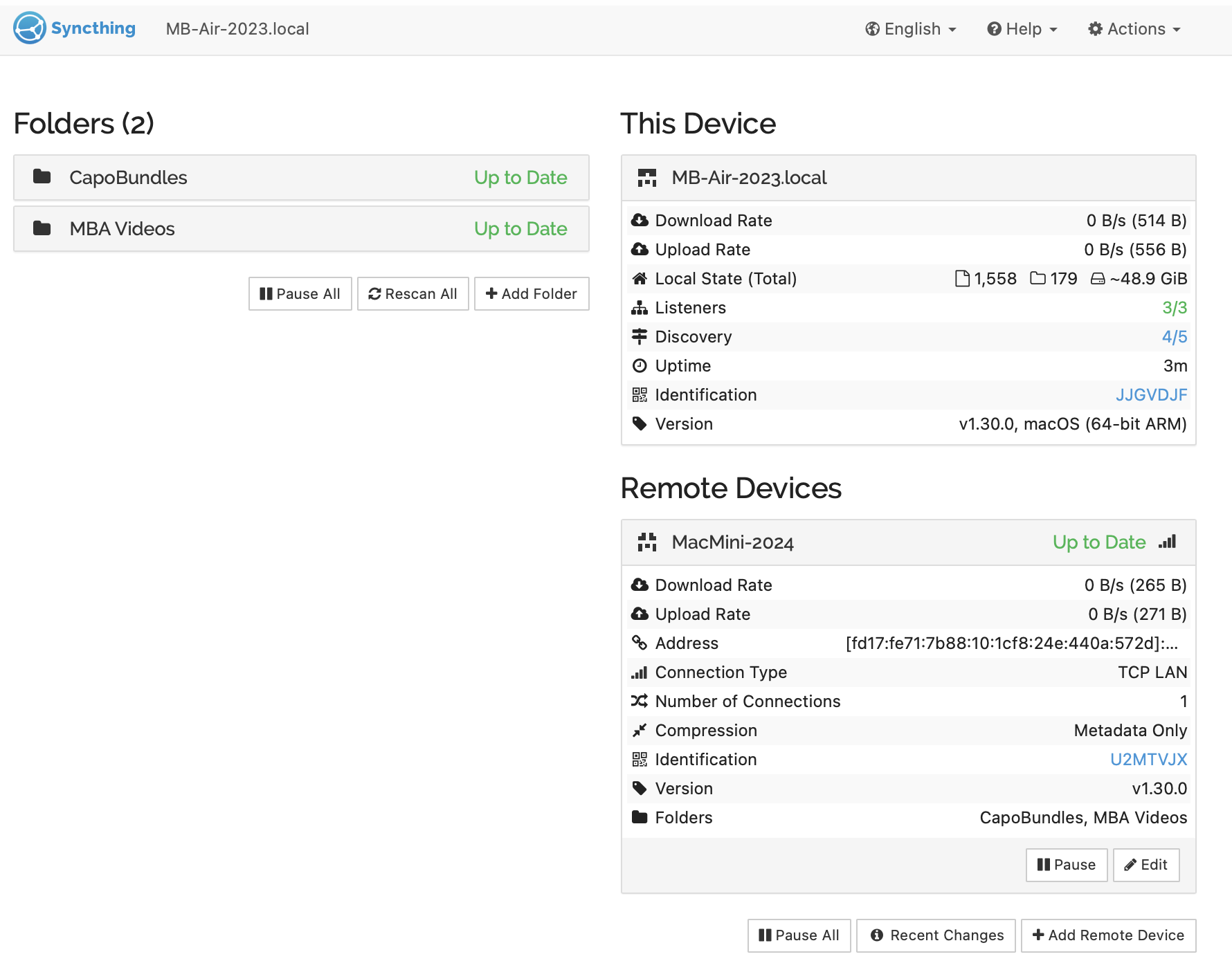
Something here is odd: MB-Air-2023.local shows that both Folders and the Remote Device of MacMini-2024 are showing as Up to Date.
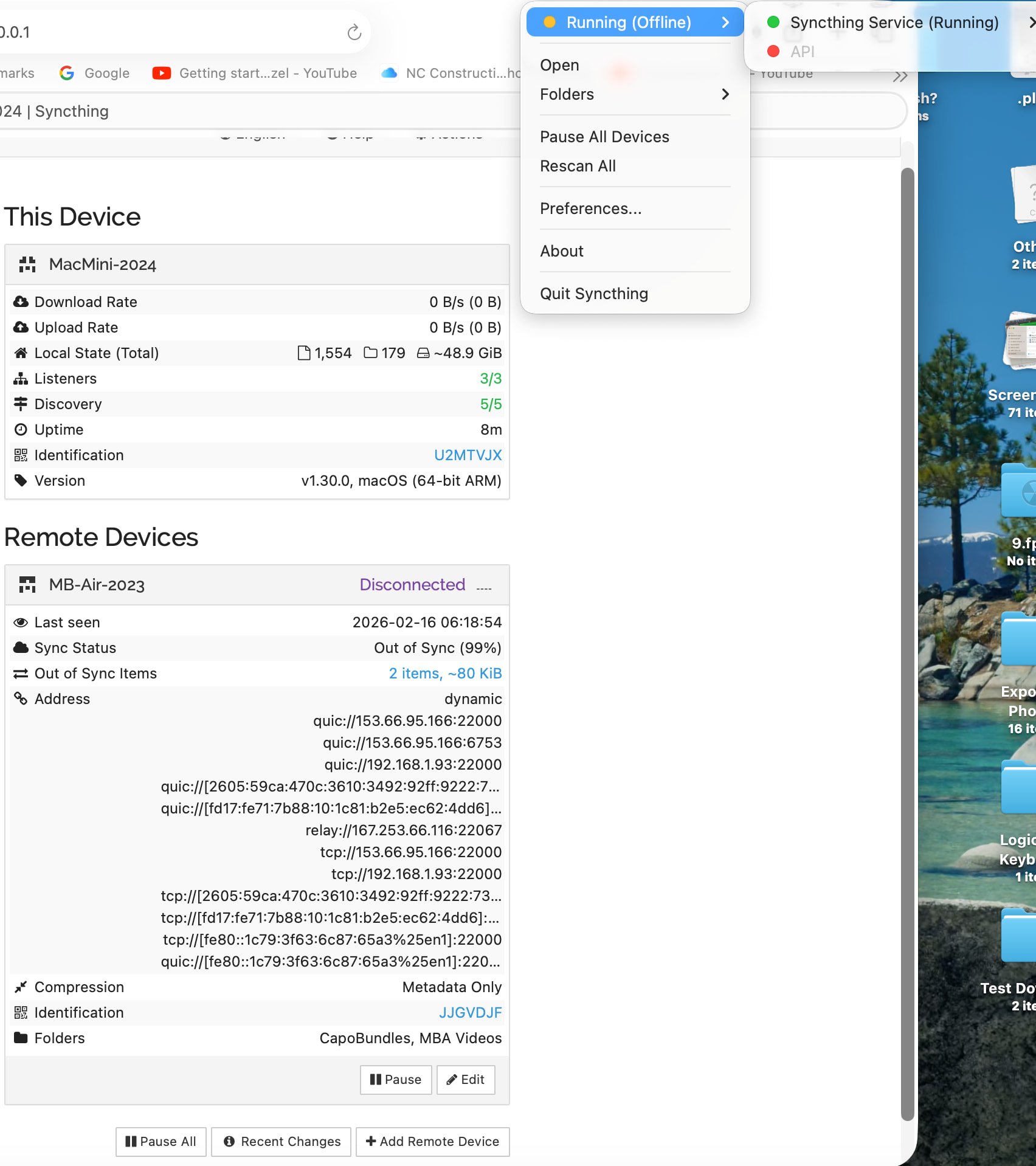
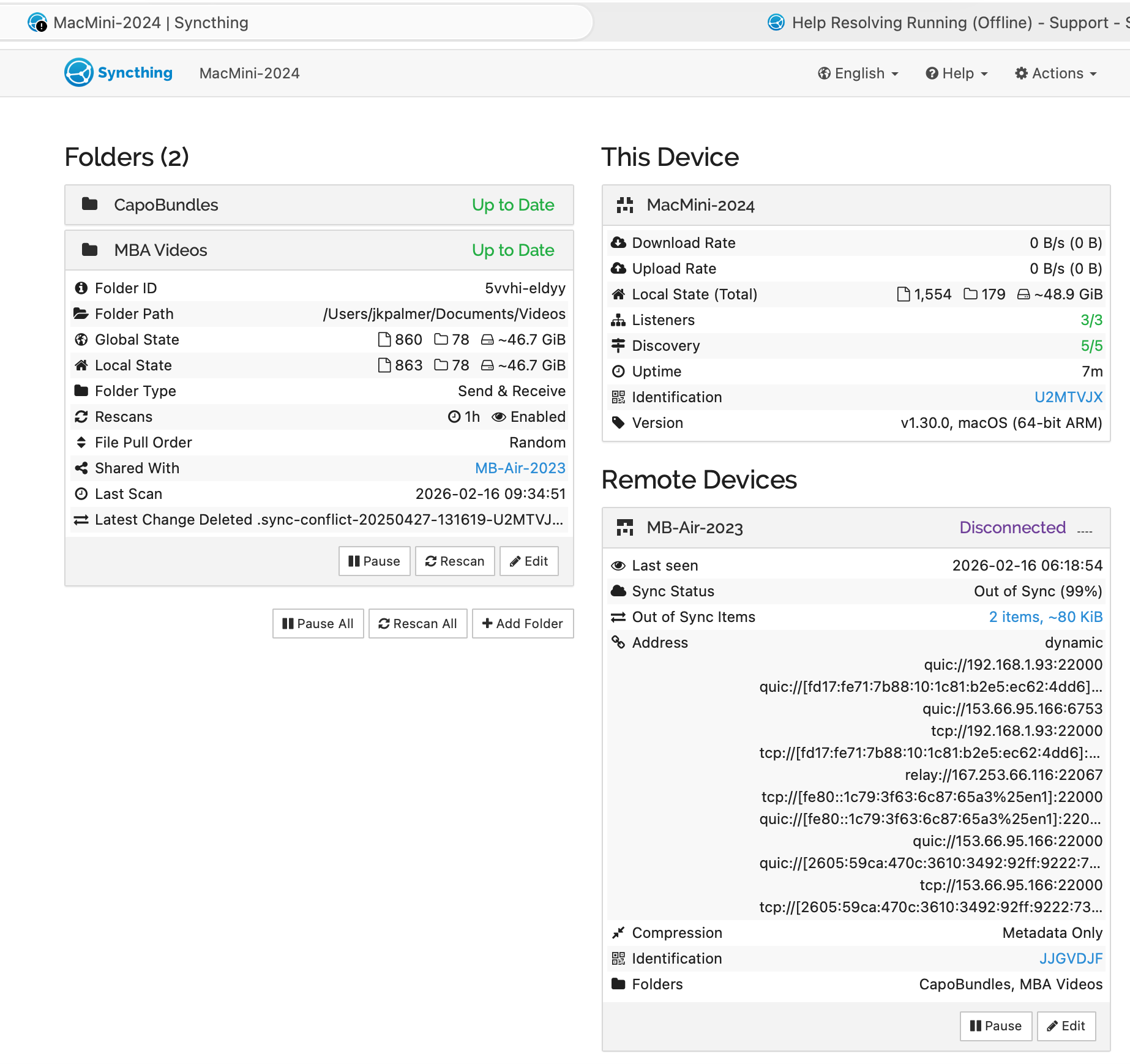
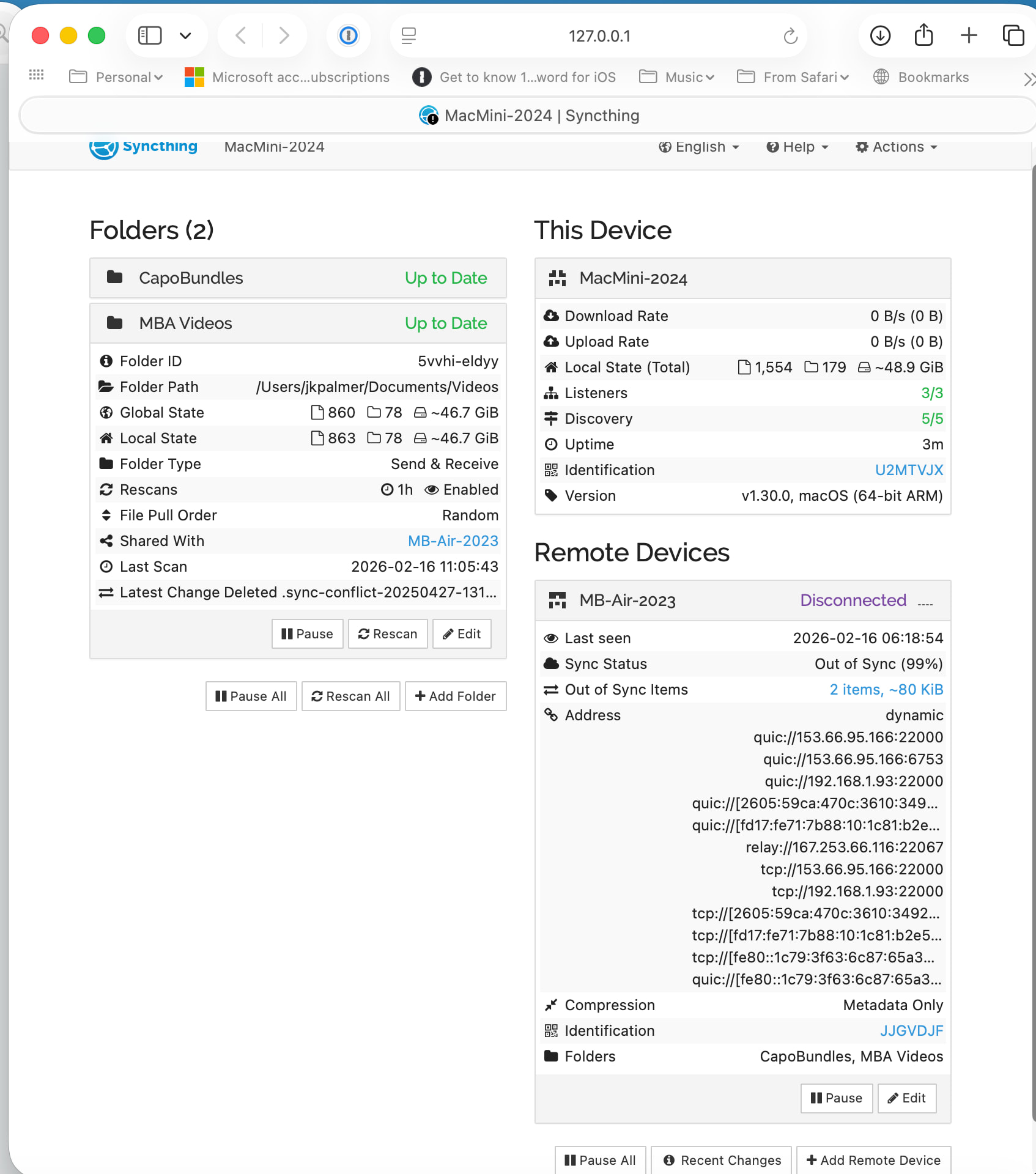
But MacMini-2024 is showing MB-Air-2023 as Disconnected. Can’t see the Folders in the second screenshot; please post a screenshot on MacMini-2024 showing both the Folders and the Remote Devices, like you did for MB-Air-2023.
I do see that the Device IDs appear to be correct on both Devices (each Device is showing the correct first “word” of the other’s Device ID), which is good.
It appears that the devices were in fact connected when you took the first screenshot on MB-Air-2023 (08:34). But at 08:26 and 09:42 there was no connection according to Mac-Mini-2024. The established connection was working over a link-local IPv6 address, so they were probably in the same LAN / WLAN.
Are these in the same network? Could you look at both web GUIs simultaneously? Are you sure both computers are on at the same time with Syncthing actually running? E.g. no standby, no user logout.
You should check the logs on MacMini-2024. Enable the “connections” and “dialer” categories to see more verbose debugging info.
Something strange is going on if one device thinks it’s connected, but the other end doesn’t. Obviously they are not exchanging index data, as evidenced by the differing global file counts. Please also double check that the address which MB-Air-2023 is supposedly connected to actually matches one of the network interfaces on the MacMini. This smells like you’re running two instances with the same device ID. Looking at one’s GUI while the remote device is connected to the other one.
I will attempt to do as you asked regarding enabling connections and dialer in the logs.
Do you want me to upload the log and if so, is there a timeframe that you want me to capture?
As for your request for me to “Please also double check that the address which MB-Air-2023 is supposedly connected to actually matches one of the network interfaces on the MacMini. This smells like you’re running two instances with the same device ID. Looking at one’s GUI while the remote device is connected to the other one.” Could you provide more instruction on what you want me to look for. I’ll be happy to try to provide as much information as you’d like, but this is all very technical for me….
OK so it is regularly connecting to MB-Air-2023, but that end is closing the connection immediately. Which is understandable since that device thinks it’s already connected to the MacMini-2024. Please gather some logs on the other device, after pausing and resuming all devices via its GUI. Then we can compare addresses and where it’s supposedly making a connection.
Here’s the current status of SyncThing on my two computers (Macmini and MacBook Air).
First, let me inform you that I use an internet security “suite” on both of my computers. This “suite” has two apps:
NetBarrier
Virus Barrier
I am currently trying to resolve an issue with the NetBarrier app on my Macmini, that I just discovered this morning, which could be the cause of my issue with SyncThing.
I am waiting for a response from this company to perform an uninstall/reinstall of the “suite”.
When I have accomplished the reinstallation of the “suite”, I will then see if SyncThing starts properly.
I will reply once I resolve the internet security “suite” issue.
I have resolved the issue with my internet security “suite” after uninstalling and reinstalling the applications on my MacBook Air. I had misspoken that the issue with this “suite” was on my Macmini.
It was on my MacBook Air.
I have also, uninstalled and re-installed SyncThing.app on my Macmini computer as per instructions found from SyncThing.
Both computers have been shut down and then started.
The following behavior on my MacMini is:
When I select SyncThing in the menu bar on my MacMini:
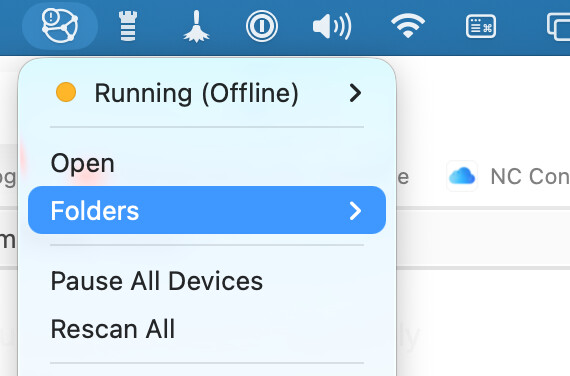
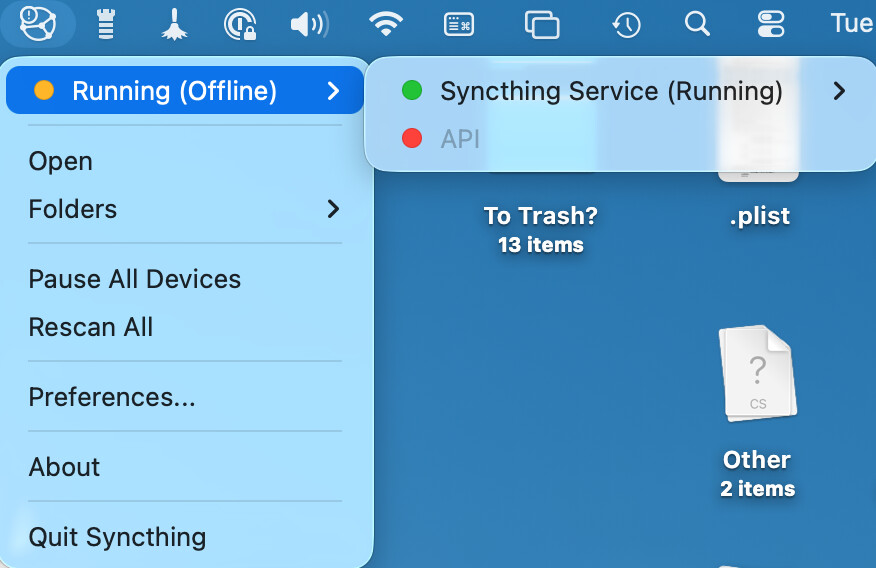
A. The app displays orange dot Running (Offline) - image included
B. The app won’t show any folders when the mouse pointer is hovered over Folders in the app
C. The Pause All Devices does not change to Resume All Devices
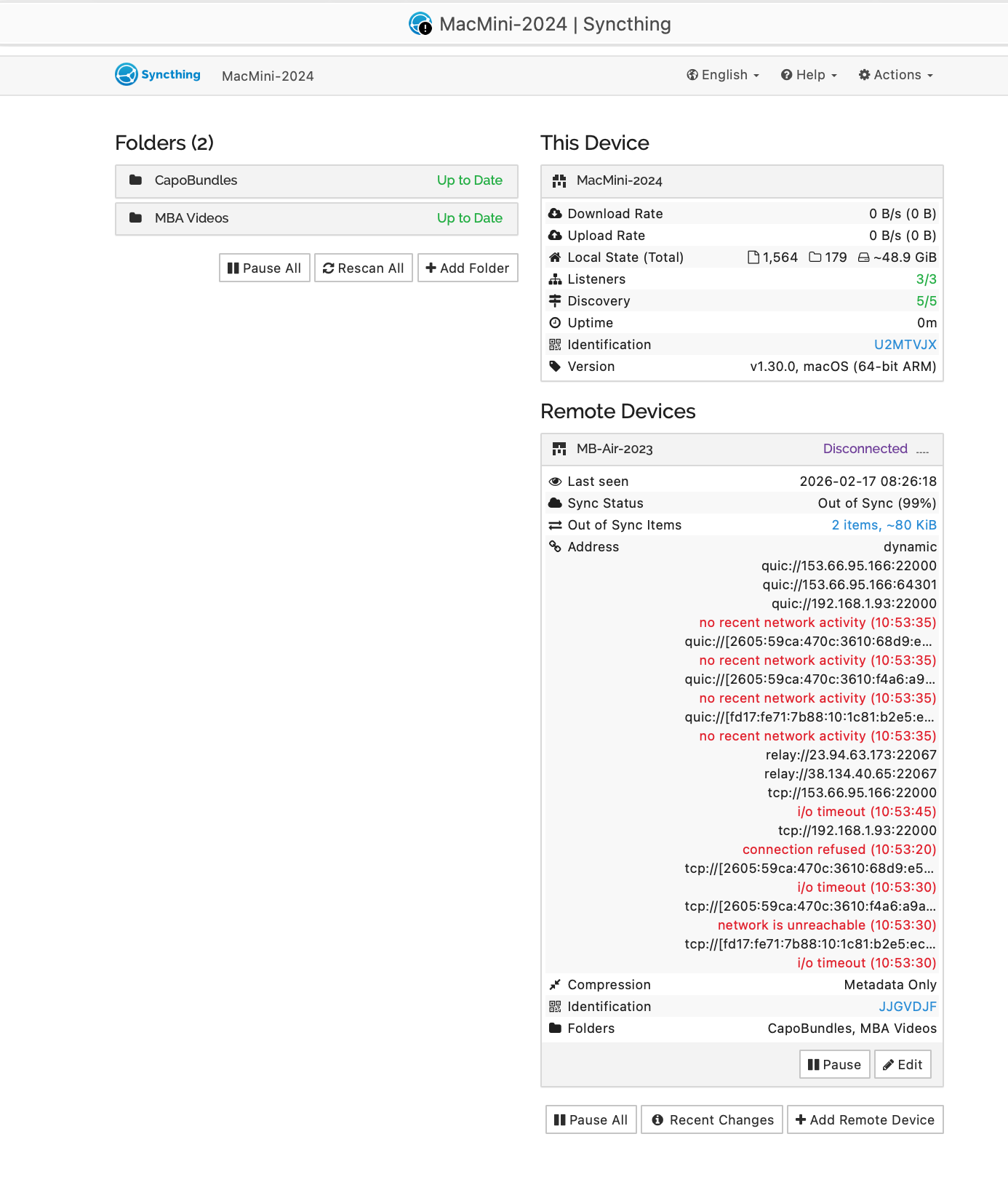
D. I have taken additional screenshots from the Macmini and collected logs for collections and dialer and uploaded
E. NOTE: When I Quit Synching, I received the “Connection Error” - image included, but this behavior is not happening anymore
IMO - The app is not functioning properly at a basic level.
The following behavior on my MacBook Air is:
When I select SyncThing in the menu bar on my MacBook Air:
A. The app displays Online
B. The app shows two folders when the mouse pointer is hovered over Folders in the app
C. The Pause All Devices changes to Resume All Devices and vice versa.
D. I’ve Paused All Devices and Resumed All Devices
E. I have captured screenshots from the MacBook Air and collected logs for collections and dialer and uploaded.
I hope I have provided what you have requested.
This has been a much more time consuming effort than I had expected.
Let me know if there is ANYTHING that you need or that I have omitted from my “research”!!
Okay, all this restarting and reinstalling stuff doesn’t help diagnose what’s going on.
Unfortunately the log from MacMini-2024 is almost empty. But the one from yesterday mentions that it tries to connect to 192.168.1.93 where it expects device JJGVDJF (the MacBook). The connection succeeds, but is immediately closed again because the MacBook thinks there already is a connection. The attempt is made from IP 192.168.1.131.
The MacBook however, in today’s log, establishes a connection with 192.168.1.140 successfully. Its own address matches the older log, namely 192.168.1.93. But that target address (…140) is different from the one the MacMini connection attempts originate from (…131).
If you have a computer under the 192.168.1.140 address running with the same Syncthing device ID, that would explain the failure mode. At least there is no indication of the connection attempts from MacBook to MacMini in the latter’s log. But they are also from different time frames and we don’t know what LAN IP address it was using at that point. Could simply have changed from 131 to 140 in the meantime.
We need more insights on your network addressing for both hosts to get further. Might also help to skip discovery and mutually configure the IP addresses directly, for testing. And of course, meaningful logs for connection issues should show the behavior of both systems simultaneously.
Another strange thing is that the MacOS wrapper shows the GUI as offline (red dot), while you can obviously reach the GUI via browser. That sounds really fishy and might have to do with your security theater suite interfering. Sorry I have no Mac at all and can’t tell you where to click, but you really need to get an overview of the IP addresses involved for both systems.