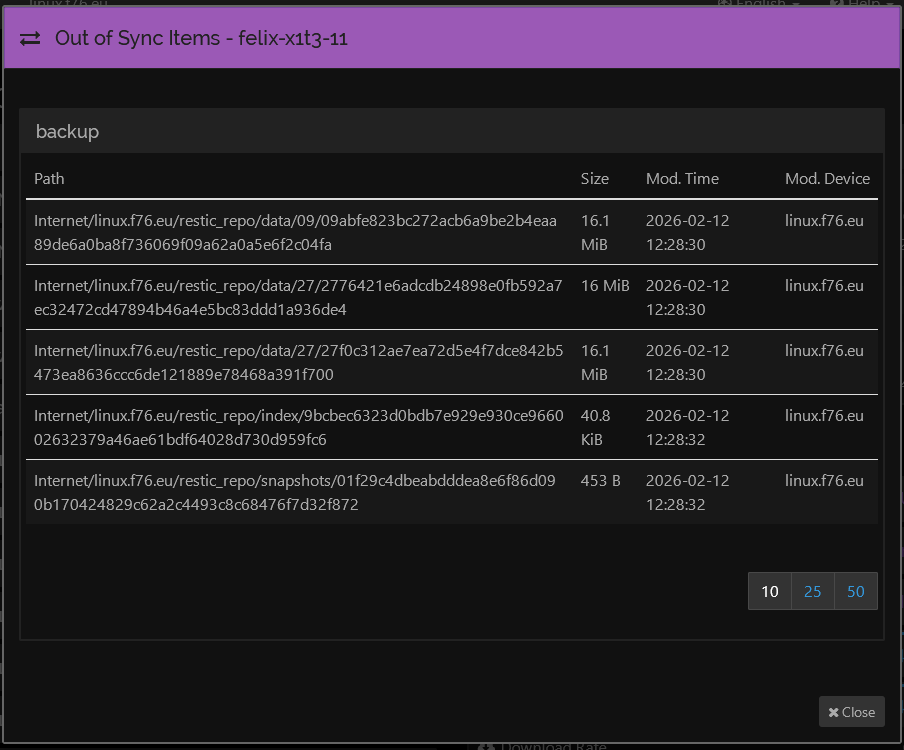
Permissions are the same as other files in the same directories:
$ ls -l Internet/linux.f76.eu/restic_repo/data/09/
total 372068
[…]
-r--r----- 1 root backup   237703 Jan 22 00:27 099771363c3002fd5fec9695616e6e4ced1fb4ac790029c1eace82c990ccd8b2
-r--r----- 1 root backup 16911156 Feb 12 06:28 09abfe823bc272acb6a9be2b4eaa89de6a0ba8f736069f09a62a0a5e6f2c04fa
-r--r----- 1 root backup 17143846 Dec 26 00:15 09ae249a4a661cb5876d782abc4e67f2267bd2fdcc16aed287c7443ea07d6154
[…]
The peer felix-x1t3-11 runs v2.0.15, Windows (64-bit Intel/AMD). There is no permissions problem either.
There is another peer, for which the server reports the same issue. This peer, however, is configured to ignore the directory containing the files in question. So it wouldn’t receive them either way.
Because two peers are affected, I conclude that the issue lies with the server which provides the files. I wonder if the issue is related to the upgrade to version 2, which I did some weeks ago.
Thanks for the suggestion. But as I mentioned in my original post, maybe not very clearly, there are two receiving ends. Both experience the same issue with the same files. Furthermore, one of the receiving ends does not actually receive the files. It ingores the directory in which these files are.
I think this is a strong indication, that the issue is on the sending end.
Look on the receiving side. In the logs, where sync failures will be mentioned, or the “failed items” link in the GUI (after a failed sync iteration; it may not show up during syncing/scanning).
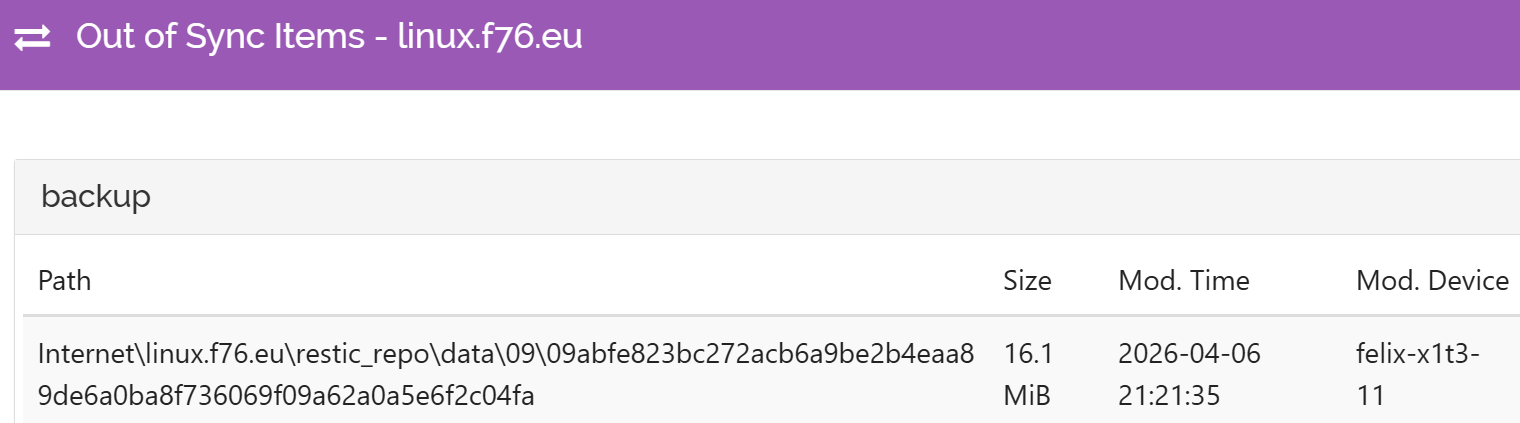
Thank you for your suggestions! In the screenshot in my original post, you can see that the following file is listed as out of sync on the sender side:
The Mod. Device is linux.f76.eu, which is the sender, running v2.0.15, Linux (64-bit Intel/AMD). The file is in the file system of the sender, but it doesn’t make its way to the receiver. I double checked that using find.
Per your suggestion, I tried to get more information on the receiving side, which runs Syncthing v2.0.15, Windows (64-bit Intel/AMD). However, I was not successful:
C:\Users\Felix\AppData\Local\Syncthing\syncthing.log: It contains entries from 2026-02-24 up till now. However, the string 09abfe823bc272acb6a9be2b4eaa89de6a0ba8f736069f09a62a0a5e6f2c04fa is not in there.
No failed items link shows up in the GUI, and I don’t remember ever seeing one in relation to this issue.
What else can I try?
Again, it is possible that I upgraded Syncthing to version 2 around the time of the creation of the files in question. I could double check that by looking at old system backups.
On the receiver (Windows), I now checked a log from a backup done a few days after the sync issue appeared. But the missing file 09abfe823bc272acb6a9be2b4eaa89de6a0ba8f736069f09a62a0a5e6f2c04fa is not mentioned.
I also checked when I updated to version 2. For the sender that was between February 9 and 10 UTC+02. This is before the missing file was created on February 12. Also, the receiver was updated before. Thus the issue appears to be unrelated to the update of Syncthing to version 2 on either machine.
The five items listed in my original post are still not synced.
(As mentioned in my original post, there is a second receive side, for which the same sync error is reported. This side, however, is configured to ignore the directory containing the files.)
I double checked permissions on the sending side, Syncthing v2.0.15, Linux (64-bit Intel/AMD). They look fine. Older and newer files in the same directory synced without issue:
$ ls -l | grep -1 09abfe823bc272acb6a9be2b4eaa89de6a0ba8f736069f09a62a0a5e6f2c04fa
-r--r----- 1 root backup   237703 Jan 22 00:27 099771363c3002fd5fec9695616e6e4ced1fb4ac790029c1eace82c990ccd8b2
-r--r----- 1 root backup 16911156 Feb 12 06:28 09abfe823bc272acb6a9be2b4eaa89de6a0ba8f736069f09a62a0a5e6f2c04fa
-r--r----- 1 root backup 17143846 Dec 26 00:15 09ae249a4a661cb5876d782abc4e67f2267bd2fdcc16aed287c7443ea07d6154
$ ls -lt | head -3
total 372068
-r--r----- 1 root backup 17018168 Feb 26 00:46 097999a6dc49bc2b735c3c37c987e46c08dabf07b6a1633867c9fcb2fa946aba
-r--r----- 1 root backup 16873901 Feb 25 00:35 09d6fcb8180da9f9860f65eb5e68503e59313c746af16a5bae58250f2c07db73
$ ls -ld . .. ../.. ../../..
drwxr-xr-x   2 root  backup 4096 Feb 26 00:46 .
drwxr-xr-x 258 root  backup 8192 Oct  8 09:47 ..
drwxr-xr-x   7 root  backup 4096 Oct  8 09:47 ../..
drwxr-xr-x   3 felix felix  4096 Oct  8 09:47 ../../..
And on the receiving side, Syncthing v2.0.15, Windows (64-bit Intel/AMD), I checked for the presence of the three files from the first ls above:
>dir 099771363c3002fd5fec9695616e6e4ced1fb4ac790029c1eace82c990ccd8b2 09abfe823bc272acb6a9be2b4eaa89de6a0ba8f736069f09a62a0a5e6f2c04fa 09ae249a4a661cb5876d782abc4e67f2267bd2fdcc16aed287c7443ea07d6154
Get-ChildItem: A positional parameter cannot be found that accepts argument '09ae249a4a661cb5876d782abc4e67f2267bd2fdcc16aed287c7443ea07d6154'.
09abfe823bc272acb6a9be2b4eaa89de6a0ba8f736069f09a62a0a5e6f2c04fa is missing for no apparent reason. It is one of the five files listed by the sending side as out of sync.
I tried that with one of the files that are reported as out of sync by the sender, linux.f76.eu. Now, interestingly that file shows as out-of-sync by the receiver, felix-x1t3-11, to which I copied it by scp:
Is there any other way to mitigate the issue, or should I simply remove the folder from Syncthing on all three devices and re-add it? (after making sure that they all have identical content)