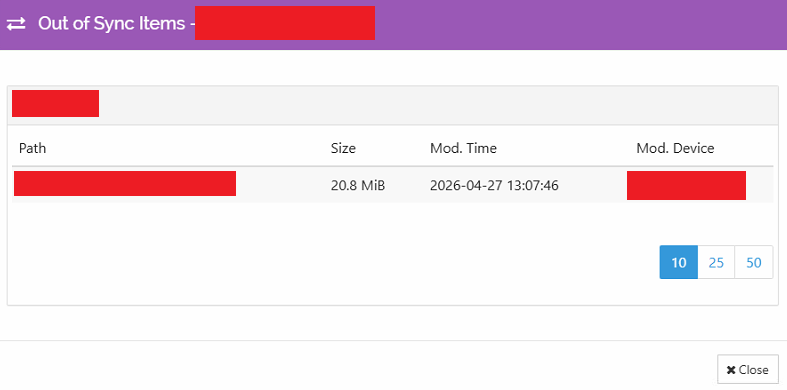
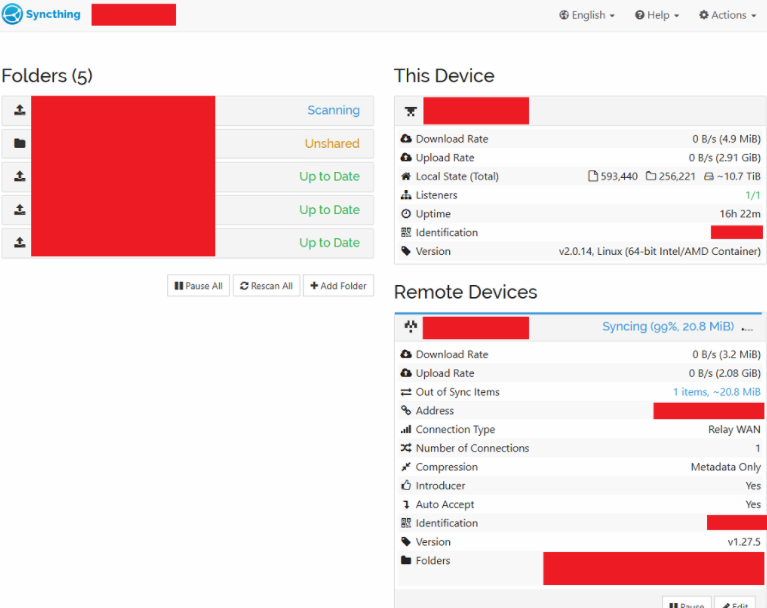
Node A copies data of 4 folders (10tb) towards node B, but sometimes files get stuck at “out-of-sync”. Upon checking, the files are available on both locations’ filesystem. I will add pictures below
Is there a way to resolve this? I’ve tried deleting and recopying the file. Also tried rebooting both assets. Last time I fixed it by updating node A to the latest version, that seemed to “clear” the cache…
What operating systems? What filesystems? Are there any special characters in the filename? How have you got the Folders configured, particularly on the Ignore Patterns and Advanced tabs?
We use 2 containers running on Synology NAS each their own Btrfs filesystem.
The latest file that failed had the following path: 3125-Site/sept003j.26o
So I suppose no special characters since e.g. sept003k.26o and sept003i.26o get copied just fine. (same size)
Regarding Ignore patterns: none
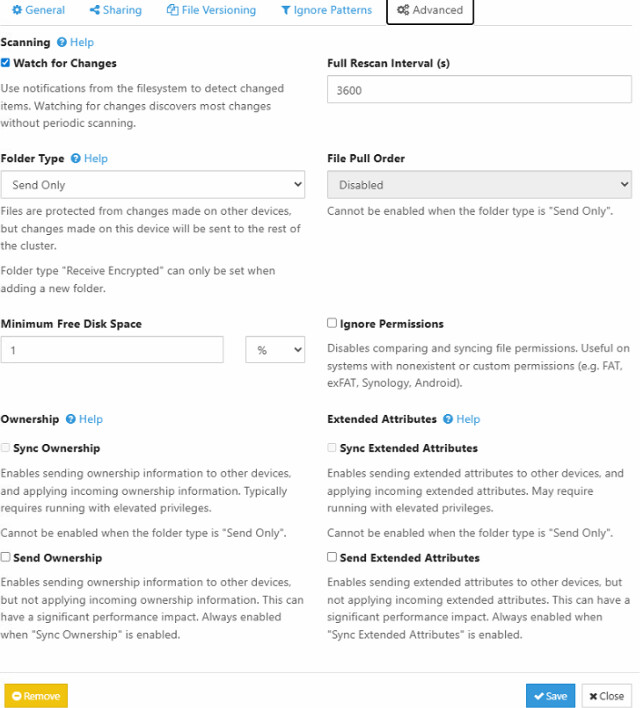
Advanced tabs: there are a lot of settings, any specific you want to see
Where is the Out of Sync message? On Node A, Node B, or both? Node A is set for Send Only, please show the Advanced tab for the same Folder on Node B as well.