The defaults in the web GUI does not get picked up, it isn’t supported anyways according to the docs. Is there a way to set this up in the app?
Hello @wolf and welcome here!
This is something which, in my experience, just works. Can you please elaborate? Which steps do you take? Some screenshots might help in assessing your problem as well.
Greetings!
As usual with my other devices, I navigate through the advanced settings and either paste or type out the desired ignores under ‘Default Ignore Patterns’, hit save and that should be it. If I restart Syncthing in any way, the ignores are gone. List is empty.
I’m running a Pixel Fold with GrapheneOS if that has any relevance.
Yeah, I see now. Same for me on Android, Samsung S24 FE, Syncthing V2.0.9.
Steps to reproduce:
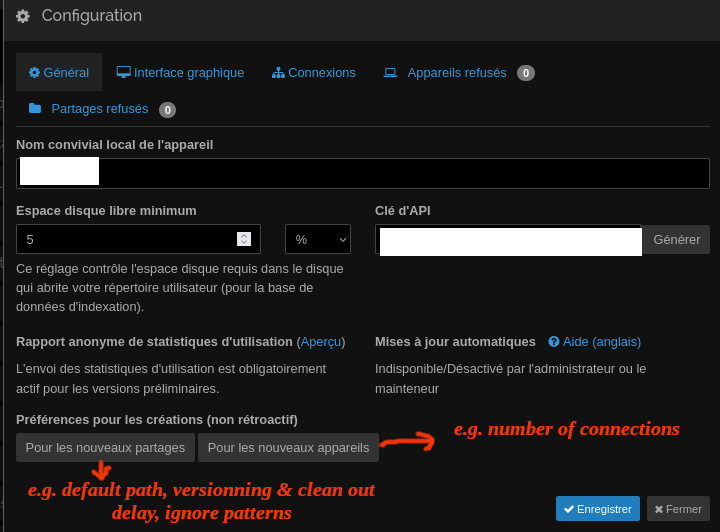
- In the Web UI, open Advanced / Defaults / Default Ignore Patterns.
- Add or edit some ignore patterns.
- Press “Save”.
- Restart Syncthing.
- In the Web UI, open Advanced / Defaults / Default Ignore Patterns.
- I expect that the patters entered in step 2 are there. They are not… The “Lines” field is empty.
You wrote:
it isn’t supported anyways according to the docs
Where is that stated?
Thanks!
Not that I can find anyway.
The page you linked contains this statement:
If you’d like to see web UI setting “X” or “Y” supported by this app, the wrapper for Syncthing, you need to file a PR and handle these aspects in code:
… followed by a list. I guess that is what you need to consider doing if you’d like to see this feature in Syncthing-Fork.
1 Like
This topic was automatically closed 30 days after the last reply. New replies are no longer allowed.