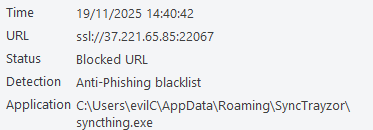
My phone is set to only run SyncThing when on my home network.
I just had a look on my phone, and “Enable Relaying” was on. I take it that if I turn this off, my desktop will no longer attempt to connect to these relays?
Not really sure why there does not appear to be an option in SyncTrayzor to turn this off
It just seems mad that if, for example, I have a desktop and 5 devices that sync to it, then in order to stop the desktop from trying to make outbound connections to relays, I need to make changes on 5 devices, I cannot just make one change on the desktop?
Every device in syncthing is self-governed. What you do on device A doesn’t affect device B much, if at all. If you disable relays on a given device A, then that device A will no longer use relays (both for outbound and inbound connections). However, that doesn’t affect a connection between device B and C - that’s unrelated to what you do on device A. So to completely disable relays in a cluster, my suggestion would be to turn it off everywhere.
In your case, if your desktop is at the center (like a star topology) then yes, disabling relays on the desktop will mean that all connections going out or in from/to the desktop will not use relays.
What I meant is that if you disable relays on device A, but not on device B, then device B will keep a relay connection on standby - it doesn’t know or care about what you did on device A. Device A won’t dial relays, that’s correct. But you still have a relay connection somewhere in your cluster, just on a different device.
“Relay connection” here refers to the fact that in order to invite someone to a relay session, you must have an active session to that relay first. For this purpose syncthing keeps a TLS connection between itself and a relay open, even if no “sync session” is being done via that relay.
Interesting thought however… Could a menu item in the wrapper be hooked up to invoke a JS callback in the Web GUI DOM, just like the HTML based button does? Wonder if there is an interface for such a thing in the CEF.
Yes that should be possible. We already do stuff like this - SyncTrayzor injects a custom “open folder” action into the folder view which triggers a native shell action on SyncTrayzor’s side. Basically the reverse thing. With CEF you can get full control over the DOM and JS of all loaded pages.
I’m not entirely convinced if trying to hook up SyncTrayzor’s menu to Syncthing’s menu actually helps much though.
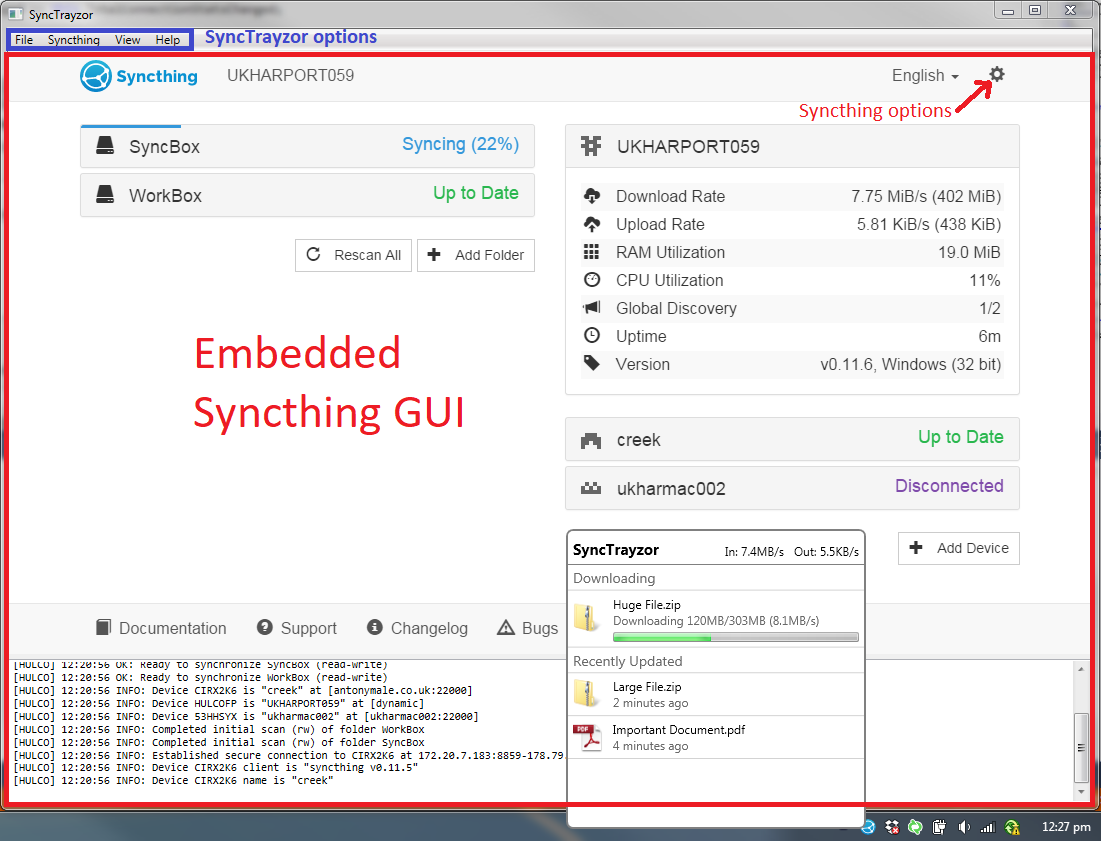
Whilst I was aware that SyncTrayzor was a wrapper around Syncthing, I thought that more meant that Synctrayzor was the front ent, and Syncthing was the back end.
it did not really twig that the GUI is literally a thin wrapper with a syncthing gui inside a frame.
Therefore, when looking for settings of the application, I saw File → Settings, and assumed that was all the settings available in the application. I didn’t even really notice the Actions menu, and TBH, “Actions” does not really scream “There are settings in here”.
Bear in mind this is coming from the standpoint of having never used SyncThing without SyncTrayzor.
I mean, yeah, maybe I should have RTFM, but even then - there is not a lot in the README that hints at this.
So maybe an alternate solution would be to add something like this to the README?
Yes I understand where you’re coming from, if you’ve never seen a standalone syncthing version (only the web GUI) vs syncthing+wrapper the difference isn’t always obvious.
I also don’t think that all users need to know all the intricate details (especially as SyncTrayzor aims to be “simple to use”). But of course users should be able to find the relevant UI settings. We also already have some syncthing controls under the “Syncthing” tab in SyncTrayzor, so I can kinda see an “Open Syncthing Settings” button there. I’m just not sure if that creates even more confusion as to where the line between wrapper and syncthing is, if everything is mixed together.
IMHO, having this extra menu entry won’t hurt. It should just open the settings modal, which happens to be part of the web GUI. But for an unsuspecting user, that doesn’t really matter. Click a menu item, a dialog opens. Simple and expected.
This menu bar is one of the things I didn’t like about SyncTrazor, too.
Hence, I designed it in Syncthing Tray so that the Syncthing window is really just the web frame and settings of Syncthing Tray are accessible in a more separated way. That’s the easy way to solve this problem.
I also added features in Syncthing Tray that would work by injecting JavaScript into the web page, e.g. to show a native “Select directory …” button in the “Add folder” modal. This is doable but in my experience also fiddly and prone to error. Therefore not necessarily a path I can recommend to go down.
Could be done with central introducer device. But syncthing is by nature P2P, just like matrix, Fediverse, they’re at nature decentralized.
I do acknowledge scripting guide or workflow to be useful. Something like install script eg choco or any package manager silent install unattended, also exist but not always possible with NVCleanstall.