I have a set up of personal cloud (on RasberryPi) and what I want to achieve is a basic backup.
Users share folders with the server with “send only” option.
user1 has a dedicated folder on /mnt/drive1/syncthing-data/user1/MyFiles set up as a default folder for Syncthing. All permissions are set and there is no issue, if I manually accept the shared folder from another device (Android and Linux) in GUI. However, auto-accept will always fail due to “Permission denied to create a folder” error. In my understanding, the reason is that the path is passed to the server as /FolderName, which Linux understands as “/” root. Is there any work around it ?
Is your second name Genius ? If not, change your Birth cert Thanks a mill !! That was it… Tried to get this solved for the last two days …. I am new to the Syncthing, so thanks for the tip !
Just a quick note, because you mentioned “backup” in the first post, and I assume you understand that synchronisation and backup are two different things. I’d suggest at least enabling some kind of file versioning in Syncthing if you actually want to use it for backup purposes. I personally like staggered versioning.
Thanks again… yes, I do understand those are two different things. I only briefly looked at versioning, but was really relaying on the way the files sync with my server (send, receive, send - receive). Will have a look again….
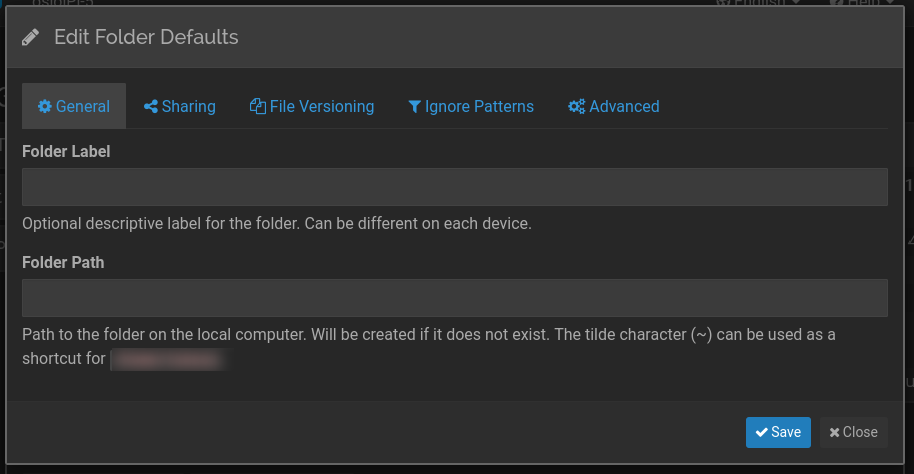
 . For clarity, the default path is located in
  Thanks a mill !! That was it… Tried to get this solved for the last two days …. I am new to the Syncthing, so thanks for the tip !