Dear all.
I have a 5 PCs which runs Syncthing, with globally 16 Folders. I have a problem with one of them and exclusion paths.
PC A is a NAS, with 16 folders. B is a notebook, where I sync only partially some folders using the exclusion system.
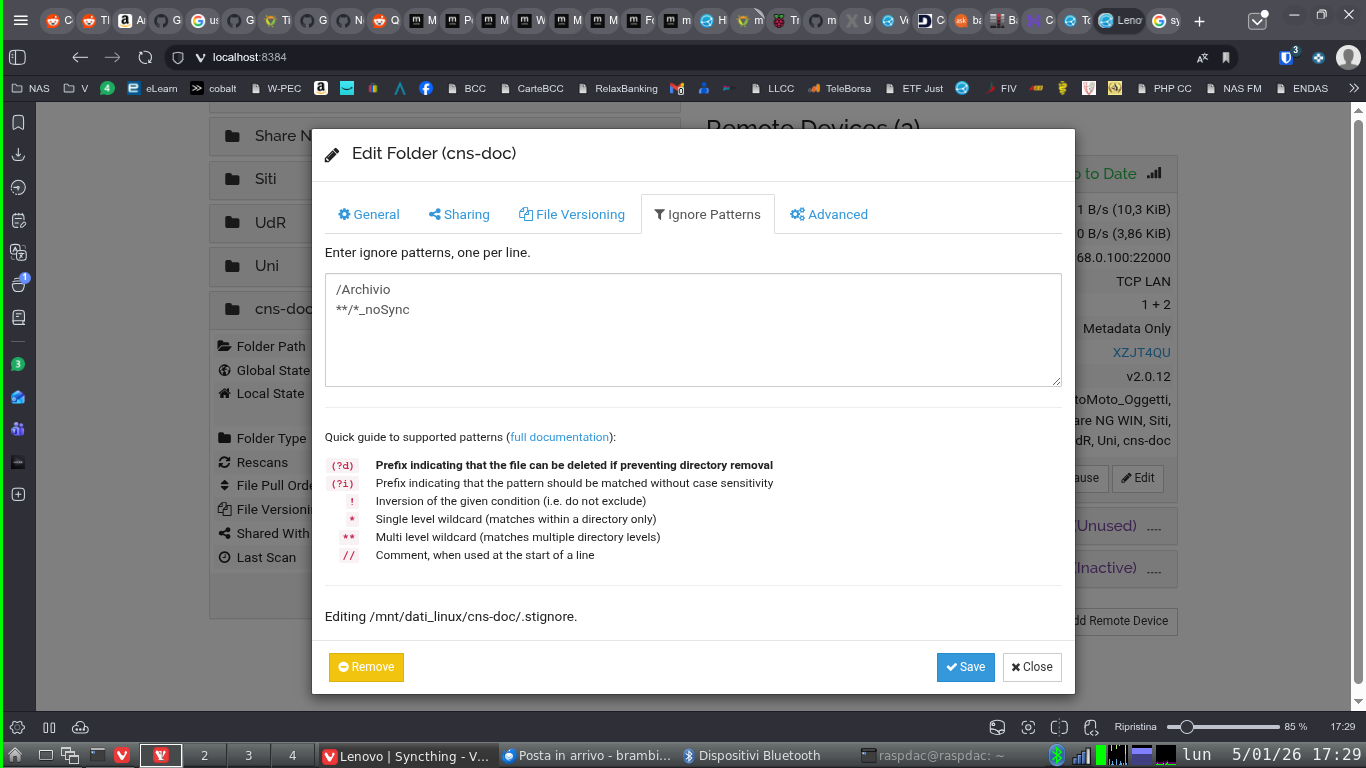
For example in Folder “cns_doc” on the server and in other PCs I have everything, on the notebook I keep only lasts projects and the one I’m working on. On the notebook Syncthing is configured to exclude from the sync everything that has “_NOSYNC” in the path or is inside a subfolder called “Archivio”.
When a projected is ended I add the suffix “_NOSYNC” to the project folder or I move it in an Archive folder on the NAS and then remove the folder from the notebook. Everything was working fine, I’m using this method since 2014 when I started using Syncthing.
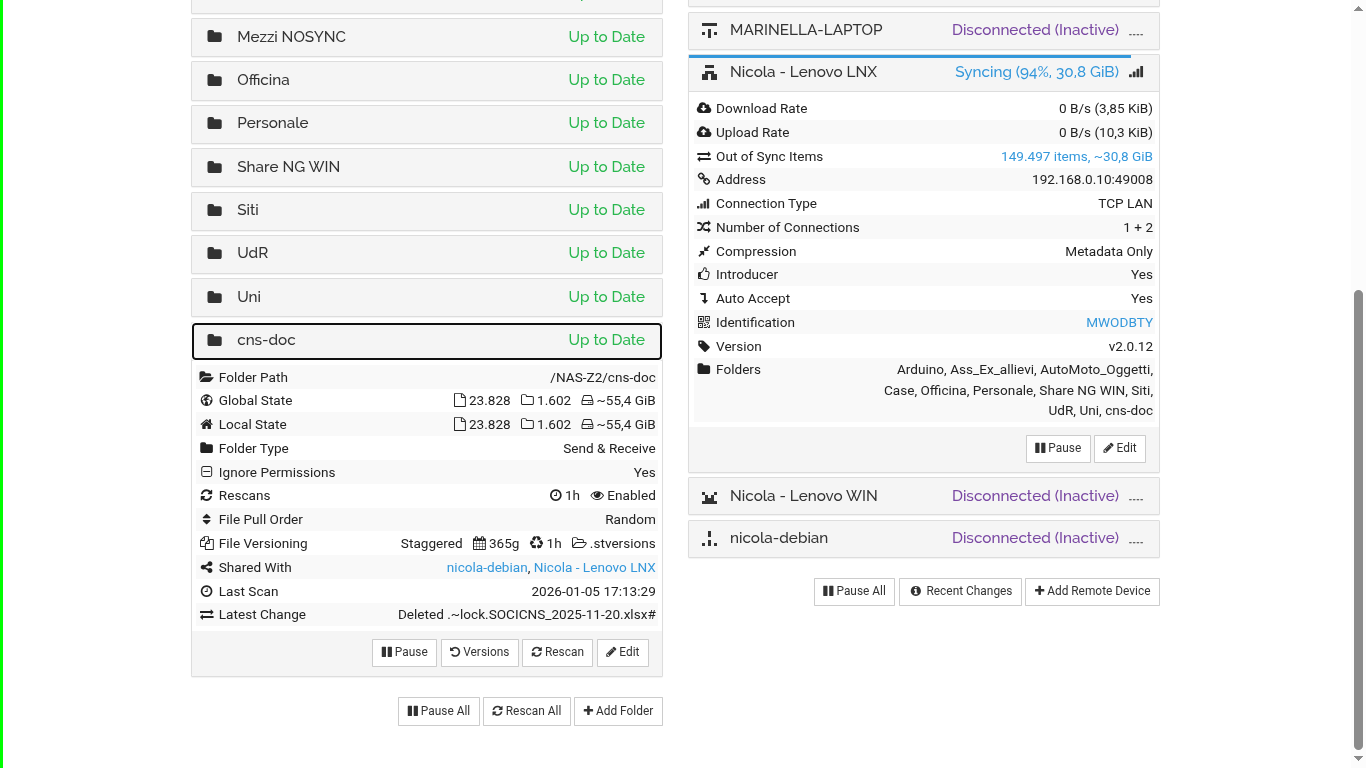
In last months I see on NAS that Synchthing is “syncing” with my notebook excluded folders, but on the notebook side everything is synced.
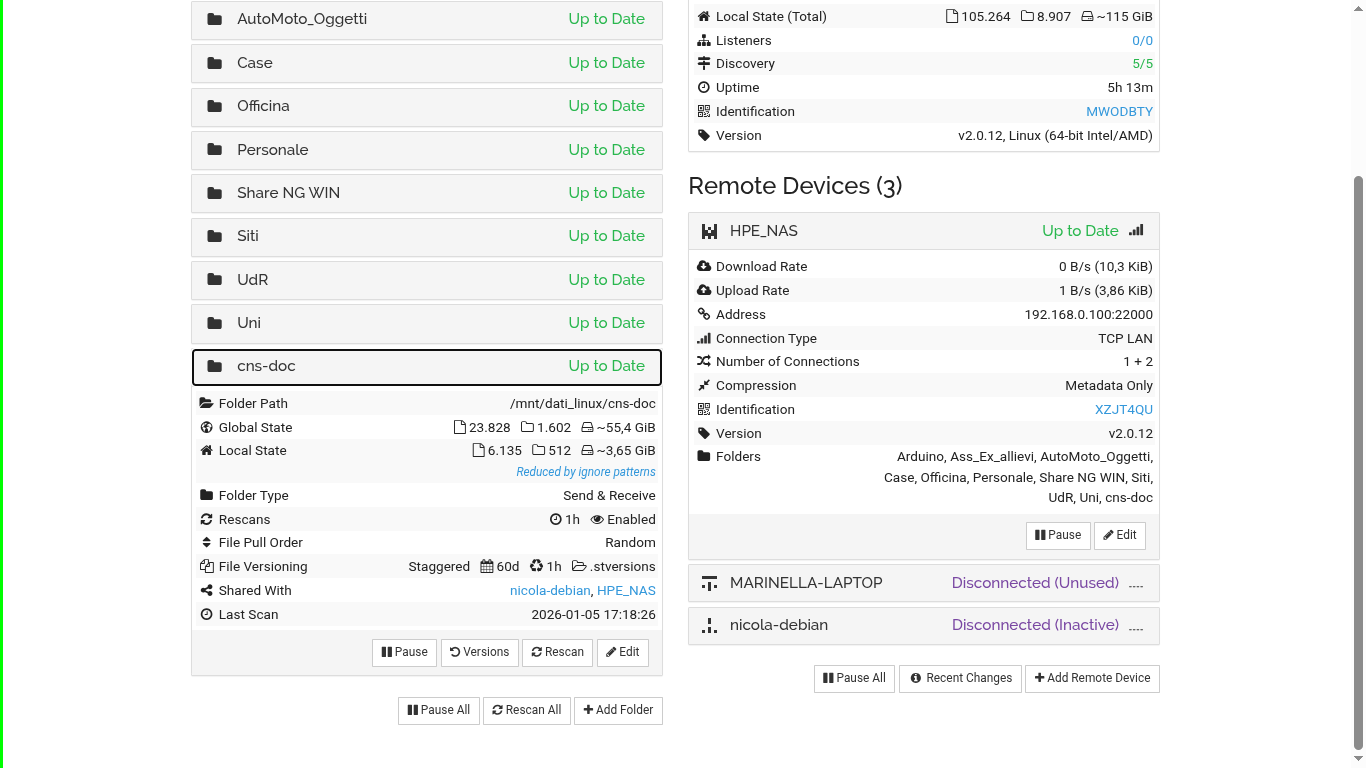
I attach some screenshots.
Server: Name: HPE_NAS - Runs OMV with v2.0.12, Linux (64-bit Intel/AMD)
Notebook: Name: Nicola - Lenovo LNX - Runs Debian Sid with v2.0.12, Linux (64-bit Intel/AMD)
The CPU on the server is always at 40~50% used by syncthing when notebook Lnx is connected.
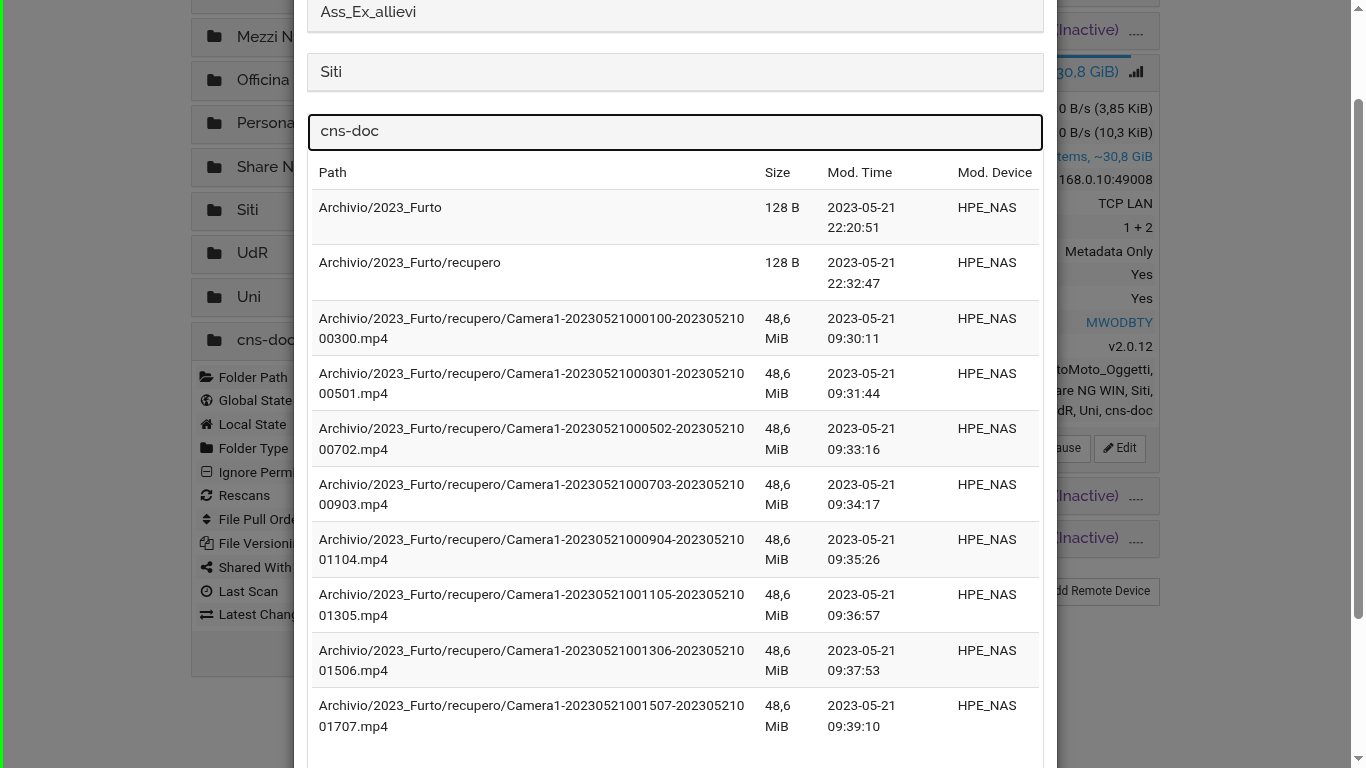
The server shows as to be synced files that are inside an “ignored” folder by the client.
The problem is only with 2 folders, other folders where I adopt the same method I haven’t any problem (p.e. “Siti” is 50GB Globally, 5GB on Notebook but is not showing in the list of “Syncing”).