There’s no sense in looking at some other situation’s screenshots to diagnose the problems you’re having now. Simple as that. It may all seem clear to you, but just because the behavior feels the same to you doesn’t mean it has the same root cause or anything. You mentioned no longer seeing some button. And being on v2 now. Please focus on this topic and the current situation, regardless of previous issues.
OK, I will first test with remote set to “send & receive” and if that does not help, I will start creating screenshots!
Both sites are now “Up to Date”, after setting the remote to “send & receive”, re-creating the deleted files (that went into out-of-sync) and then scanning again!
This is still a bit irritating to me, but setting remote to “send & receive” is the solution!
Many many thanks!!!
As much as it looked good first, as much it got worse again.
Next upload, before changing files, I paused the local Syncthing, added all files, then resumed the folder. Just to be sure that no intermediate state got somehow stored by Syncthing.
I attach edited screenshots:
It uploaded lots of stuff and then got stuck again with 4 files out-of-sync.
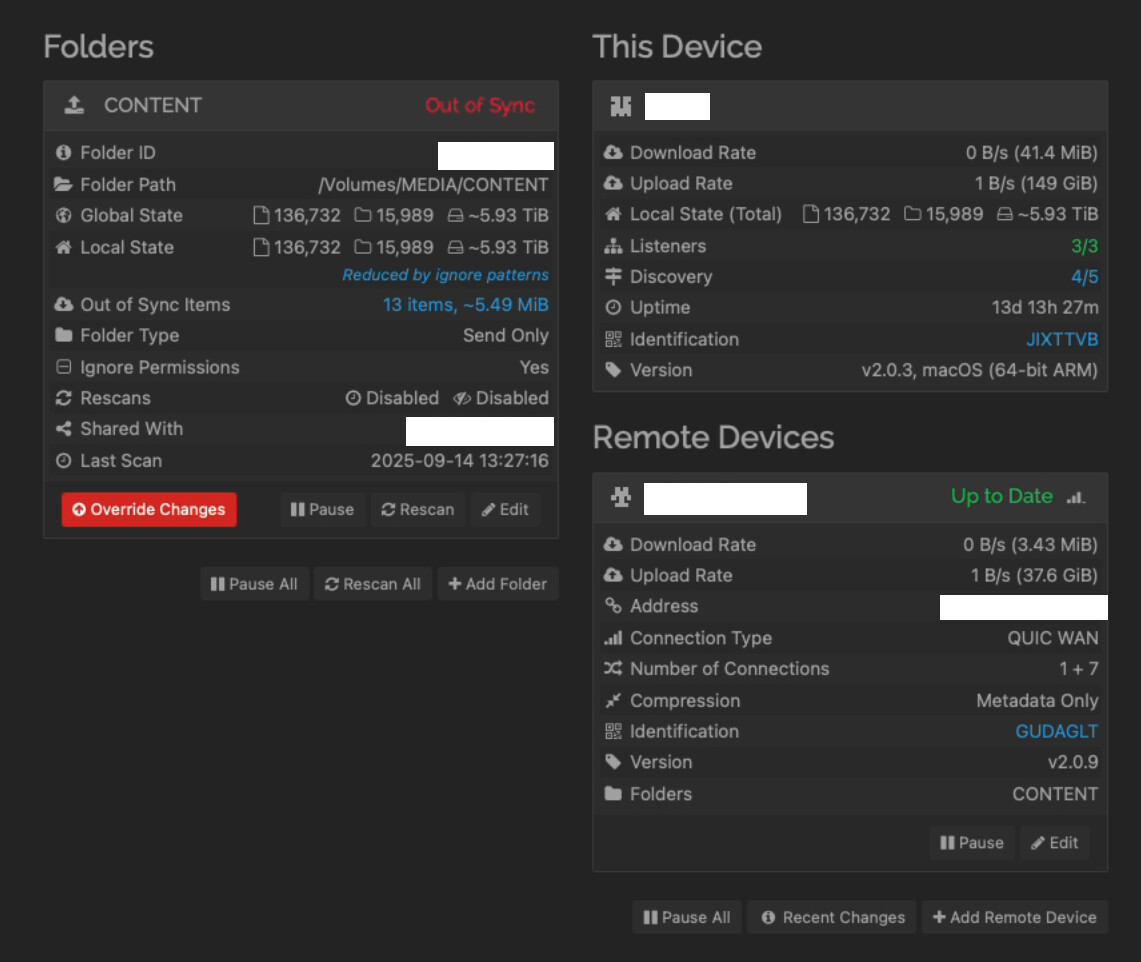
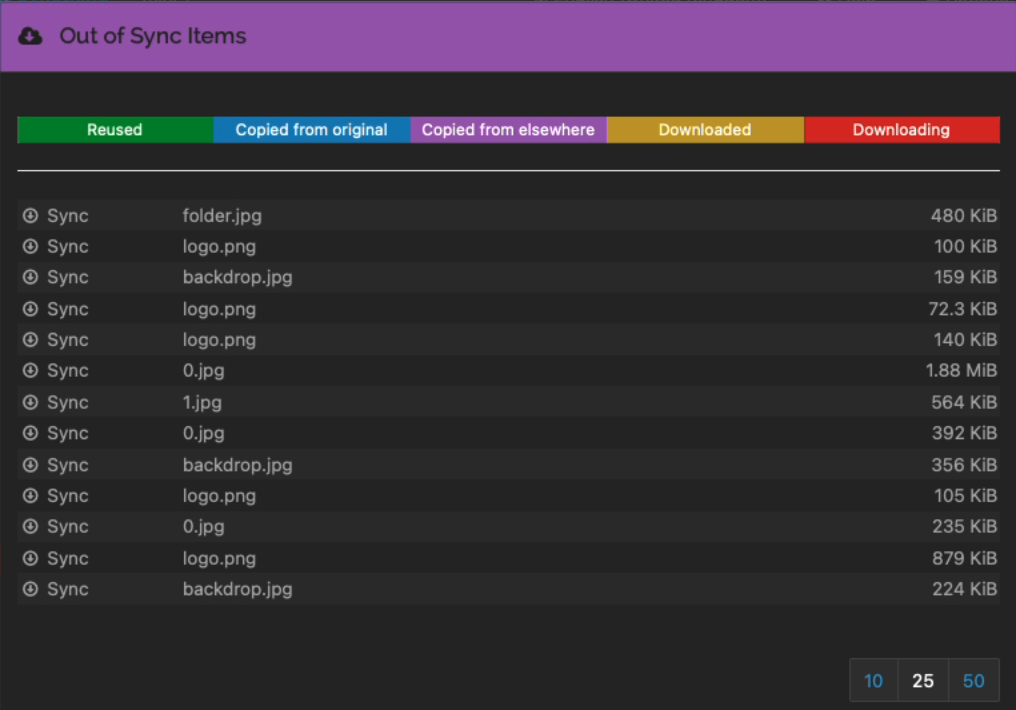
I then used the new Override button and it continued to upload - to then just stop again with the former out-of-sync items, only 4 now:
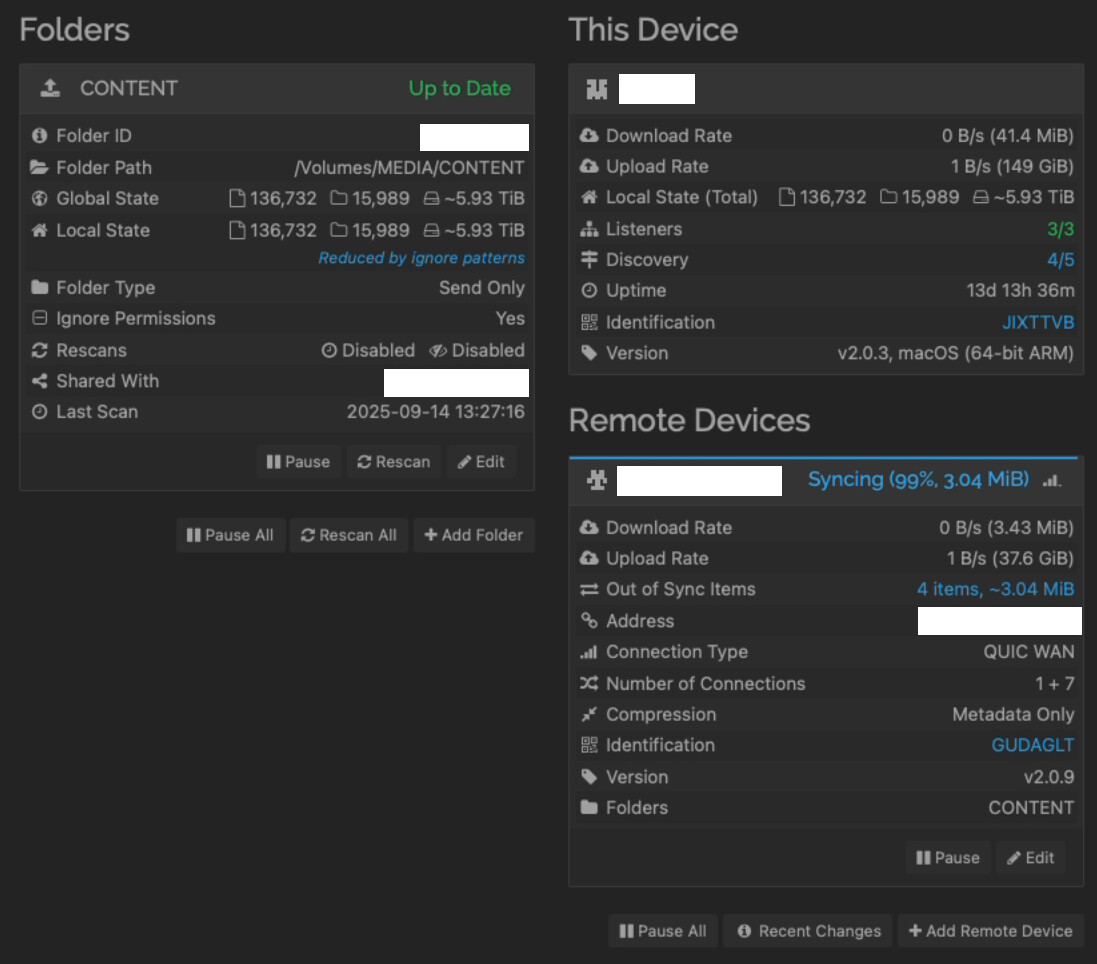
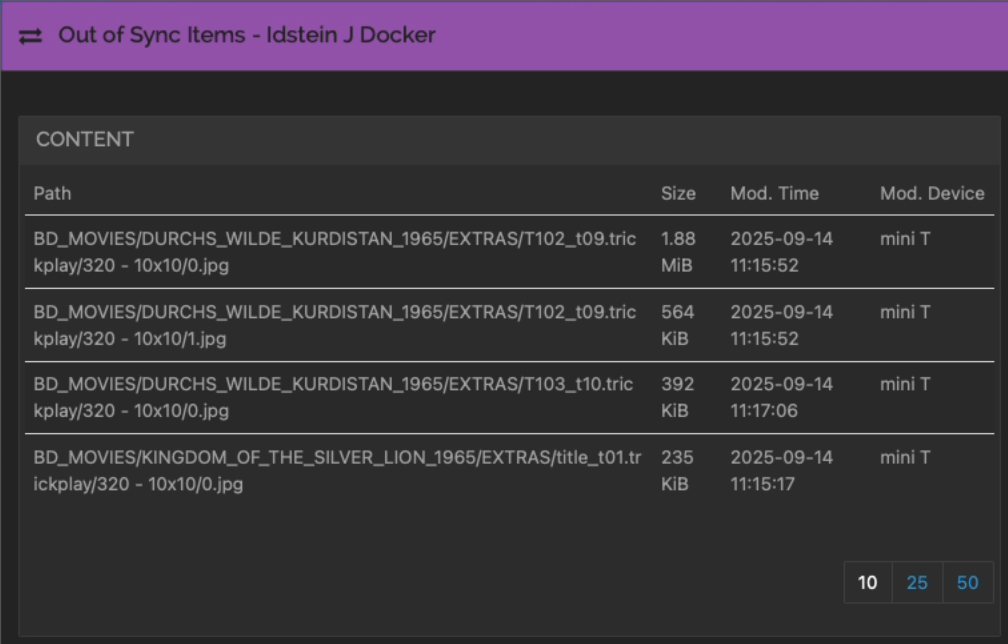
Synthing is really eating up my nerves.
I simply cannot upload anything to the remote site - it ALWAYS get’s stuck somehow.
Something definitely looks wrong, but the culprit at this point is unclear. Are you able to determine why these files are getting modified on the remote site in the first place? Also, this may be difficult with the amount of data you’ve got, but I think it would be useful to test synchronisation of the same dataset, but on a different device (and possibly running a more standard desktop OS).
The files do not normally exist on the other site, we checked this several times!
But I will ask the remote site again for those 4 files to make sure.
The dataset only exists on this computer, and how much more “standard desktop OS” does it get with a Mac Mini M1?
I upload some movies I ripped and compressed from my Blu-Rays every couple of days and each time, really each time, I run into this "“Syncing 99%” issue with some files, most of the time trickplay JPGs.
Normally, we could solve this with the “Revert” button on the remote site, but at version 2, this button does not pop up, and I am not sure what and how and where to pause which device to trigger the existence of this button.
The Mac side is “standard”, but my guess would be that the other side running Docker on Unraid is more likely to be the cause of the problem here.
That was the right hint!
As it seems, while Syncthing is running under a user-account, Jellyfin is wrongly running as root! That means, in the case that Jellyfin creates files on the remote, Syncthing cannot upload those files anymore.
It would be more helpful when Syncthing issued a regular error message like “permission denied” or anything else useable!

Syncthing probably displays such an error message on the device having the error, from which we didn’t get any screenshots.
No, I posted the message from the remote site already above:
”syncing: no connected device has the required version of this file”
A very irritating message
But that was before setting it to send&receive.
And that message would not resolve when correcting permissions,
True, but I think that the base problem always was the same - some permission problem.
If Jellyfin created files or folders as root, this would explain all the problems - but no error or log hinted at this, we only saw that “something” does not work.
I asked the remote site what is seen as error message now! Not sure when I get a reply.