I have managed to finally successfully sync all my devices except my SD oled and iphone 16 pro max which is a remote device to the “emulation” folder that is send and receive. But whenever I introduce the Steam deck oled to my remote devices to add this folder to it it makes the other devices out of sync. Should I not try to sync the entirety of the emulation folder that has roms, bios, saves, etc?
Also I’m realizing that it could be annoying if I decide I can’t run ps3 games on an android/other device yet because of how the “emulation” folder is set to send/receive any deletions will affect the host pc even too. Is there a smarter way to organize the folders or should I make new folders? Can anyone provide suggestions?
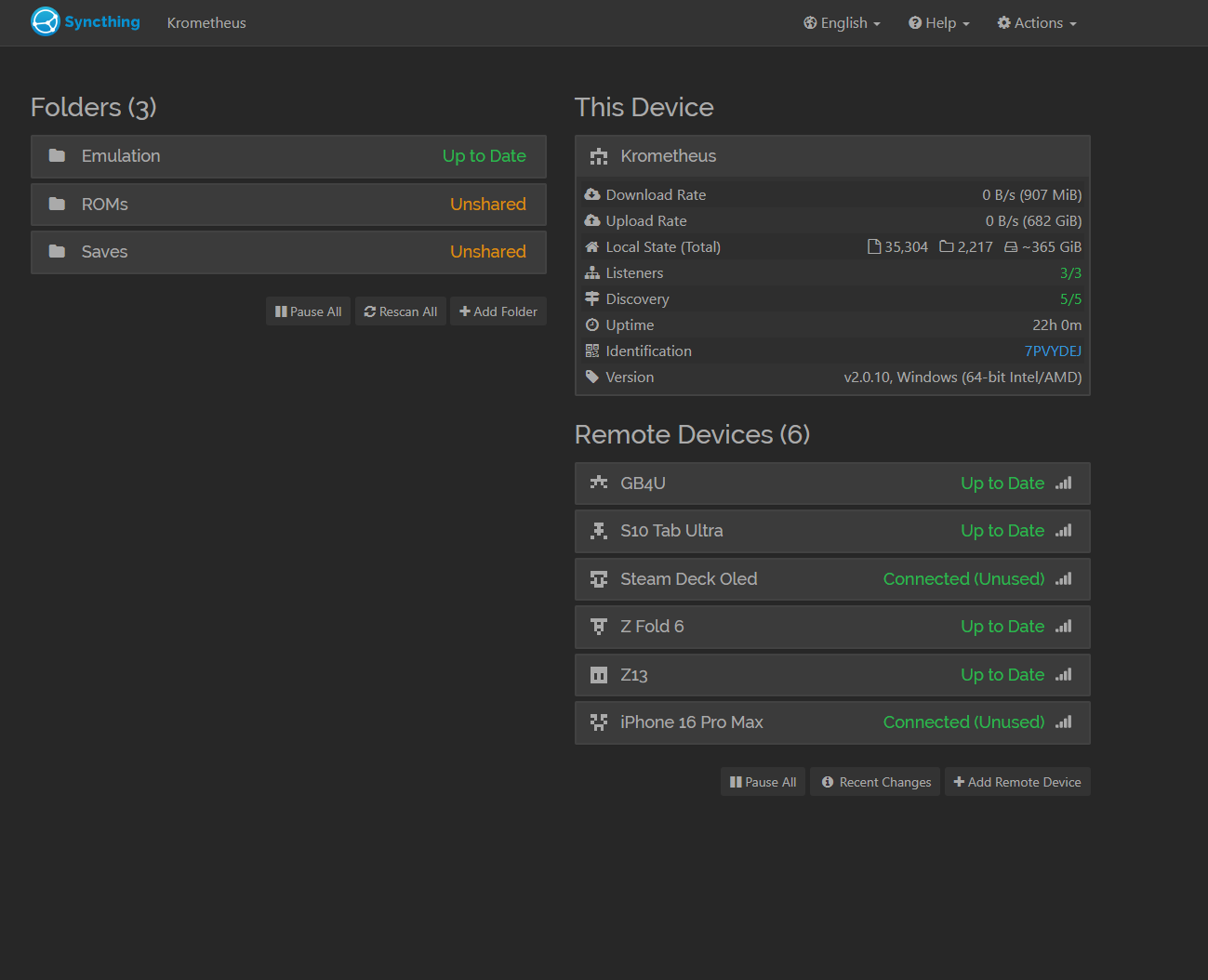
PCs:
4090 gaming pc (host)
rog flow z13 395 max (remote)
galaxy book 4 ultra 4070 (remote)
Android:
Z fold 6 (remote)
S10 Tab Ultra (remote)
iOs:
iPhone 16 Pro max (remote)
Linux:
Steam Deck (remote)