Hi,
I’ve made a fresh setup with two new devices (separate to my last topic) with Linux amd64 Syncthing v1.3.3 and got stuck again with no progress while local network connection is running fine.
Device A - has the “master” data which should be copied over to device B which initially had an empty, fresh syncthing folder.
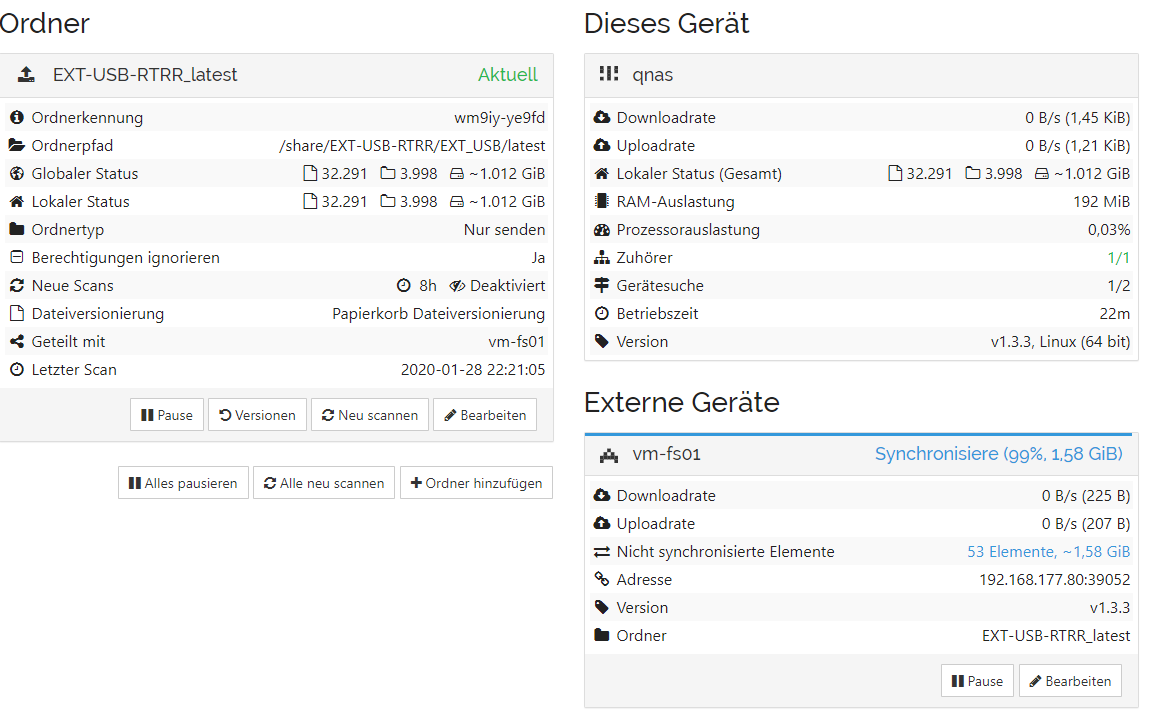
Device B - ran some hours and synced fine, then stopped with “Idle - up to date” and still hasn’t got all files.
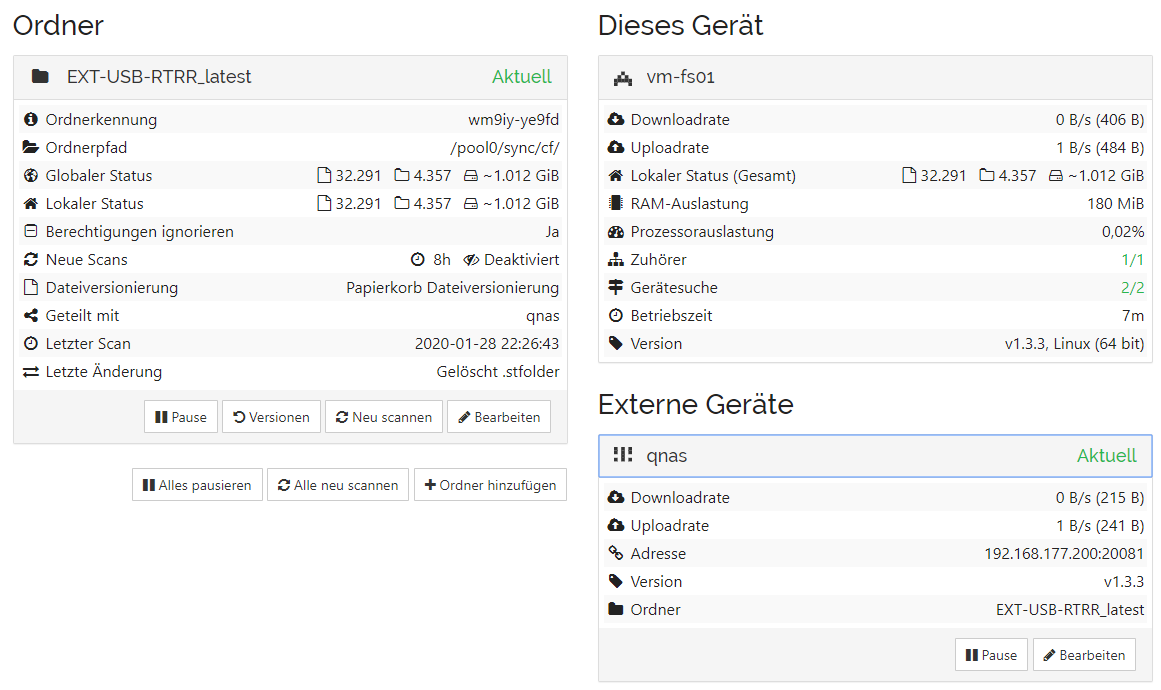
This time, I just let Syncthing do its thing. I did NOT reconfigure anything while syncing nor change folder types after initial setup.
Checked Web UI logs from both devices and didn’t find anything useful pointing to the error cause. Just…
device A has a lot of those lines with the “db” log facility enabled.
2020-01-28 22:28:15 need folder="wm9iy-ye9fd" device=CYKNZE3-RR7WDE2-CEKGBWG-Y4R2KBN-56HBUPP-YFGJ6QE-S5WSCM7-3OFQOQU name="lanprov/Spiele/RedAlert1/Maps/Snapshot" have=false invalid=false haveV={[]} globalV={[{V4GPC5C 1}]} globalDev=7777777-777777N-7777777-777777N-7777777-777777N-7777777-77777Q4
This file is indeed one of the “problematic” files.
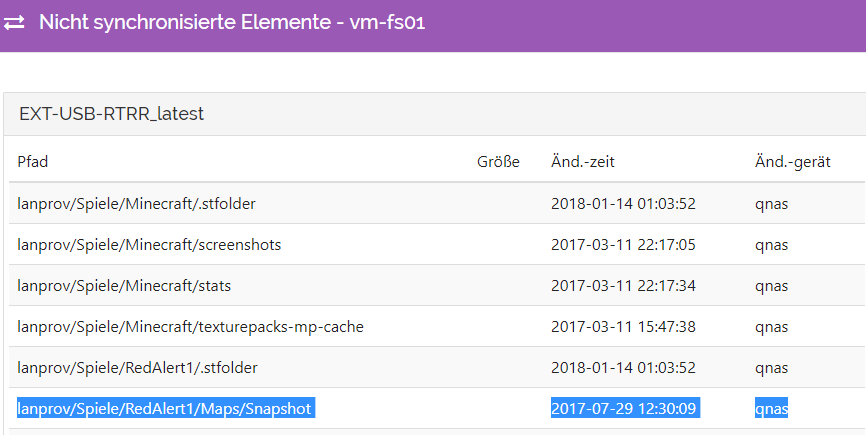
I did not disconnect network or the USB source device. I’ve verified the files can be read properly on the source. Anything I could offer here to diagnose it further?
I’ve never had such problems with Syncthing picking me one after another, so I wonder what or if me has caused this unintenionally??? It just ever ran fine before in every constellation and now - where I need it to copy over a set of regular directories and files - it fails unexpectedly.
Thanks for your patience and help. If required, I come back with more log information. Will let this second “test case” sit as it is if we need it for further diagnosis. (The first I’ve posted before is needed in production).